Exit
  • Global community
    • Language:
      • Deutsch
      • English
      • Español
      • Français
      • Português
  • 日本語コミュニティ
  • 한국 커뮤니티
0

Can't extend length (time) of Adobe pre-made graphic (Sports Lower Third Center)

Community Beginner ,
Jan 17, 2019 Jan 17, 2019

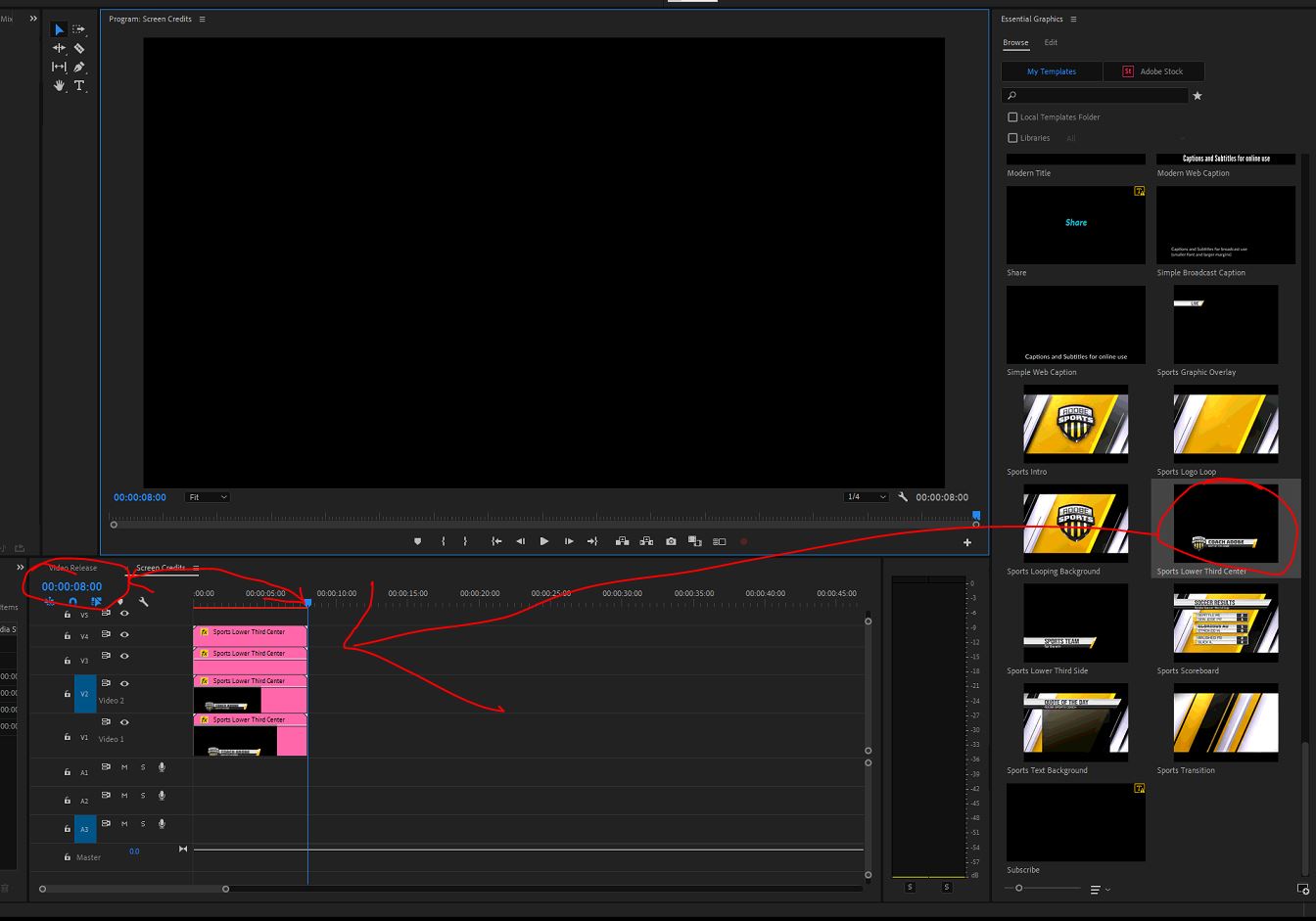
Is there a way to extend the length of the "Sports Lower Third Center" graphic past 8 seconds.  It won't let me.  See attached screenshot for reference.  its a still frame type shot... there's not animation behind it.

adobe.JPG

1.3K
Translate
Report
Community guidelines
Be kind and respectful, give credit to the original source of content, and search for duplicates before posting. Learn more
community guidelines
Adobe Employee ,
Jan 17, 2019 Jan 17, 2019

Hi DedicatedManager!

Have you already tried right-clicking on it and adjusting the "Speed/Duration" to a longer amount of time?

If it's a still frame, could you copy+paste the graphic a couple of times and put them back to back? As a workaround. 

Caroline

Translate
Report
Community guidelines
Be kind and respectful, give credit to the original source of content, and search for duplicates before posting. Learn more
community guidelines
Community Beginner ,
Jan 17, 2019 Jan 17, 2019

Thanks for the reply.  I'll try the "speed/duration". 

it's not a still frame per say... it just doesn't have any animation to it.  I don't really get what these elements are. 

Translate
Report
Community guidelines
Be kind and respectful, give credit to the original source of content, and search for duplicates before posting. Learn more
community guidelines
LEGEND ,
Jan 17, 2019 Jan 17, 2019
LATEST

If that is an animated one ... elements come in or fade out ... it may be very time specific. A lot of animated mogrts don't allow length changes.

Neil

Translate
Report
Community guidelines
Be kind and respectful, give credit to the original source of content, and search for duplicates before posting. Learn more
community guidelines