


Participating Frequently
September 27, 2022
Question

Can't get project to render - "Error code 4 selector 9 MPEG preview of type exporter"

  • September 27, 2022
  • 1 reply
  • 1073 views

I am trying to take a 5 hour Zoom .mp4 video and trim only the first 58 minutes and 15 seconds out.  I haven't added any effects or manipulated the original file other than using the source panel to trim out the part of the file that I want to render.  I then select "Sequence>>Render In to Out" for the sequence panel.  And I get this message. 
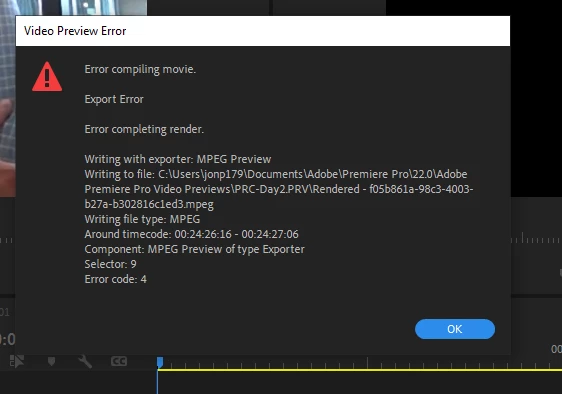


How can I fix this so I can render the file and export the video to .mp4 format?

This topic has been closed for replies.

1 reply

Ann Bens
Community Expert
Community Expert
September 27, 2022

Change your preview codec to  Quicktime/Prores.


You do not need to render  prior to export, unless export codec is same as preview codec.

Participating Frequently
September 27, 2022

My export codec and preview codec are currently both MPEG.  Why would changing it to Quicktime/Prores make a difference and suddenly cause it to work?


And if I want to export to .mp4, is Quicktime/Prores going to allow me to do that?

Participating Frequently
September 29, 2022

I will say again change PREVIEW codec (sequence settings) not export codec.


Prores is not Mac specific anymore.


Ok.  Thank you.