


Participant
February 5, 2024
질문

Can't hear audio placed in timeline on track 3 and 4

  • February 5, 2024
  • 3 답변들
  • 4965 조회

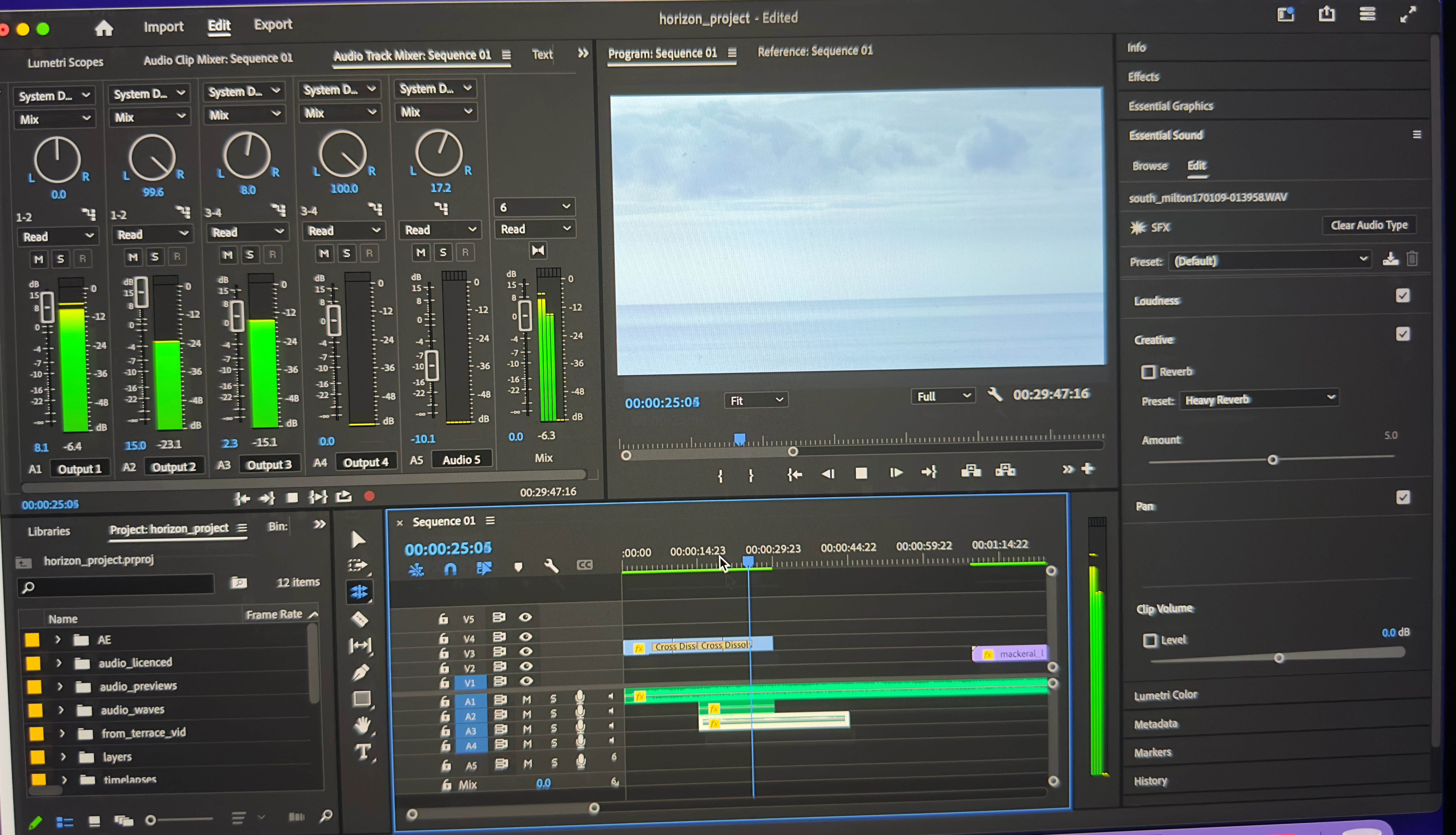
Hello, I Can't hear audio placed in the timeline on track 3 and 4. I can see the levels working as they should in audio mixer but no sound. If I move the clip to track 1 or 2 it plays just fine, also if I double click the clip it will also play fine in the source panel. As suggested in an old post I found, duplicating the sequence does not work, nor does a restart.
이 주제는 답변이 닫혔습니다.

3 답변

MyerPj
Community Expert
Community Expert
March 28, 2024

There's an errant period '.' at the end of that link, when clicked here. It works to simply delete the period in the address bar, otherwise; Here it is without the period.

https://community.adobe.com/t5/premiere-pro-discussions/multichannel-audio-3-and-4-not-working/m-p/11930401


matt bright작성자
Participant
February 7, 2024

Thank you. Creating a new stereo sequence and copy, pasting all content from the original has fixed it. It is possible I suppose, that when I draged my first audio clip onto the timeline, that that clip somehow set the parameters for the entire sequence audio wise. 

Kevin J. Monahan Jr.
Legend
February 6, 2024

Hi @matt bright,

See if the discussion here might help you solve the problem: https://community.adobe.com/t5/premiere-pro-discussions/multichannel-audio-3-and-4-not-working/m-p/11930401. I hope it helps. Let us know! Sorry for the problem.


Thanks,
Kevin

Kevin Monahan - Sr. Community and Engagement Strategist – Adobe Pro Video and Audio
Participant
March 28, 2024

Kevin; I'm having the same problem and the link you posted is no longer avaiable, can you repost it please?