
Participant
March 16, 2025
Question

Can't open Premiere Pro 2025 after update

  • March 16, 2025
  • 20 replies
  • 3165 views

I updated everything on my MacBook Air this week (including system and Creative Cloud applications). Now I can't open Premiere Pro 2025 and don't understand why.


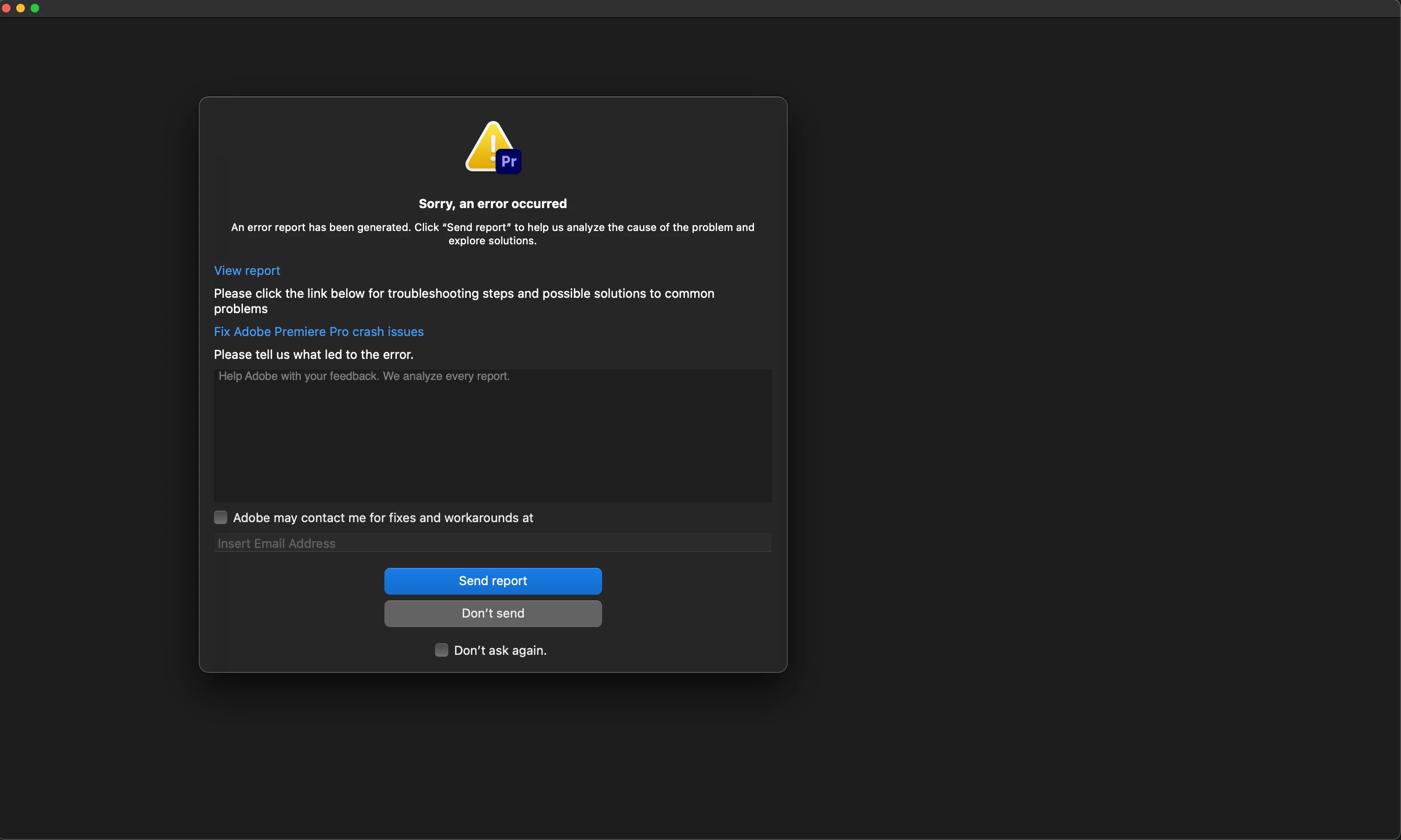
When I try to open the application, I immediately get this error message (I've tried restarting my laptop, reinstalling Premiere, etc.).


It worked fine before the updates and I can open other Creative Cloud applications like Lightroom. Any ideas on how to fix this?
 

20 replies

MyerPj
Community Expert
Community Expert
March 18, 2025

@Sebastian31633726m8lx , it seems like it is something PP does not like about your machine. 2025, and now 2024. You should probably start to suspect that, with both versions acting the same. 


What might you say about your setup?


Kevin-Monahan
Community Manager
Community Manager
March 18, 2025

Sorry, @Sebastian31633726m8lx. I responded to the wrong person. The message was meant for @Guto2MT.


Cheers,
Kevin


Kevin Monahan - Sr. Community and Engagement Strategist – Adobe Pro Video and Audio
Participant
March 18, 2025

@Kevin-Monahan @Rach McIntire 


I now deinstalled Premiere Pro 2025 and installed Premiere Pro 2024 on the same SSD. I encounter the same error: I try to open the app, but it immediately crashes,

Participant
March 18, 2025

Hello @Kevin-Monahan @Rach McIntire , 


Thank you for getting back. See below for further info:


"It's possible that your hardware is not supported for some workflows.

--> The problem is that I can't even open the application. I can't do any workflows.


"See also the system requirements."

Adobe Creative Cloud states "Works on this device" for Premiere Pro 2025. Plus, I can't find any system requirements that my machine does not fulfill. 


Thank you for your response.

Participant
March 18, 2025

Sorry but do any one can't open premier pro cause it ask to have access to the following folder : 

Picture 


And then i open security and privicy setting but can't find premier pro in the list, i only see media encoder 

Guto2MT
Participant
March 17, 2025

Não consigo iniciar os programas Premiere Pro e ou After Effects. O programa começa o processo de inicialização, mas antes de ter a visão do programa ele trava e gera um arquivo com erro.
Primeiramente diante das informações acima atualizei os programas que estava desatualizados, mas não corrigiu. Atualizei os drives do computador, também sem resultado. Desinstalei e realizei nova instalação livre de preferências ou plugins de terceiros que pudessem estar travando, mas sem resultado. Os demais programas da Creative Cloud estão funcionando corretamente.

O arquivo de erro que é gerado no formato .DMP não pode ser anexado.
Configurações:

Processador: I5
Ram: 16GB
Placa de Vídeo: GTX 970

Kevin-Monahan
Community Manager
Community Manager
March 18, 2025

Hello @Guto2MT,

It's possible that your hardware is not supported for some workflows. See if this post helps: https://adobe.ly/4krYVi5. See also the system requirements. I hope it explains things.


Thanks,
Kevin


Kevin Monahan - Sr. Community and Engagement Strategist – Adobe Pro Video and Audio
Participant
March 17, 2025

Hey sebastian.

I have also encountered the same problem when I updated all my driver and other things and I also was not able to open my adobe apps.

Not just adobe but AutoDesk apps, coral graphics suite and microsoft office were also not opening.


I've found online that my solution was to uninstall everything related to adobe from my systems C-drive and install all of them again.

My operating system was windows though but I think that same solution could solve your problem.

Participant
March 17, 2025

Hello Rach, thank you for your response and the further information. I'll combine the answers to your questions and the bug report below.


What all is "updating everything"?  Were you working in 25 before?

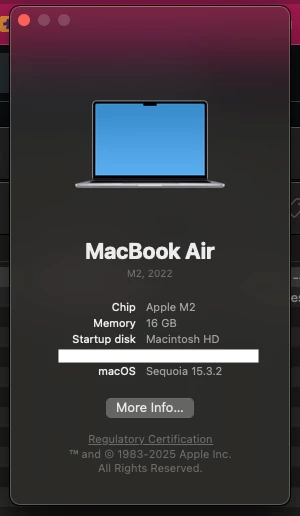
I updated my macOS to 15.3.2 and all the application that had an update available. Before, I was using PP 24 (and I think 25) to edit videos. Both worked fine. I deinstalled all Adobe applications from my internal hard drive and moved them to my external SSD (which works for InDesign and Lightroom Classic).


What version of Premiere are you on now?

25.1


How are you opening the application? 

The application is on my external SSD. I open it by clicking on the application icon (without any project involved in this step).


Issue 

I click on the application icon of Premiere Pro 25.1 which is on my external SSD. The application loads, but crashes immediately (see error message in screenshot).


Adobe Premiere Pro version number:

25.1


Operating system - Windows or macOS, and which version of those operating systems?

macOS 15.3.2


System Info: 
CPU: Apple M2 8-Core

GPU: Apple M2 8-Core

RAM: 16GB

Hard Drive: SanDisk Extreme Portable 4TB (1.6TB free space), ExFAT, connected via USB 3.0, can open all other Adobe applications (Lightroom Classic, InDesign) from it

Video format: No video or project in use
Workflow details: Tried opening the application from the , but it crashes immediately
Expected result: The application should open.
Actual result: The application crashes.

Community Manager
March 17, 2025

Hi @Sebastian31633726m8lx,

Welcome to the Premiere Pro forums! We are glad to see you here.  What all is "everything"?  Were you working in 25 before?  What version of Premiere are you on now? I can see you sent some crash reports to Adobe which is super helpful.  How are you opening the application?  We need a few more details to help with this issue.  Please see: How do I write a bug report?  I hope we can help you soon. Sorry for the frustration! 

MyerPj
Community Expert
Community Expert
March 16, 2025

You might want to have a look at this from Adobe: 

https://helpx.adobe.com/creative-cloud/kb/cc-cleaner-tool-installation-problems.html


Perhaps a mac person will check into this thread soon.