Bed30321077z973
Inspiring
January 20, 2024
Answered

CEP panel Questions: 1) Is Chrome necessary for debugging or can Edge (a chromium work)? 2) ...more

  • January 20, 2024
  • 1 reply
  • 1587 views

Hello,

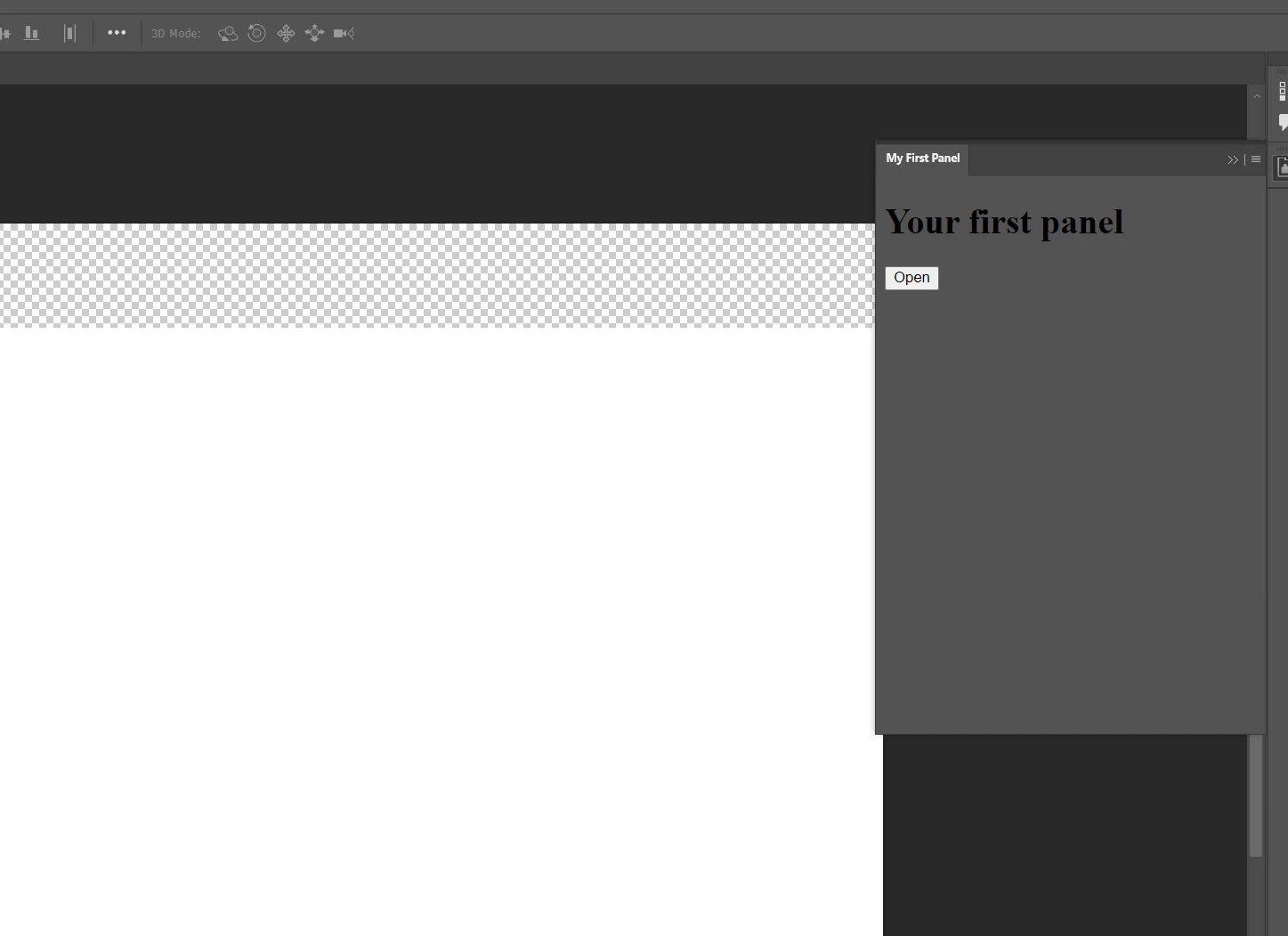
I reached this point:

The buttons works but the debuggins page does not seem to work.


FIRST QUESTION:

1A) Do I HAVE to use CHROME to be able to access the debugging page at http://localhost:8088/?

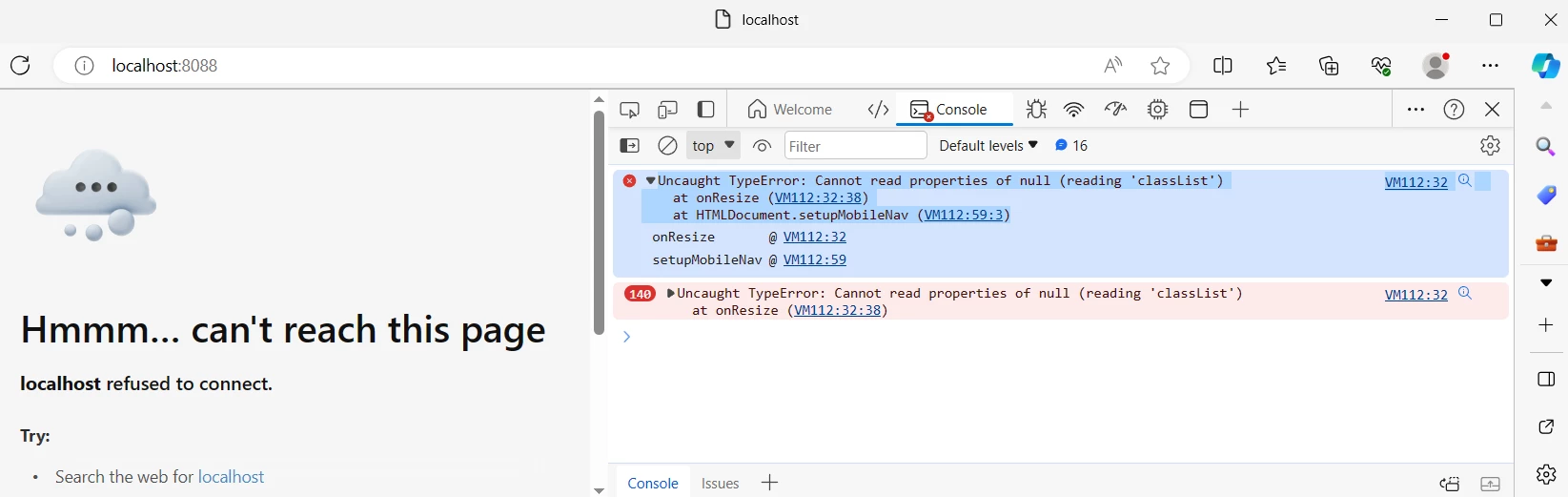
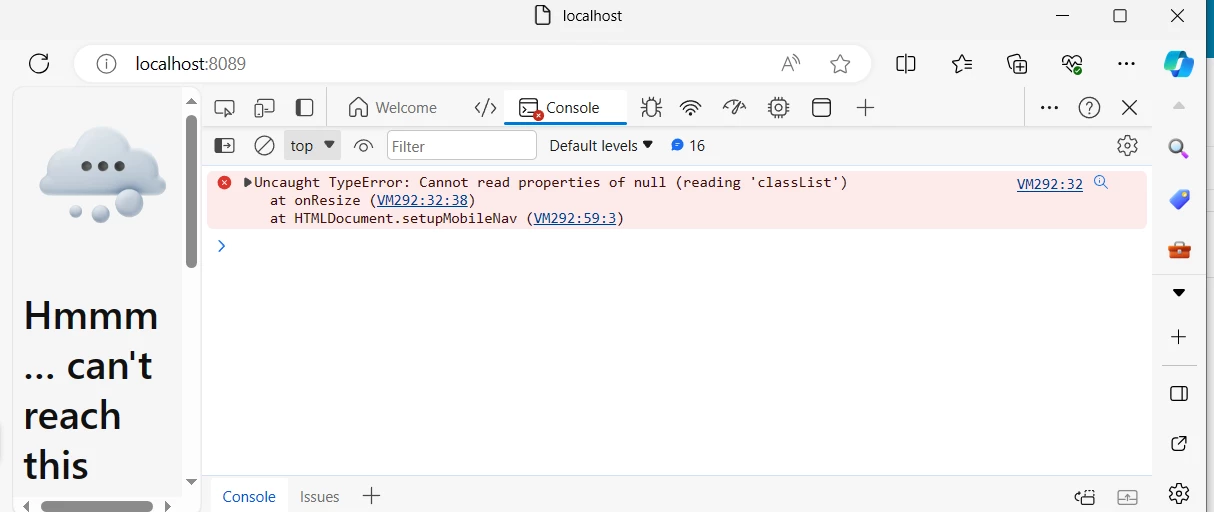
I tried on Edge, and I am not getting anything from the upload image cep example, it shows this error/problem:

-----------------------------------------------------------------------------------------------------------------------------


VM112:32
 
Uncaught TypeError: Cannot read properties of null (reading 'classList') at onResize (VM112:32:38) at HTMLDocument.setupMobileNav (VM112:59:3)
 onResize@VM112:32
 setupMobileNav@VM112:59

------------------------------------------------------------------------------------------------------------------------------

Screenshot, this is on the browser EDGE:
1B) Is there a problem particular here?


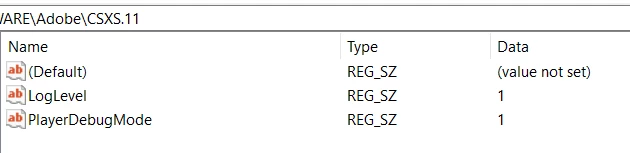
Yes I have added in the .debug entry otherwise the panel would not show up at all:
 

I tried with another index.html (but I kept = all other files from the "upload image" example, as they are)

=> new index:


<html>
<head>
    <title>Hello World!</title>
</head>
<body>

    <h1>Hello World!</h1>

    <!-- Add a button labeled “Click this!” -->
    <button id="myButton">Click this!</button>

    <script type="text/javascript">
    /* Add a click handler to the button */
    document.getElementById('myButton')
        .addEventListener('click', function() {
            /* When the button is clicked, output a string to the JavaScript Console */
            console.log("I can't believe you clicked!");
        });
    </script>

</body>
</html>
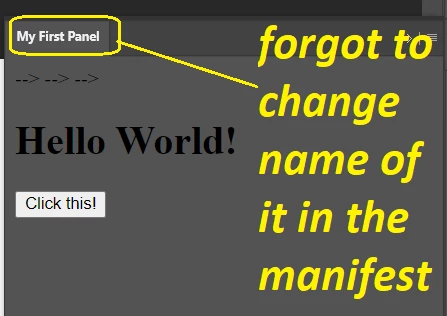


Still nothing in the debugging page of EDGE browser (I changed it to 8089) despite clicking on that button and changing the index file:
 

Second point:

I am trying to understand how to make the extensions work in specific version vs "common files":


The panel seems to have showed up when added here: "..\Common Files\Adobe\CEP\extensions"

But when I tried to put it here:

C:\Users\Name with Spaces\AppData\Roaming\Adobe\Premiere Pro\23.0\UXP\PluginsStorage\Internal

=> nothing showed up!

How comes?
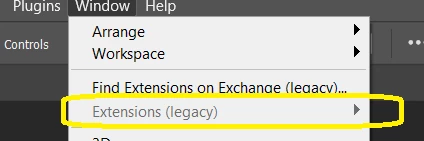
IS that expected behaviour?


Third point:


Despite having "Photoshop 2024" :
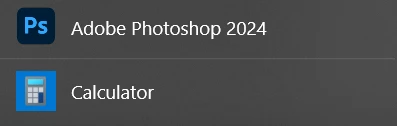
 

I chose the value 25 Because of:
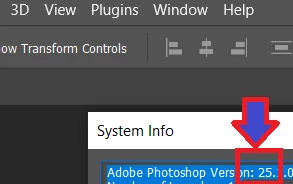


<Host Name="PHSP" Version="25" />
<Host Name="PHXS" Version="25" />


Am I on the right path ?

Is that the general rule to follow when writing these lines for the rest of the adobe products? (alwayws open HELP-> SYSTEM INFO -> And take that version for the manifest?


Fourth point:


Is CSXS v = 11.0 the very last one?


-----------------

What else should I know?

I really don't want to install chrome, can I get the debugging working with another premium than Chrome please?


This topic has been closed for replies.
Correct answer Bruce Bullis

So in order to continue visual code as I used to do, I simply have to open the extension "folder" of the CEP

> that I am testing (com.my.test-1.0.0) inside visual code? And then run the jsx? But then that would mean
> I am not "testing" the other parts (indes.js, index.html..etc)?


Yes, you debug your extension by opening the extension directory in VSCode. 
VSCode can debug both the JavaScript and ExtendScript portions of your extension; that's why both configurations are included in PProPanel. 

>...BUT IT USES EXTENDSCRIPT TOOLKIT, which DOES NOT EXIST anymore right?

Right. That's why PProPanel now contains a debugging configuration, which uses the ExtendScript debugger in VSCode.

I did not find any simple example in Premiere pro yet.
One high priority question for me, is how do I get that PANEL presented on that video?

> I really really really want to try it, look:
>(It's on the video of the adobe staff).

Yeah, that's me. I sound so young! Here's the panel:

https://github.com/Adobe-CEP/Samples/tree/master/PProPanel

>Not sure if you said it's either chrome or visual code, or if you meant: no you can do it in other browsers.


Using Chrome is not required. You can try any browser that allows JavaScript debugging; PProPanel contains a JavaScript debugging configuration for use within VSCode.


> its PREMIERE PRO that interests me ultimately, and I think it only has CEP.

Correct.


>But why is the 9?


That line from the manifest tells extension hosts that "This extension is compatible with PPro, version 9.0 or higher".


I THOUGHT" there might be some :

> - Use cases ready to use Panels to test out

> - With all their codes and relevant files to try out


Yep, that's what the /Samples repo is all about. 🙂


>are all these files the actual panel shown on the video I linked?

Yes. 


1 reply

Bruce Bullis
Community Manager
Community Manager
January 20, 2024

> 1A) Do I HAVE to use CHROME to be able to access the debugging page at http://localhost:8088/?

No. The PProPanel sample contains a JavaScript debugging configuration, for use with Visual Studio Code. Often, mismatched port numbers can cause debugging difficulties.

>I am trying to understand how to make the extensions work in specific version vs "common files"


Moving to different directories won't work. Also, CEP and UXP are completely different technologies.
Yes, you're on the right track; specify the supported host version(s) in your extension's manifest.

Is CSXS v = 11.0 the very last one?


No; CEP12 exists, but PPro hasn't yet integrated it.

Bed30321077z973
Inspiring
January 20, 2024


No. The PProPanel sample contains a JavaScript debugging configuration, for use with Visual Studio Code. Often, mismatched port numbers can cause debugging difficulties.


I am used to to use visual code to run extendscript code and look at errors if there any, except I never had that code inside a "CEP" configuration. So in order to continue visual code as I used to do, I simply have to open the extension "folder" of the CEP that I am testing (com.my.test-1.0.0) inside visual code? And then run the jsx? But then that would mean I am not "testing" the other parts (indes.js, index.html..etc)?

There is an example from the tead here: https://assets.adobe.com/public/8c35be84-22fb-40fa-7715-b3fd94f474a6

BUT IT USES EXTENDSCRIPT TOOLKIT, which DOES NOT EXIST anymore right?

So it's kind of confusing a little bit, not sure how to go about this. I was trying an example on Adobe Phosothop, but I did not find any simple example in Premiere pro yet.


Not sure if you said it's either chrome or visual code, or if you meant: no you can do it in other browsers. (Don't know what I might have mistmatched, also I don't recall configuring anythign in my files to "link" the extension to a browser except this line: <Host Name="PHXS" Port="8089"/>, <Host Name="PHSP" Port="8089"/>, in the hostlist of .debug (I was trying photoshop but it's the same principle and the localhost (8089) did not show anything)


One high priority question for me, is how do I get that PANEL presented on that video? I really really really want to try it, look:


(It's on the video of the adobe staff).


------

you mention UXP being different from CEP, sure but .. eveything I have tried to do up until now is following the different links related to panels (aka cep?) I am not sure if I have reached the UXP area yet or not, in any case its PREMIERE PRO that interests me ultimately, and I think it only has CEP.


---------------------


>Yes, you're on the right track; specify the supported host version(s) in your extension's manifest.

Thank you! I just tried adding that line and indeed the extension now appears in PPRO menus.

I just don't understand how do find the RIGHT VERSION digit? When I click "Help -> About Premiere Pro" All I see is V.24, so I really don't know if there is a rule, or a secret to know which line of code works best. I chose the line you gave me , so the digit 9:


<Host Name="PPRO" Version="9.0" />


But why is the 9? I have no idea. (Unless it has no effect).


Finally:

I have read so much this word "Samples" when I was hearing about this so called CEP Panels (before I start dwelling in them), that " I THOUGHT" there might be some :

- Use cases ready to use Panels to test out

- With all their codes and relevant files to try out

But all I am seeing in the different repositories I am trying to open (there are many pages it can get confusing), is:

The CEP Test Panel shows the full capabilities of CEP panels.

Which contains a "mix" of different files of all types, and they are not organized like the tutorial shows:


, wait, I just had .. a eureka moment.. i guess, are all these files the actual panel shown on the video I linked? I see a .debug file, BUT I don't see a manifest file nor a bundle ID (in order to be able to create an extension folder to try this out?)

This is very interesting, I might need a little push to see it through, just the mechanichs of the beginning to gel me fully started.
Thanks again for any extra input.


Bruce Bullis
Community Manager
Bruce BullisCommunity ManagerCorrect answer
Community Manager
January 21, 2024

So in order to continue visual code as I used to do, I simply have to open the extension "folder" of the CEP

> that I am testing (com.my.test-1.0.0) inside visual code? And then run the jsx? But then that would mean
> I am not "testing" the other parts (indes.js, index.html..etc)?


Yes, you debug your extension by opening the extension directory in VSCode. 
VSCode can debug both the JavaScript and ExtendScript portions of your extension; that's why both configurations are included in PProPanel. 

>...BUT IT USES EXTENDSCRIPT TOOLKIT, which DOES NOT EXIST anymore right?

Right. That's why PProPanel now contains a debugging configuration, which uses the ExtendScript debugger in VSCode.

I did not find any simple example in Premiere pro yet.
One high priority question for me, is how do I get that PANEL presented on that video?

> I really really really want to try it, look:
>(It's on the video of the adobe staff).

Yeah, that's me. I sound so young! Here's the panel:

https://github.com/Adobe-CEP/Samples/tree/master/PProPanel

>Not sure if you said it's either chrome or visual code, or if you meant: no you can do it in other browsers.


Using Chrome is not required. You can try any browser that allows JavaScript debugging; PProPanel contains a JavaScript debugging configuration for use within VSCode.


> its PREMIERE PRO that interests me ultimately, and I think it only has CEP.

Correct.


>But why is the 9?


That line from the manifest tells extension hosts that "This extension is compatible with PPro, version 9.0 or higher".


I THOUGHT" there might be some :

> - Use cases ready to use Panels to test out

> - With all their codes and relevant files to try out


Yep, that's what the /Samples repo is all about. 🙂


>are all these files the actual panel shown on the video I linked?

Yes.