


Color label conundrum!
- December 2, 2021
- 1 reply
- 454 views
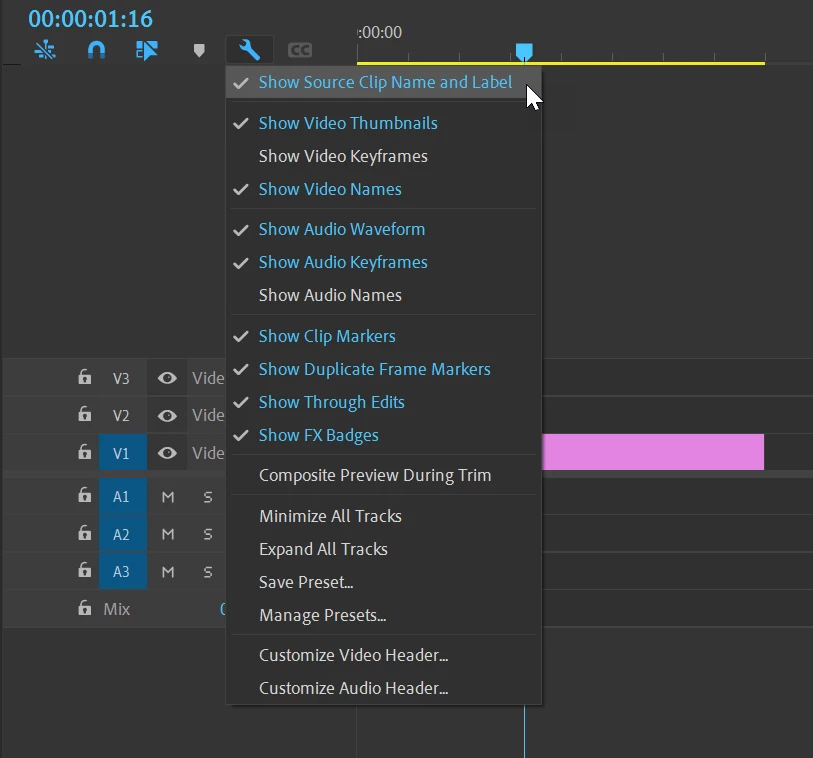
I'm working on a project with hours of color labeled footage. As I've seen in other threads, those colors all seem to have disappeared when I upgraded to PP v22.0. Here's the part that is so confusing. I have two MacBook Pros. One is a 2015 (macOS Catalina Version 10.15.4), the other is a 2019 (macOS Version 10.15.7). Both laptops are running Premiere Pro v22.0. When I load the project on my 2015, the color labels are all there as they should be. When I load it on the 2019 laptop, there are no color labels at all -- just the defauly iris color. I've compared all my settings and they appear to be exactly the same on both units. So why is one laptop showing the labels while the other is not? The data obviously resides below the surface even though it's not appearing on my 2019 laptop. As far as I can tell, the only difference is that the laptops are running a slightly different version of Catalina. Any other thoughts on the matter? I need to get it working on the 2019 MacBook because the my son needs the other one for school. Thanks in advance.
 AdChoices