
Corrupt HVEC .265 export
Since January I've had increasing problems exporting video with corrupt plabyack at one or more spots.
My export settings are HVEC .265 at Full HD (1920x1080), VBR, 1 pass with a target bitrate of 16 Mbps.
First the video will go blocky and then totally smears of confusion followed by the audio cutting out.
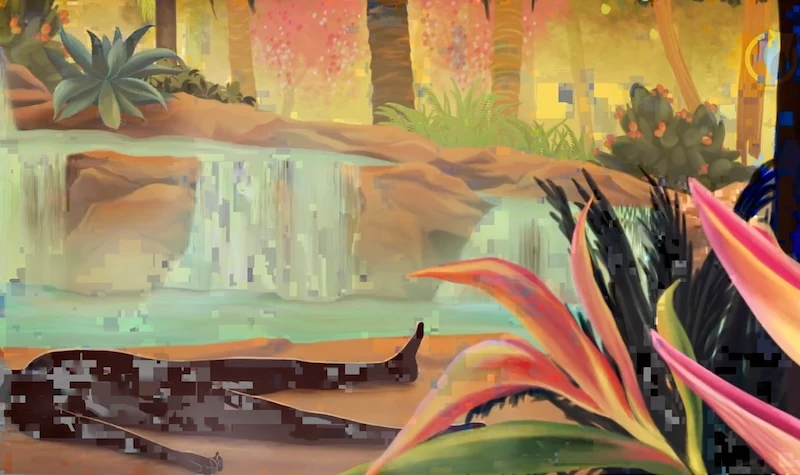
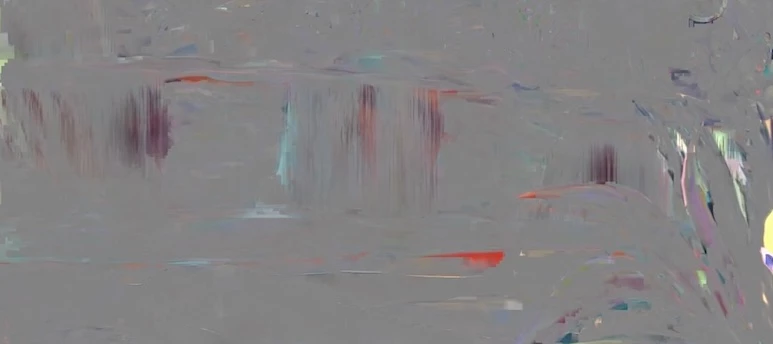
After 10 to 30 seconds playback returns to normal. I try to scrub back and forth to check quickly in quick play mode. If it seems good, I upload to Vimeo where the client reviews (this is where we started having clients complaign about the glitches). Before I send Vimeo review links now, I try to watch every episode in the 20 part series in 2x time to scan the entire series and catch problems so they can be re-exported if needed.
I export animation projects which will feature Apple ProRes 422 .mov source video plus some graphics, an adjustment layer & PNG watermark. Episodes are usually five minutes or less.
We've been releasing animation series like this for seven years. I don't know if I would have problems if the project was a new one. My work is primarily new languge versions of existing series so I working from templates copied to create each new language recording.
Version 25.2.3 (Build 4)
Mac OS Sequoia 15.5
This has been going on for about five months so this involves some previous versions of Premiere and Mac OS. Every time an update is released I'm hopeful the problem will go away but it hasn't yet.
Some coworkers (there are seven on our team) have had similar issues so I go to the person with the newest computer who has the fewest issues with rendering glitches. My machine is a MacBook Pro M2 Max only two years old.
 AdChoices