


Inspiring
March 7, 2020
Answered

Create circle of a specific size.

  • March 7, 2020
  • 1 reply
  • 1352 views

I've looked through a few threads but haven't found what I'm trying to do.

How do I draw a circle of a given radius (say, 40 pixels) with a stroke of given thickness (say, 2 pixels) and no/transparent fill?

Can I do this in Premiere Pro or am I better off creating it elsewhere and importing it?

Thanks in advance, Jim
    This topic has been closed for replies.
    Correct answer Ann Bens

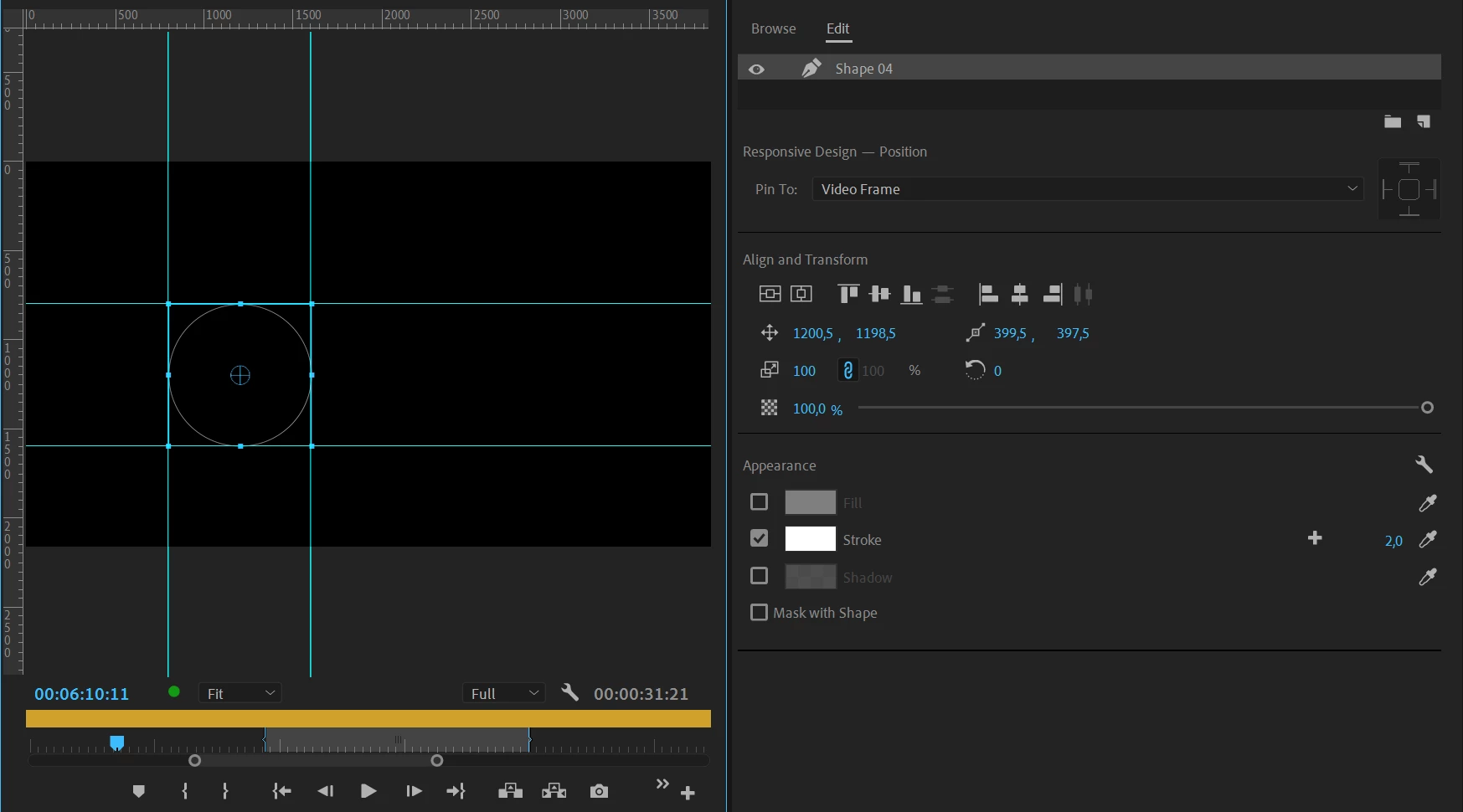
    Set up a grid with the Guides to 40 pixels

    Turn on Snap in Program window (wrench)

    Draw circle while holding down shift (for perfect circle)

    Make it fit in the grid.

    Turn off fill and turn on stroke and set it to 2.


    1 reply

    Ann Bens
    Ann BensCorrect answer
    Community Expert
    March 7, 2020

    Set up a grid with the Guides to 40 pixels

    Turn on Snap in Program window (wrench)

    Draw circle while holding down shift (for perfect circle)

    Make it fit in the grid.

    Turn off fill and turn on stroke and set it to 2.


    Inspiring
    March 7, 2020

    Thanks Ann,

    That grid certainly helps! Especially when viewing at 400%

    "Snap in Program Monitor" doesn't seem to do anything when creating or resizing the circle. Should it? It does snap when moving the circle.

    Thanks again, Jim