


Answered
Creating adjustment layers with CEP (extendscript)
I'm trying to figure out how CEP extensions like Premiere Composer (by Mister Horse) manage to add adjustment layers in the active sequence (to create transition templates, for example):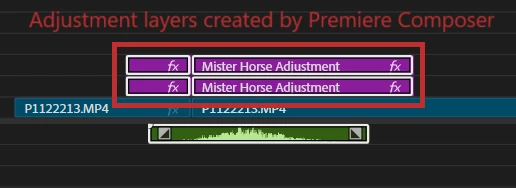
Indeed, it seems that it is not possible to add a new adjustment layer with Extendscript.
A workaround would then be to:
- Manually create a sequence containing only an adjustment layer (with the desired effects and properties).
- Clone this sequence (with Extendscript)
- Import this sequence in the active sequence (with Extendscript)
This would be nearly identical to adding an adjustment layer directly — except that adjustments layers contained inside a sub-sequence (i.e. imported as a nest) do not work: they do not affect the tracks located beneath them, like an adjustment layer is supposed to.
The solution would then be to use the "insert sequence as individual clips" mode: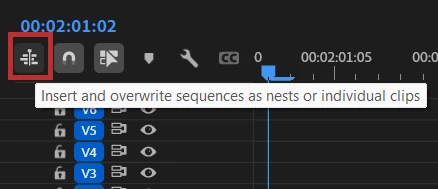
By doing so, the sequence containing only an adjustment layer would be inserted as... a single adjustment layer!
And it turns out this does indeed work when performed manually (by dragging and dropping the sequence from the project browser to the active sequence).
However, even when this "insert as individual clips" mode is activated in the UI, importing a sequence with Extendscript still results in a nested sequence being added to the track (instead of adding only the content of this sequence — in this case, an adjustment layer).
How could I proceed?
Thanks
 AdChoices