



Mwarren
Inspiring
July 23, 2017
Answered

Creating b&w-shape based transitions between two videos

  • July 23, 2017
  • 1 reply
  • 428 views

I would like to transition from one video to the next by using an black & white animated video mask. I'm having a very hard time using proper terminology and it's getting in the way of my web searches, so here's a picture that should clarify things:
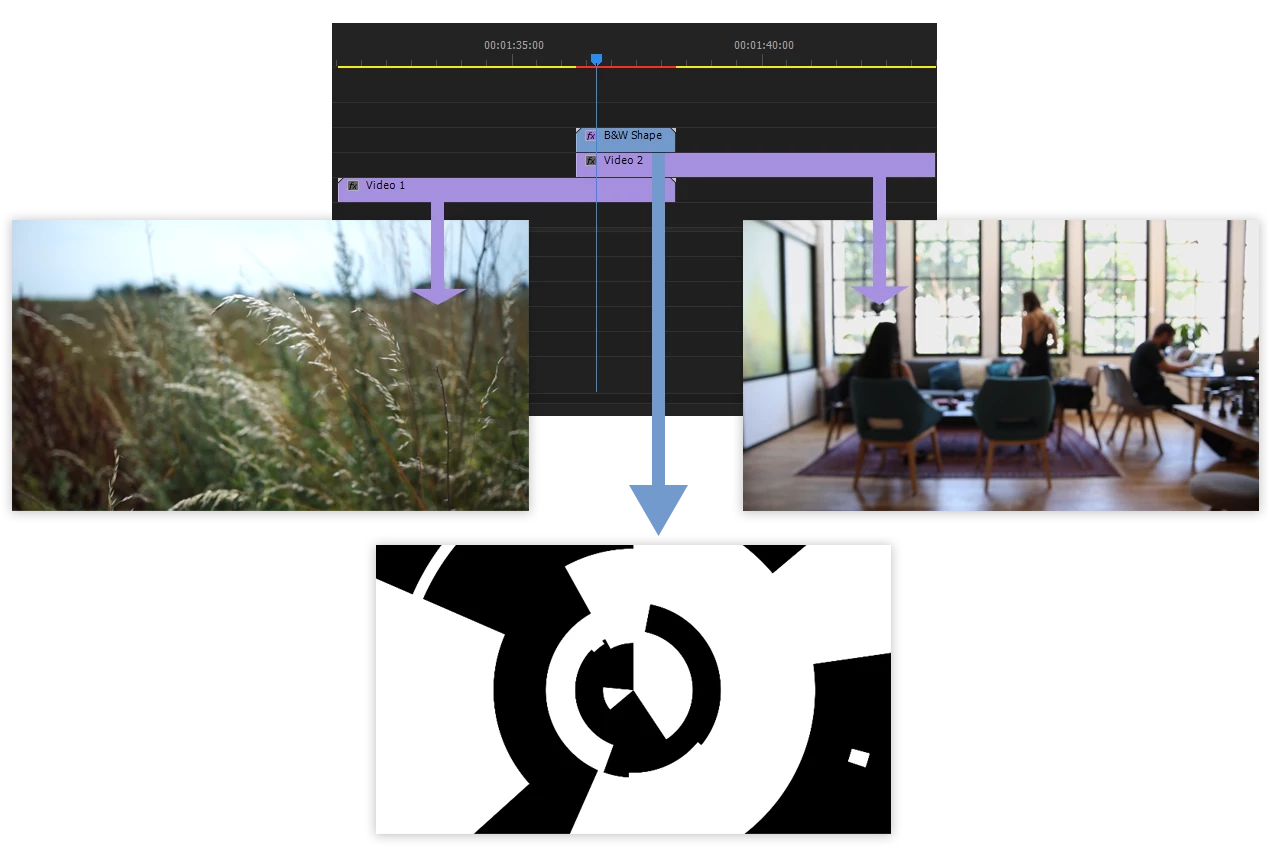
I know that I can do this in After Affects, but can it be easily accomplished in Premiere? It would be speedier, work-flow wise, if I could do it there.

Thanks for your attention.

This topic has been closed for replies.
Correct answer Mwarren

Omg, not five minutes later I stumbled over the answer.

  1. I clipped Video one where it overlaps with my black and white animation.
  2. Then I added the Track Matte Key effect to that segment.
  3. Within that effect, under Matte: I selected the layer which contains my black and white animation.
  4. Set Composite Using: to Matte Luma.
  5. Then I selected Reverse because otherwise the effect was "flipped" and at its conclusion it reverts to the wrong "underneath" video.

I hope that's helpful, just in case some future-person wants to make use of this thread.

1 reply

Mwarren
MwarrenAuthorCorrect answer
Inspiring
July 23, 2017

Omg, not five minutes later I stumbled over the answer.

  1. I clipped Video one where it overlaps with my black and white animation.
  2. Then I added the Track Matte Key effect to that segment.
  3. Within that effect, under Matte: I selected the layer which contains my black and white animation.
  4. Set Composite Using: to Matte Luma.
  5. Then I selected Reverse because otherwise the effect was "flipped" and at its conclusion it reverts to the wrong "underneath" video.

I hope that's helpful, just in case some future-person wants to make use of this thread.

Ann Bens
Community Expert
July 23, 2017

Glad you found your solution.

I would cut clip 2 at the end of the transition and remove the track matte effect from the remaining clip.