- Home
- Premiere Pro
- Discussions
- Re: Creating Foreign Language Captions
- Re: Creating Foreign Language Captions
Creating Foreign Language Captions

Copy link to clipboard
Copied
Hello All,
I am a translator converting a film's transcript from English to Spanish for subtitles. I have never worked with Premiere Pro.
I have succeeded in creating the English transcript in Premiere Pro, exporting it as a text file (although not as an .srt as I've seen in a YouTube turorial), and translating the text into Spanish.
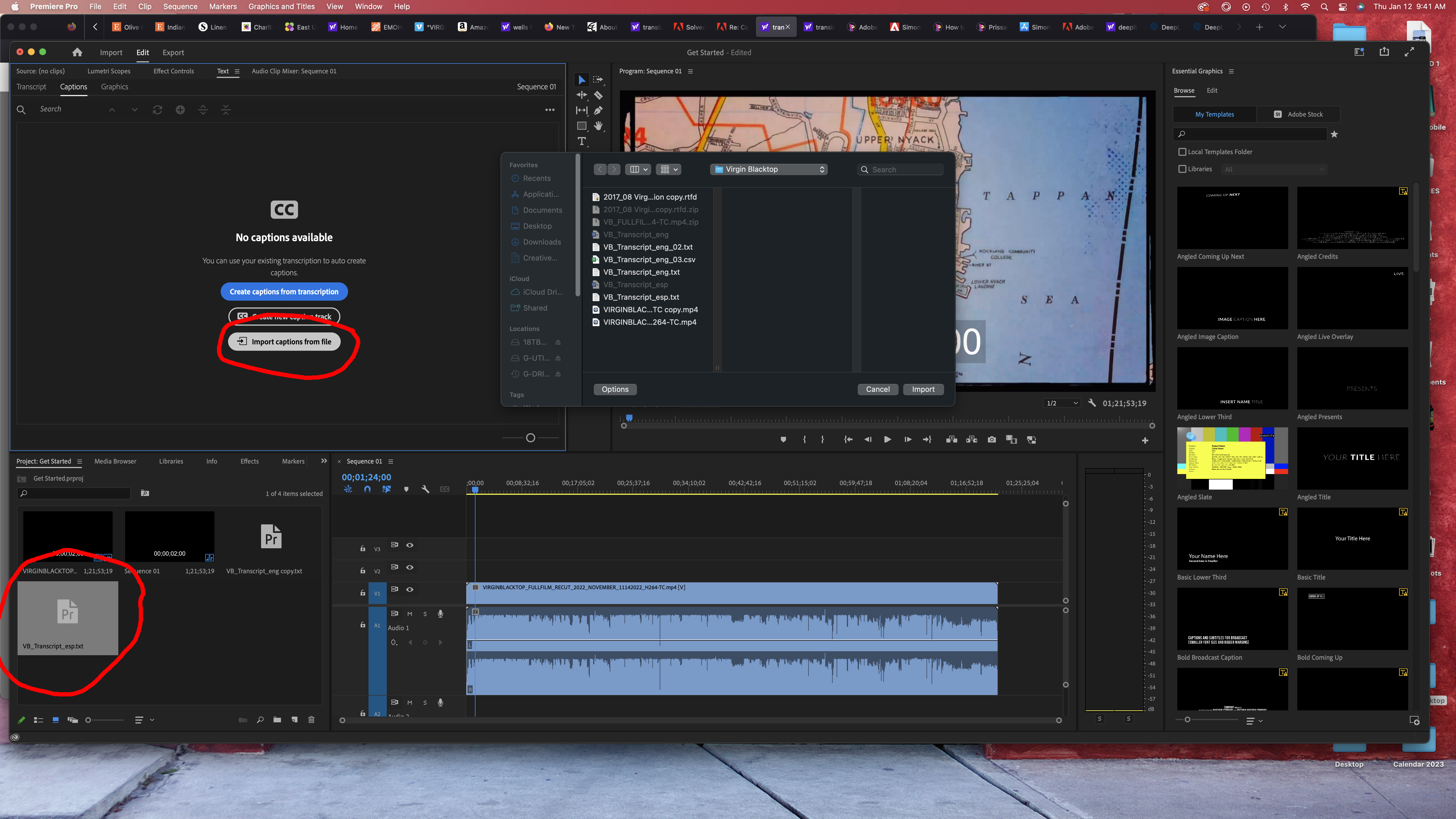
When I try to upload the Spanish text file version of the transcrition into Premiere Pro using the "Import Captions for File" button in the Captions pane, the file ends up in my Media pane, but does not end up creating the subtitles.
I'm curious if the fact that I don't have the "file format" option to choose .srt when I export (screenshot) is causing the issue, or if there is another way for me to access the translated text file from within Premiere Pro to create the subtitles. I have changed the translated file from a .txt file to a .srt file before upload, but it has not helped.
I have included a couple screen grabs illustrating where I don't have the option to choose file format on export, as well as the translated text file in the Media pane from whence I have tried to drag & drop into the Captions pane but the progran won't let me do it.
Also included are my computer and Premiere Pro specs.
I would greatly appreciate any guidance offered to overcome this obstacle and reach the point where I can begin to fine tune the translation and subtitles within Premiere Pro to finalize the project.
Thank you, all.


 6
Replies
6
6
Replies
6


Copy link to clipboard
Copied
Steve,
The speech to text is a great function, and the engineers are working on adding additional functionality which will be helpful to translation processes. But it is not ready, and you have discovered the limitation of editing a text file transcript export.
Let me think about the best way to help you. There's a bit of a catch 22 between working with the transcript vs captions.
I need to do a couple tests, and can't get to this till a bit later today.
Stan
Copy link to clipboard
Copied
In the public Beta version (today at 23.2.0.56), there is a new function that allows the import of a corrected transcript. I could not get it to work at all when I tested in Build 53, and the one time I got it to work in Build 56 may not be reliable.
If you cannot get the corrected transcript to replace the transcript (and in the current Release version 23.1.0 you cannot), then the only workaround is to get the corrected text into captions.
I think your ultimate goal is to create subtitles for the movie. I have a couple of methods for doing that - but they can be time-consuming. I have also sent you a PM (private message).
Stan
Copy link to clipboard
Copied
Steve,
Got to run here in a moment....
The Youtube tutorial method is one of the methods I mentioned, but almost any workaround uses PR CAPTIONS, not the transcript.
And on a PC, you could directly bring the SRT into Subtitle Edit and let it translate. I do have the Beta version working right now, so I think there may be an option there to use your existing translation.
Stan
Copy link to clipboard
Copied
Thank you, Stan.
Still retying to digest all of this after a busy weekend of work.
I've shared this with the filmmaker and hope to catch up with him today.
It occurred to me that one way to accomplish my goal would be to simply copy the Spanish version of each dialogue sequence and paste it into the approriate place over the English text. Then I could create the subtitles from the new Spanish transcript within Premiere Pro. It would be much more time consuming, but would eventually work, I think.
Your thoughts would be most appreciated.
Thanks.
S.
Copy link to clipboard
Copied
Hi Stan,
Did you receive my email? I sent it on the 18th.
Was just hoping you could confirm or deny my thinking about going about this with the copy/paste approach with the Premiere Pro transcript pane and then using the function to create subtitles from that new foreign language transcript.
Thanks for any feedback!
Copy link to clipboard
Copied
Steve,
Yes, sorry. I was hoping for a fix in the Beta version that might allow a workaround. So far no go.
I think the copy/paste will work, but have never done it on an actual full piece. Let us know!
Stan


Get ready! An upgraded Adobe Community experience is coming in January.
Learn more
 AdChoices