logan_mcnay
Inspiring
July 23, 2022
Answered

Decklink - No Signal

  • July 23, 2022
  • 4 replies
  • 7491 views

I purchased a decklink 4K extreme 12G and own a Flanders DM 241 monitor connected via SDI to the decklink card. Any timelines in PrPro or AE above 2k resolution, IE, any 4k timelines have "No Signal" to my 1080p monitor. 


Blackmagic Desktop video setup is installed and working properly. 


I've talked to support from FSI & blackmagic. Both have said I have done everything correct.  Blackmagic support said "It would appear that everything is set accordingly, so most likely the issue you are having is coming from Premiere and not the card itself. I would suggest contacting Adobe to see if they are able to help you set up the proper settings for outputting the lower resolution output."

In Edit - Preferences - Playback - Video Device - Blackmagic Playback = Checked 

Under setup - For output of unsupported frame sizes - Scale Down = Checked

Enable mercury Transmit = Checked

SDI cable is good. 

The decklink 4K extreme 12G also has the ability to natively downscale UHD footage into HD through the desktop Video setup card, yet Premiere over rides this, yet the buttons "For output of unsupported frame sizes - Scale Down" appear to be just dead buttons and don't work 


The decklink card plays fine in HD timelines & in Davinci where you can have the native timeline resolution & output a downscaled HD resolution to reference monitor.


There's a lot of forum posts of this not working, Adobe help, I've bought 3 decklink cards now trying to get this to work, asking for a friend
Correct answer Mitch W

Hi Logan,
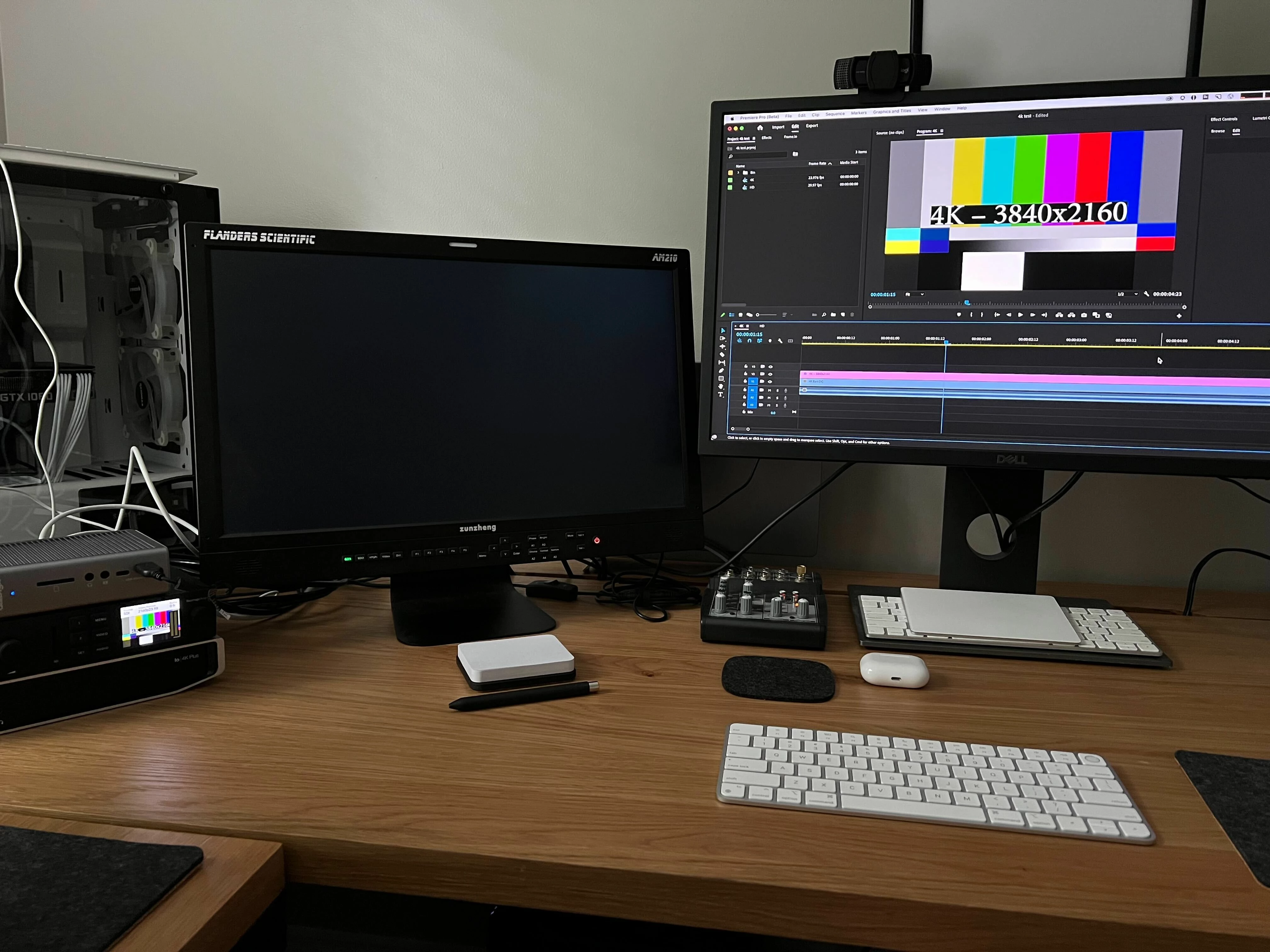
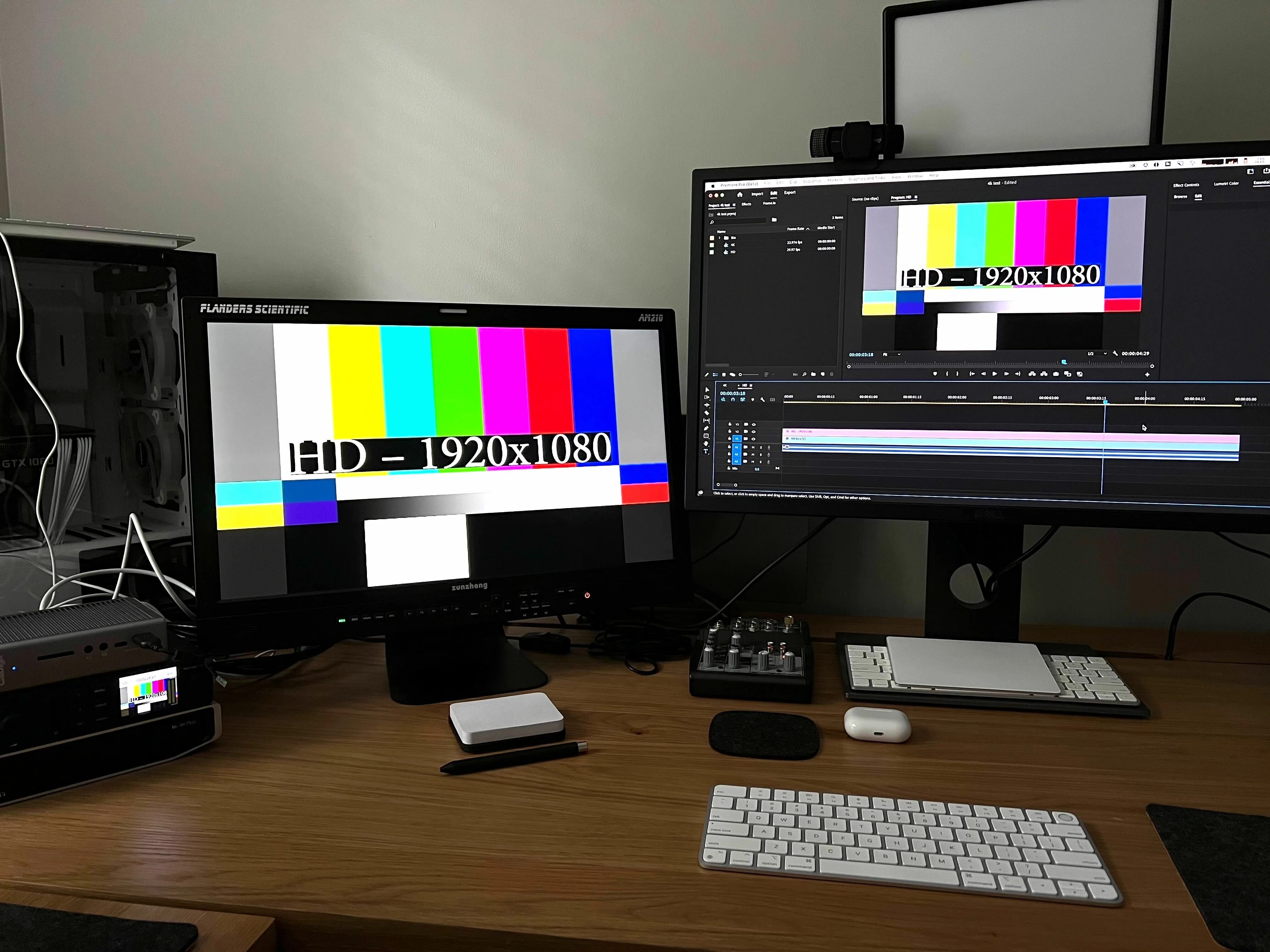
The answer is actually much less complicated than you might expect. The issue is not with your Blackmagic device. And... the issue is not with Premiere Pro. The issue is likely with your Flanders DM 241 monitor. The Flanders DM 241 will support an input of 2048x1080 but only in 30, 29.97, and 23.98 flavors (no 59.94). See Flanders Scientific DM241 tech-specs If you're ouputting a 4K signal, it's definitely not going to see it. I tried a couple of quick tests to see if I could find supporting evidence to show that the issue was with the monitor. Here's what I did... Using my BMD Decklink UltraStudio 4K mini, I loaded a 4K clip into Premiere Pro and used BMD for transmit. The 4K clip did appear on my screen on the UltraStudio showing that Premiere Pro was correctly outputting the signal because the 4K clip was a supported frame size. It did not however display on my SDI monitor, which supports similar frame sizes to your DM 241. I then dropped the 4K clip into a 1080 sequence and used scale to fit. The image again displayed on my UltraStudio monitor and now also to my 1080 monitor via SDI (see picts). To completely eliminate Premiere Pro as a potential source of the problem, I tried similar tests this time using Blackmagic Media Express. I dropped a 4K clip into Media Express and it again displayed on my UltraStudio but not the 1080 SDI monitor. I then imported a 1080 clip into Media Express and it displayed on both the UltraStudio Screen and to my SDI monitor.

In your case, I see two possibilities. Nest your final 4K sequence into a 1080 sequence when you want to view the output on your SDI monitor, or upgrade your existing Flanders monitor to one that supports 4K frame size inputs (the new XM series look nice). As Bruce mentions, we have a good relationship with the Blackmagic plug-in developers and are not enemies (despite what you might read in the tabloids). 

Hope this helps!
Mitch 

4 replies

Inspiring
February 21, 2025

Stumbled on this ancient thread and wondered why nobody suggested using output B from the decklink to downsize to hd for the hd monitor. 

The only issue is you don't get audio on the down res feed in resolve, which is an undocumented annoyance. 

Hope this helps other people who stumble onto this thread. 

Having to choose scale up/scale down doesn't seem like a modern solution so we need to make friends with the dev team at BMD. 

Mitch W
Community Manager
Mitch WCommunity ManagerCorrect answer
Community Manager
July 25, 2022

Hi Logan,
The answer is actually much less complicated than you might expect. The issue is not with your Blackmagic device. And... the issue is not with Premiere Pro. The issue is likely with your Flanders DM 241 monitor. The Flanders DM 241 will support an input of 2048x1080 but only in 30, 29.97, and 23.98 flavors (no 59.94). See Flanders Scientific DM241 tech-specs If you're ouputting a 4K signal, it's definitely not going to see it. I tried a couple of quick tests to see if I could find supporting evidence to show that the issue was with the monitor. Here's what I did... Using my BMD Decklink UltraStudio 4K mini, I loaded a 4K clip into Premiere Pro and used BMD for transmit. The 4K clip did appear on my screen on the UltraStudio showing that Premiere Pro was correctly outputting the signal because the 4K clip was a supported frame size. It did not however display on my SDI monitor, which supports similar frame sizes to your DM 241. I then dropped the 4K clip into a 1080 sequence and used scale to fit. The image again displayed on my UltraStudio monitor and now also to my 1080 monitor via SDI (see picts). To completely eliminate Premiere Pro as a potential source of the problem, I tried similar tests this time using Blackmagic Media Express. I dropped a 4K clip into Media Express and it again displayed on my UltraStudio but not the 1080 SDI monitor. I then imported a 1080 clip into Media Express and it displayed on both the UltraStudio Screen and to my SDI monitor.

In your case, I see two possibilities. Nest your final 4K sequence into a 1080 sequence when you want to view the output on your SDI monitor, or upgrade your existing Flanders monitor to one that supports 4K frame size inputs (the new XM series look nice). As Bruce mentions, we have a good relationship with the Blackmagic plug-in developers and are not enemies (despite what you might read in the tabloids). 

Hope this helps!
Mitch 

logan_mcnay
Inspiring
July 25, 2022

Thanks Mitch! I appreciate the answer!

Community Expert
July 26, 2022

I'm no expert but how would the BM card know you only have a HD monitor attached. If you are using HDMI I expect there is a handshake between the card and the monitor to know what the highest setting can be, I'm not sure if this happens over SDI. Can you attach via HDMI to a HD monitor to see if it works?

Community Expert
July 23, 2022

What video devices are you seeing for Mercury Transmit options under Prefrences > Playback?


That's an After Effects screen shot as it's what I have handy (not in front of one of the Blackmagic workstations that I use at the moment), but the Premiere Pro Video Device list looks the same.


I've had issues in the past with a Panasonic broadcast reference monitor that would not display anything from the Blackmagic DeckLink card unless it was 1080i29.97 - everything else was ignored.

logan_mcnay
Inspiring
July 23, 2022

Interesting, I feel like these decklink cards can be so buggy, or Adobe just doesn't seem to support them sadly - this is what the preferences tab looks like


R Neil Haugen
Brainiac
July 23, 2022

Interesting, - this is my sequence settings, only UHD on this and it doesn't work, I also tried 4k footage  that gives no signal as well


Part of the issue may be that BlackMagic has for a long time seen Adobe as almost The Enemy ... and in my experience doesn't work very hard to support their items in use elsewhere.


Note, not a single control surface they use can possibly be used outside of Resolve. You cannot map them for any other software.


And even on the BlackMagic forum (which I'm on several times a day checking things) there's always posts about someone having trouble getting their Decklink/Whatever putting out X framesize or framerate on Y monitor. Sometimes there are return comments about "Oh, that particular decklink/whatever can do Y or Z, but you want X ... return it and get this other decklink/whatever".


So even with Resolve, the cards can be a bit of a pain to sort out.


Neil

Everyone's mileage always varies ...
R Neil Haugen
Brainiac
July 23, 2022

We're nearly all other users here, as this forum is primarily user-to-user assistance. And I'd love to have that decklink/FSI setup you've got!


Let's see if @Bruce Bullis or @Wes Howell  can respond and get some answers for you.


Neil

Everyone's mileage always varies ...
logan_mcnay
Inspiring
July 23, 2022

Thanks Neil! Buying all this stuff has been a bit of my long time personal project ha, just wished it worked in adobe applications

R Neil Haugen
Brainiac
July 23, 2022

It should, so we'll see if the staffers can get an answer.


My one question is for things like the unsupported scaling option, have you tried all the options it gives? I'm wondering if there's a competing thing going on between Premiere & the decklink/monitor setup. So going through and one at a time, changing the options. Checking for changes. Boring but sometimes finds the oddity.


Neil

Everyone's mileage always varies ...