Exit
  • Global community
    • Language:
      • Deutsch
      • English
      • Español
      • Français
      • Português
  • 日本語コミュニティ
  • 한국 커뮤니티
0

Desynched transcoded M2V file

Guest
Dec 02, 2017 Dec 02, 2017

After transcoding an MP4 file into an M2V one, the audio and video become slightly shorter in length and desynch with subtitles: (Screenshot of encore and VLC media player)

Desynch.jpg

The subtitles themselves are not the problem: (Screenshot of "subtitle edit")

Screenshot 12-02-2017 10.36.06.png

If i choose "Keep existing settings" when importing a video file into premiere pro, the video wont desynch, but it'll be zoomed, otherwise it wont zoom but it'll desynch:

Screenshot 12-02-2017 10.42.18.png

Im sure the problem is pretty simple to solve, though im too amateurish to know what to do exactly .

3.9K
Translate
Report
Community guidelines
Be kind and respectful, give credit to the original source of content, and search for duplicates before posting. Learn more
community guidelines

correct answers 1 Correct answer

Deleted User
Dec 12, 2017 Dec 12, 2017

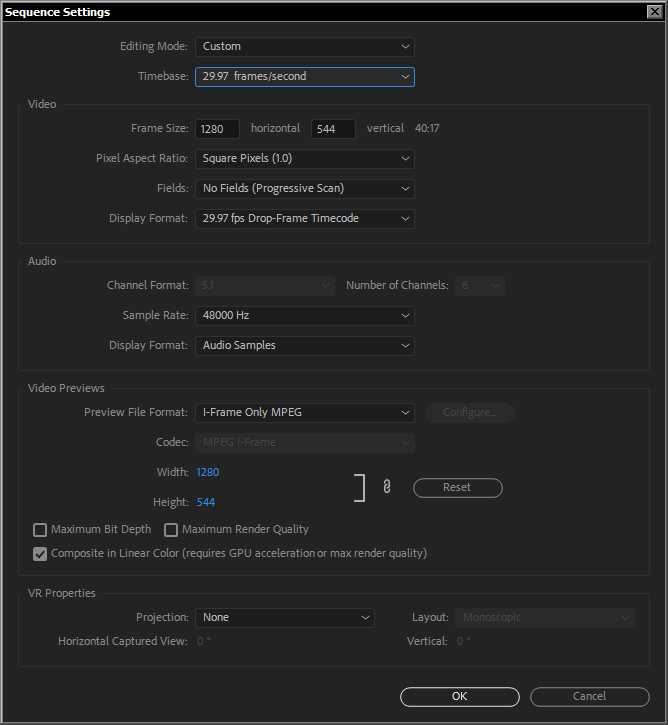
After a lot of research about sequence settings, Ive come up with the following sequence and exportation settings:

Standard Exportation Settings.pngStandard Sequence Settings.png

These have completely solved the issue on 5 different films .

Translate
Guest
Dec 07, 2017 Dec 07, 2017

Sorry for taking so long to reply, I was busy upgrading my whole stuff among other things. So! Here's a total update of the situation.

Premiere Pro CC 2018 now lets me set a timebase and display format of 23.976fp at the same time:

Screenshot 12-07-2017 10.27.43.png

Only 24fp timebase and display format shows the movie with the correct length:

premiere pro monitor.jpg

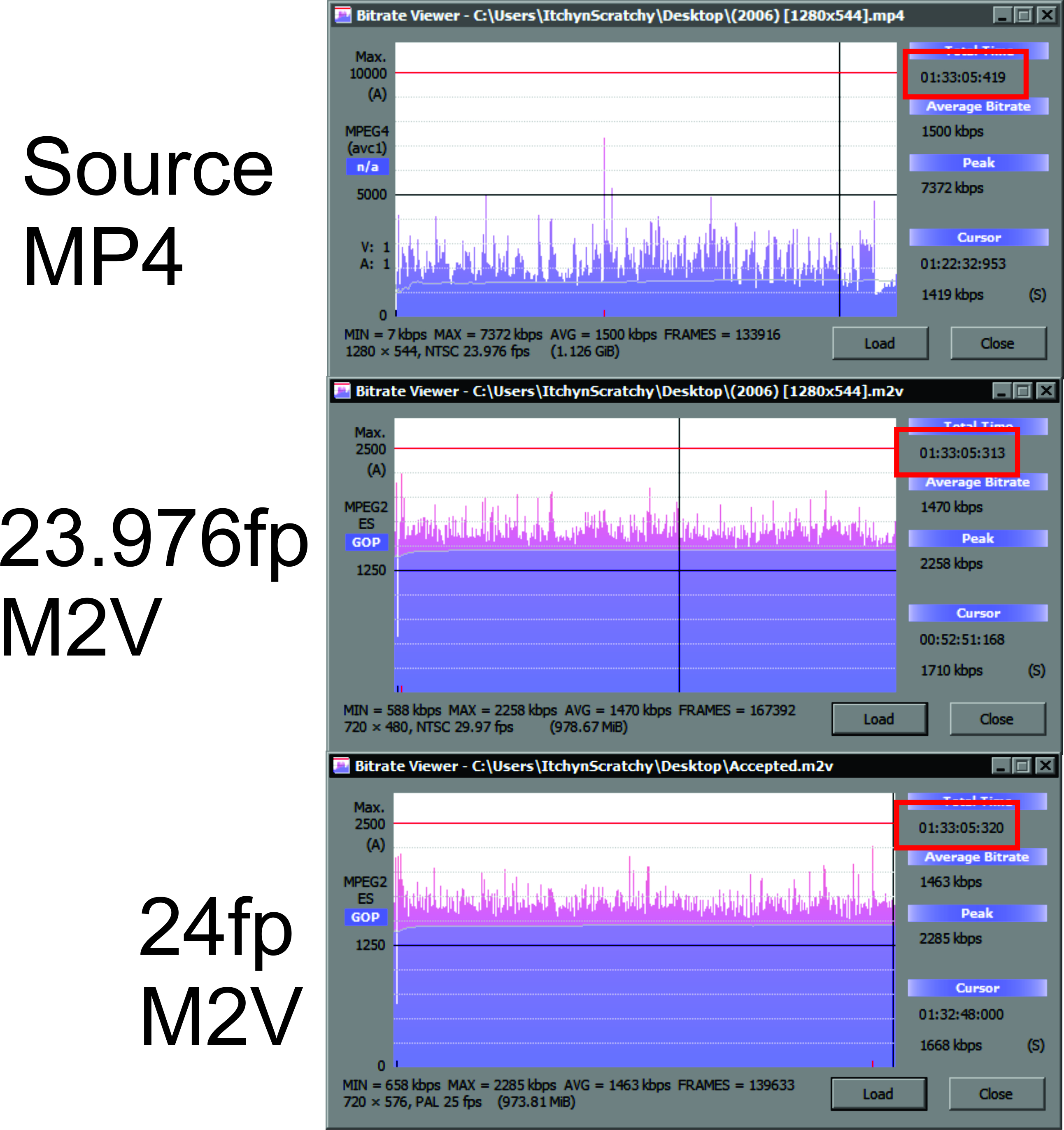
I decided to make 2 transcodifications, 1 with 23.976fp and the other with 24fp, bitrate viewer shows only a minimal change in the length of the M2V videos:
bitrate.jpg

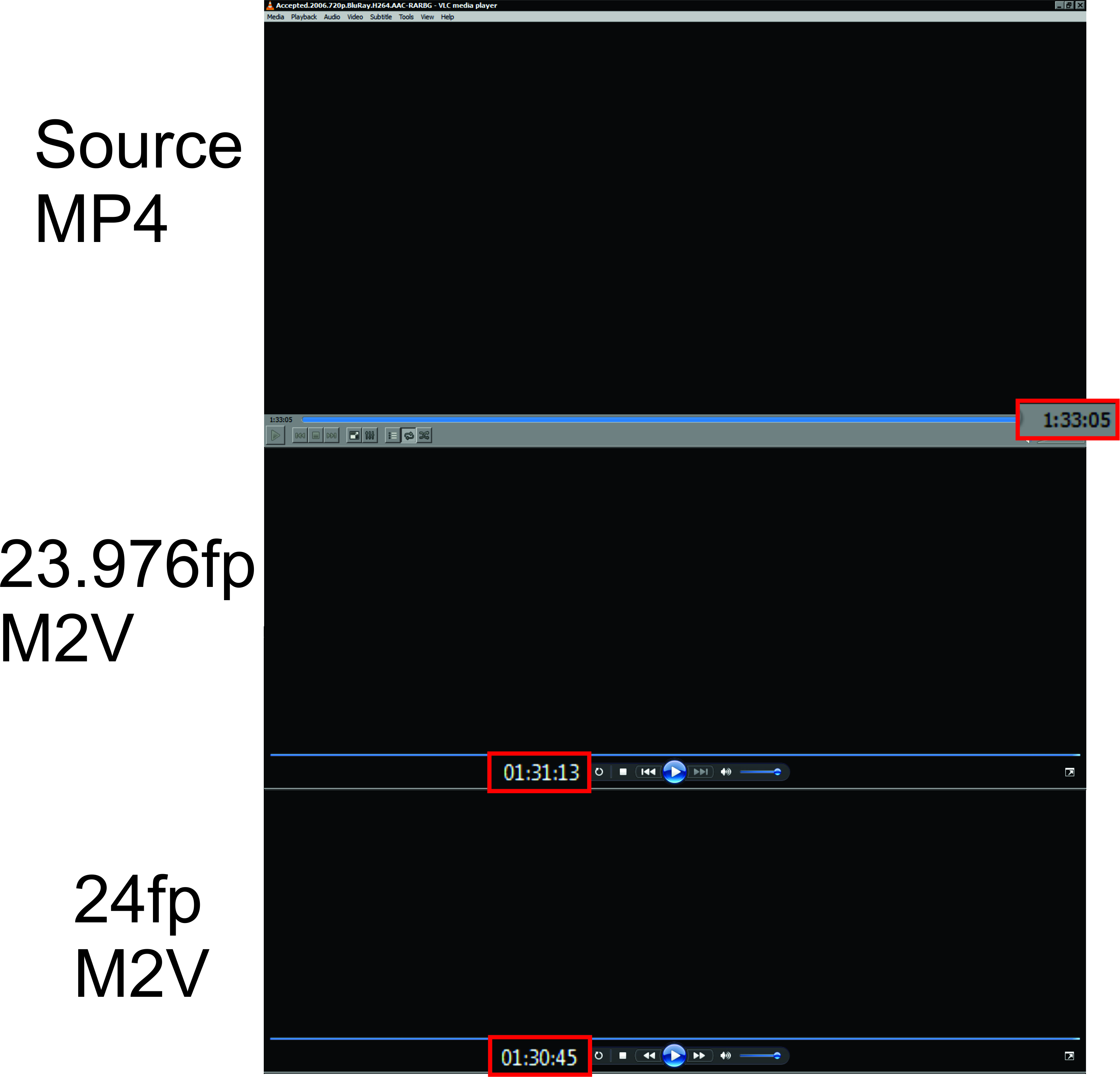
However, once rendered in any video player, the length changes drastically:
length.jpg

So the desynch is now even worse:

Desynch.jpg

Im going to make another transcodification using 15fp just to see what happens.

"This does not affect Encore as a CS6 product doing the encoding for stereo only dolby.

I figured that much so i kept encore installed, also, encore shows the same video length as Splayer, VLC and Windows media players.

Translate
Report
Community guidelines
Be kind and respectful, give credit to the original source of content, and search for duplicates before posting. Learn more
community guidelines