Participant
December 17, 2020
Answered

Enormous Compression Artifacts Issue with Screencasts/Screenrecordings

  • December 17, 2020
  • 3 replies
  • 1043 views

Hi,


I am exporting a screen recording file and I am getting compression artifacts and duplicate mouse cursors all over the place, sometimes lasting for seconds, mainly when moving around windows (see along sides of the window borders):
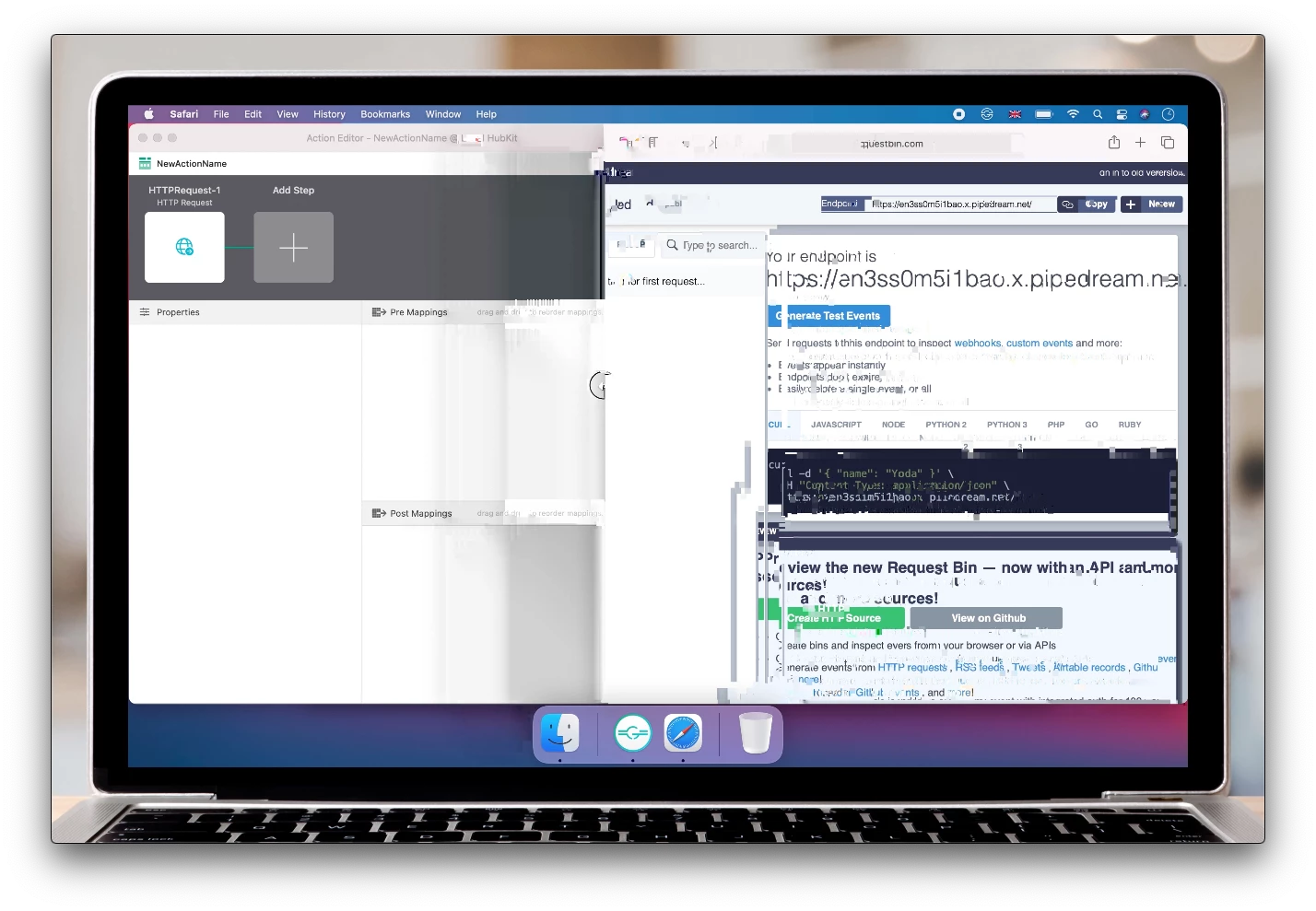
 

I'm using these settings:
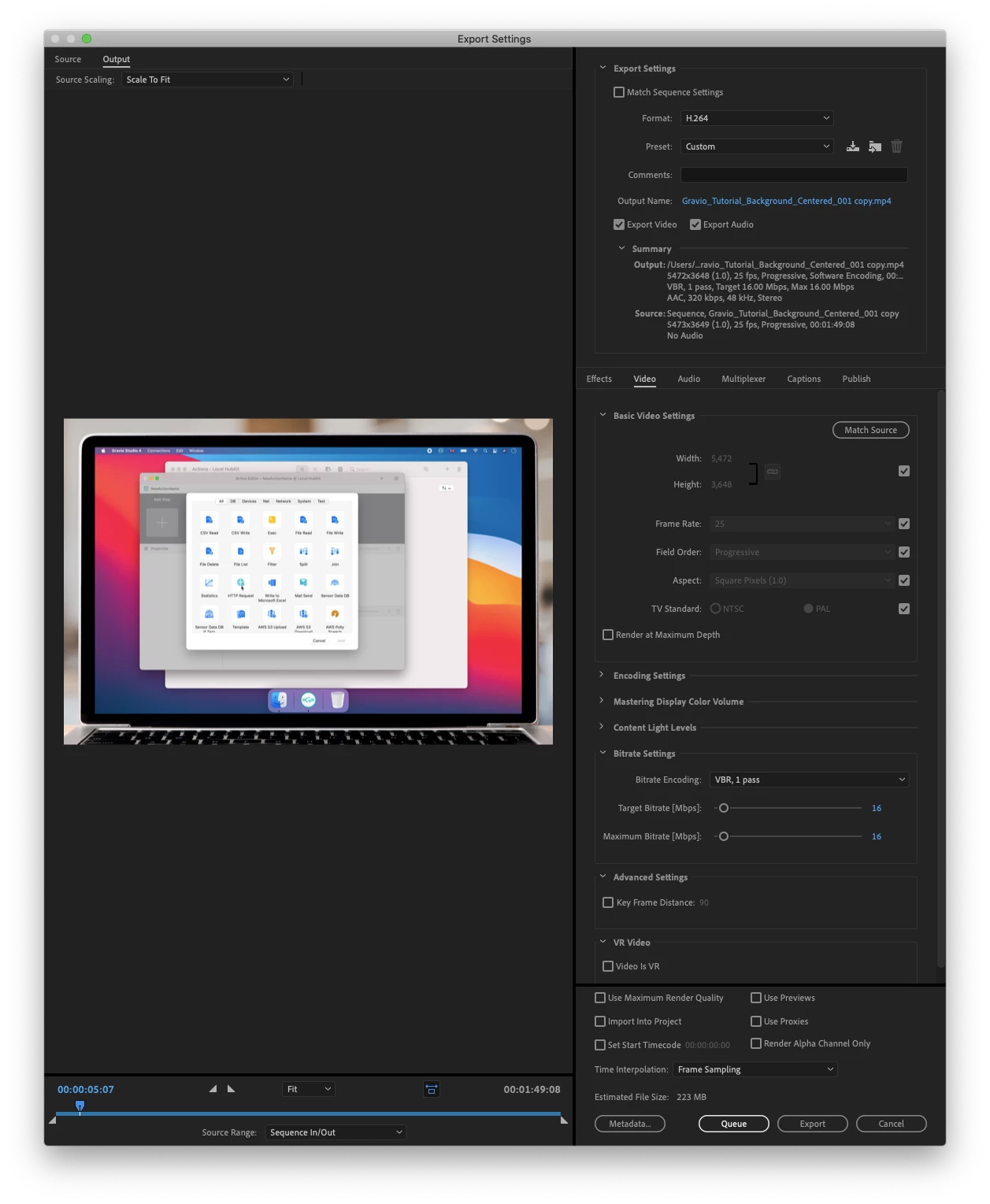


Any idea how this can be resolved? I could try various options but it takes quite long to export so this could potentially take a whole day to figure out 🙂 


Thanks, best regards,

Christoph

This topic has been closed for replies.
Correct answer Michael Grenadier

screen recordings are often variable frame rate which can cause issues in Premiere.  use mediainfo to determine whether your source is variable or constant frame rate
https://mediaarea.net/en/MediaInfo/Download
if it's variable use handbrake to convert to constant frame rate
https://handbrake.fr
and here's a tutorial on how to use handbrake
https://www.youtube.com/watch?time_continue=34&v=xlvxgVREX-Y

3 replies

Participant
December 21, 2020

That seems to have fixed it, thanks so much @Michael Grenadier - further more it has reduced my source screencast from ~850mb down to ~30mb without noticeable loss of quality 🎉🎉

Michael GrenadierCorrect answer
Legend
December 17, 2020

screen recordings are often variable frame rate which can cause issues in Premiere.  use mediainfo to determine whether your source is variable or constant frame rate
https://mediaarea.net/en/MediaInfo/Download
if it's variable use handbrake to convert to constant frame rate
https://handbrake.fr
and here's a tutorial on how to use handbrake
https://www.youtube.com/watch?time_continue=34&v=xlvxgVREX-Y

Participant
December 17, 2020

Thanks, I'll have a look. I recorded it with Quicktime. Do you happen to know if Adobe are going to fix those issues?

Inspiring
December 17, 2020

Have you used a clip speedup/slowdown via optical flow? I so try 'frame sampling' instead

Participant
December 17, 2020

Thank you for your idea, @basil1891 ! I have used speedup but in different places (not where the artifacts are). Also it seems I have used Frame Sampling, so that couldn't be it. Also the original footage doesn't have any artifacts but it's admittedly quite big (it's a full screen 13 inch retina screen recording). 


What else could it be?

Inspiring
December 17, 2020

for troubleshooting I'd run a copy of the project but downscaled to standard 1920x1080, then selected the trouble part of the timeline and exported it in some intermediate codec, like Prores/Cineform/DNxHD. That way you can check two potentional causes: non-std resolution and h264 codec, and in reasonable time.