Participant
October 31, 2019
질문

Essential Graphics not showing any of my templates

  • October 31, 2019
  • 3 답변들
  • 10506 조회

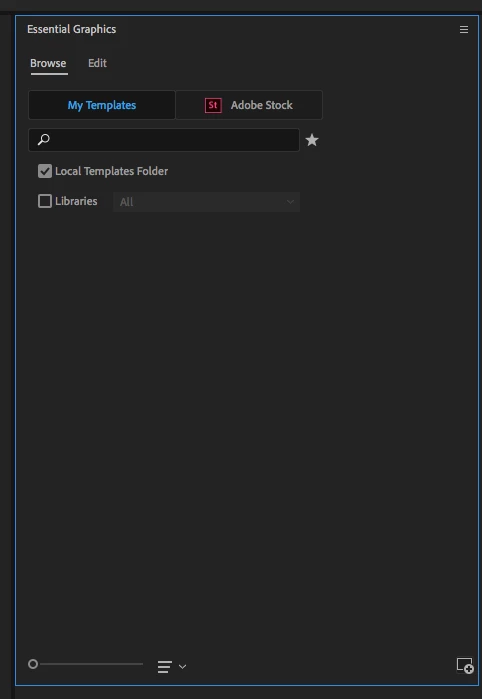
I hope someone can help me as this is driving me nuts. When I go to Essential graphics, nothing is showing up when on My Templates. It used to and then a while back, I tried to import some mogrt files and it would seem ever since then I cant view any of my templates. I left it for a while but decided I wanted to sort out my premiere project master template project but am getting nowhere!


If I go to install motion graphics template, when I click on one, it comes up with the box (Motion Graphics Template Exists) "This file already exists. Confirm overwrite?" If I do yes, it still doesnt show up. 


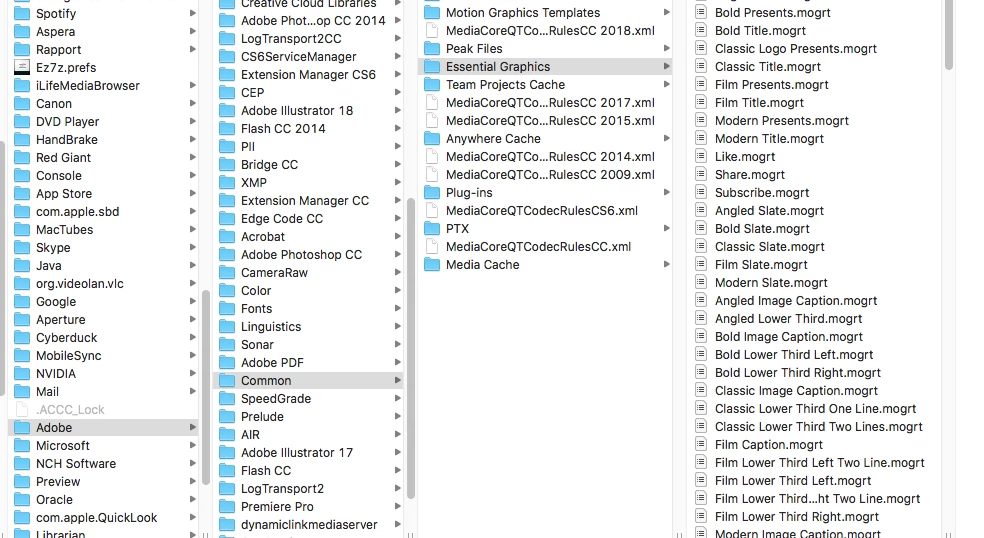
I am sure it is a simple fix but at the moment, the only Essential Graphic templates I have access to are the ones available on the Adobe Stock option. I have about 250 .mogrt files saved in Library>Application Support>Adobe>Common>Mostion Graphics Templates.


I am working on a Mac using Adobe Premiere Pro 13.1.2


Can anyone help please?
 

이 주제는 답변이 닫혔습니다.

3 답변

Participant
April 10, 2024

You sure you are on the right tab? I was in the effect tab so nothing shows up. I changed to the Graphics tab and it showed up.

Legend
May 27, 2022

Uncheck the Local Templates Folder position

Participant
December 15, 2023

checking / unchecking Local Templates Folder worked for me!


Peru Bob
Community Expert
Community Expert
October 31, 2019

Try resetting the preferences:
https://community.adobe.com/t5/Premiere-Pro/FAQ-How-to-reset-trash-preferences-in-Premiere-Pro/td-p/8236158

If that doesn't work, try resetting the Workspaces:
Reset a workspace
Reset the current workspace to return to its original, saved layout of panels.
1. Do one of the following:
• Click the Workspace menu icon and select Reset to Saved Layout.
• Choose Window > Workspace > Reset to Saved Layout.
from here:
https://helpx.adobe.com/premiere-pro/using/workspaces.html

rhysj57601938작성자
Participant
October 31, 2019

Sadly neither worked. I can see Adobe stock options but none of my own.....


Participant
May 27, 2022

did you find a fix?