


Participant
November 7, 2017
Answered

Essential Graphics Titles not showing in preview window when added to sequence timeline

  • November 7, 2017
  • 2 replies
  • 9511 views

We have 2 PCs in the office with premier pro 2018 running on them, one of them won't display an Essential Graphics Title in the preview panel when it is dragged to the sequence timeline from the Browse panel, meaning we can't edit the title.

Have tried uninstalling and reinstalling PP but it still doesn't work.

Below is a screenshot from the PC that it does work on, on the PC that doesn't work the YOUR TITLE HERE never shows in the preview panel.
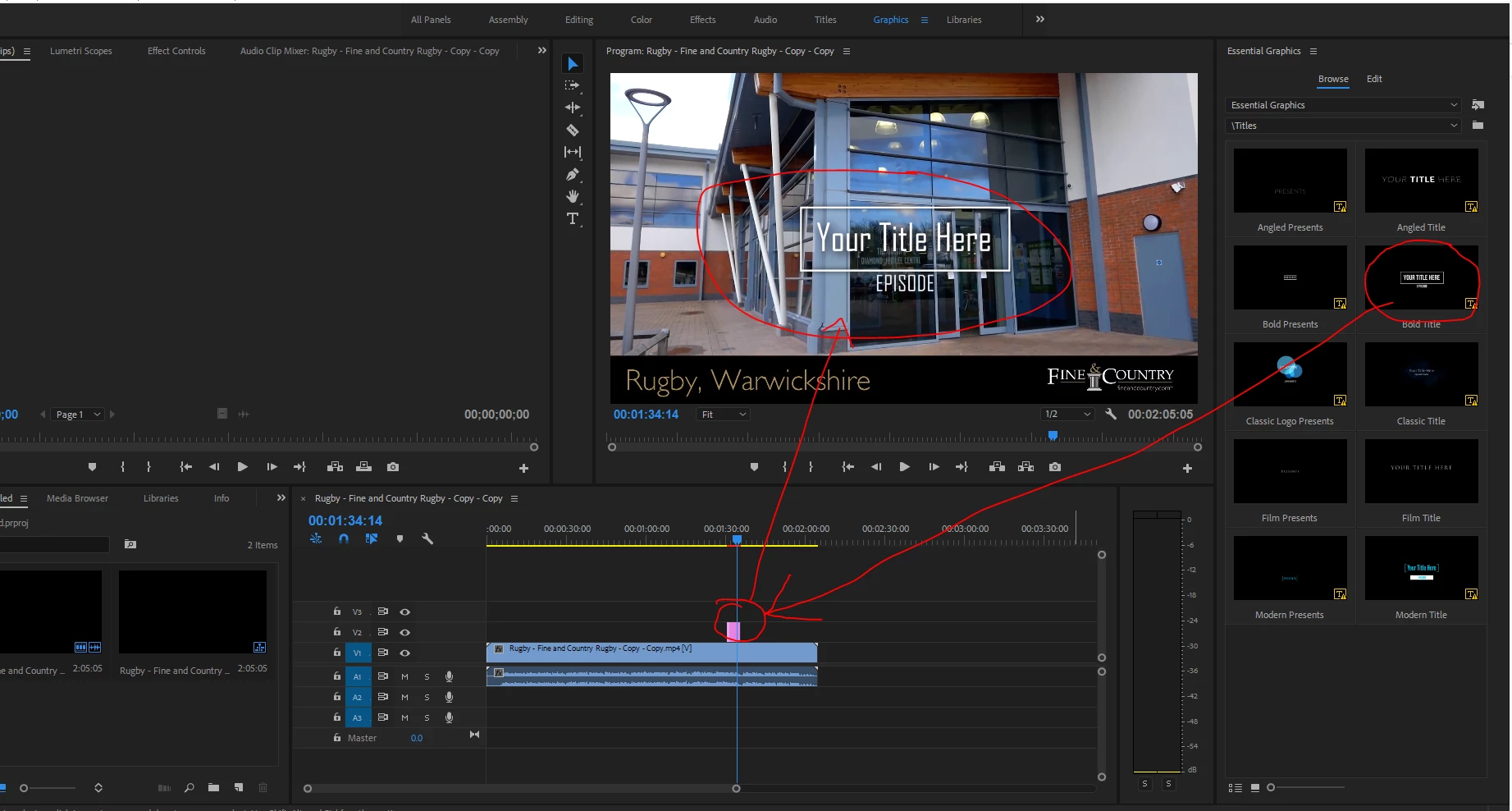
Please help!

    This topic has been closed for replies.
    Correct answer ianp93406826

    I eventually spoke to telephone support and they fixed the issue after 45mins by creating a new project and importing the old project into that, seems to have worked but we'll see for future projects.

    2 replies

    ianp93406826AuthorCorrect answer
    Participant
    November 7, 2017

    I eventually spoke to telephone support and they fixed the issue after 45mins by creating a new project and importing the old project into that, seems to have worked but we'll see for future projects.

    Legend
    November 7, 2017

    That's actually the Program monitor.  Preview is on the left.

    If you type your own title, does the same thing happen?  Is it only the templates that give you trouble?

    Participant
    November 7, 2017

    Hi Jim_Simon,

    Thanks for taking the time to reply, and thanks for pointing out the panel names.   I'm not the user with the problem just the IT guy trying to help, hence the reason i added the screenshot as i thought that would make it clearer (especially as i wasn't sure of the correct terminology!).

    The issue is only with the templates that are selected from the Essential Graphics Browse Panel. e.g. Credits, Subtitles, Graphic Overlays etc.

    If we type our own title using the type tool that works as expected.

    Thanks