


Jeffery.Wright
Inspiring
June 21, 2021
Question

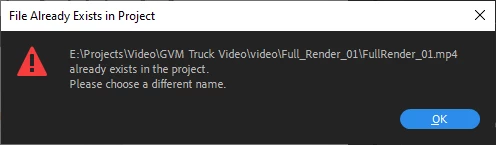
Export > File already exists in project?
  • June 21, 2021
  • 3 replies
  • 2729 views


I can assure you, it does not exist in the project, do you see it in the project?
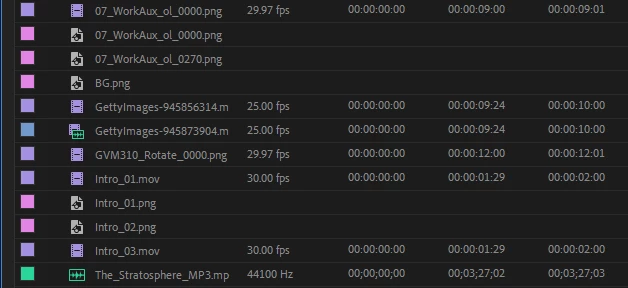


So, what gives? I just want to get some work done, why all the buggy hurdles?

Thanks.

This topic has been closed for replies.

3 replies

Fresh Squeezed Creative
Known Participant
October 17, 2023

I've been getting this issue also, intermittently.
Always love uupdating adobe software.....

Community Expert
June 21, 2021

clean media cache

reset the preferences

restart premiere pro

if none of the above works, try starting a new project and import the old one into that

Jeffery.Wright
Inspiring
June 21, 2021

Interesting process, but not exactly what I have in mind when trying to produce creative, clever video on tight deadlines, none of that sounds like what I would expect video production would involve. 

It sounds more like needless workarounds, delayed production and tedious manual maintenance for a product one is simply depending on to work. 

Why wouldn't, instead, the software simply see that the file in question is certainly not in the project? That seems like a bug that would be easy to resolve with a few lines of code. 

Thank you. 

Community Expert
June 21, 2021

we are user to user forum and we are users like you trying to help you out.

can you give us more details on your workflow?

are you editing on external drives? did you update premiere pro while

you are still in the middle of a project? I can notice that the file path is too long.

There are many reasons for such software behaviors.. cleaning media cache and

resetting the preferences are not really tedious tasks, but normal tasks performed 

by video editors from time to time, so is restarting the program.

Richard van den Boogaard
Community Expert
June 21, 2021

Have you also checked the folder in Finder/File explorer on your hard drive?


Also, in the Export dialog, there is a setting that you can import the file into the project. As I typically don't need my exports to become a part of the project, I leave that setting unchecked. You could, however, have valid reasons to import your exports.


Hope this helps.

Jeffery.Wright
Inspiring
June 21, 2021

I have, and I know the file does not exist because I deleted it.


So why would the program insist the file is in the project when clearly it is not? That file was never in the active project. 


Thank you.