


New Participant
November 2, 2021
Answered

Export problem selector 9 error code 3 (H.264)

  • November 2, 2021
  • 16 replies
  • 67263 views

Hi

I have problems exporting my video in H.264 in premiere pro. I get the notification 'selector 9 error code 3'.

I have a Asus Vivobook 14 with an i5 processor. Before the summer, I had never problems exporting video's to that format. Now I am not able to export it in H.264

My adobe and premiere pro are updated to the latest version. So this will not be the issue.
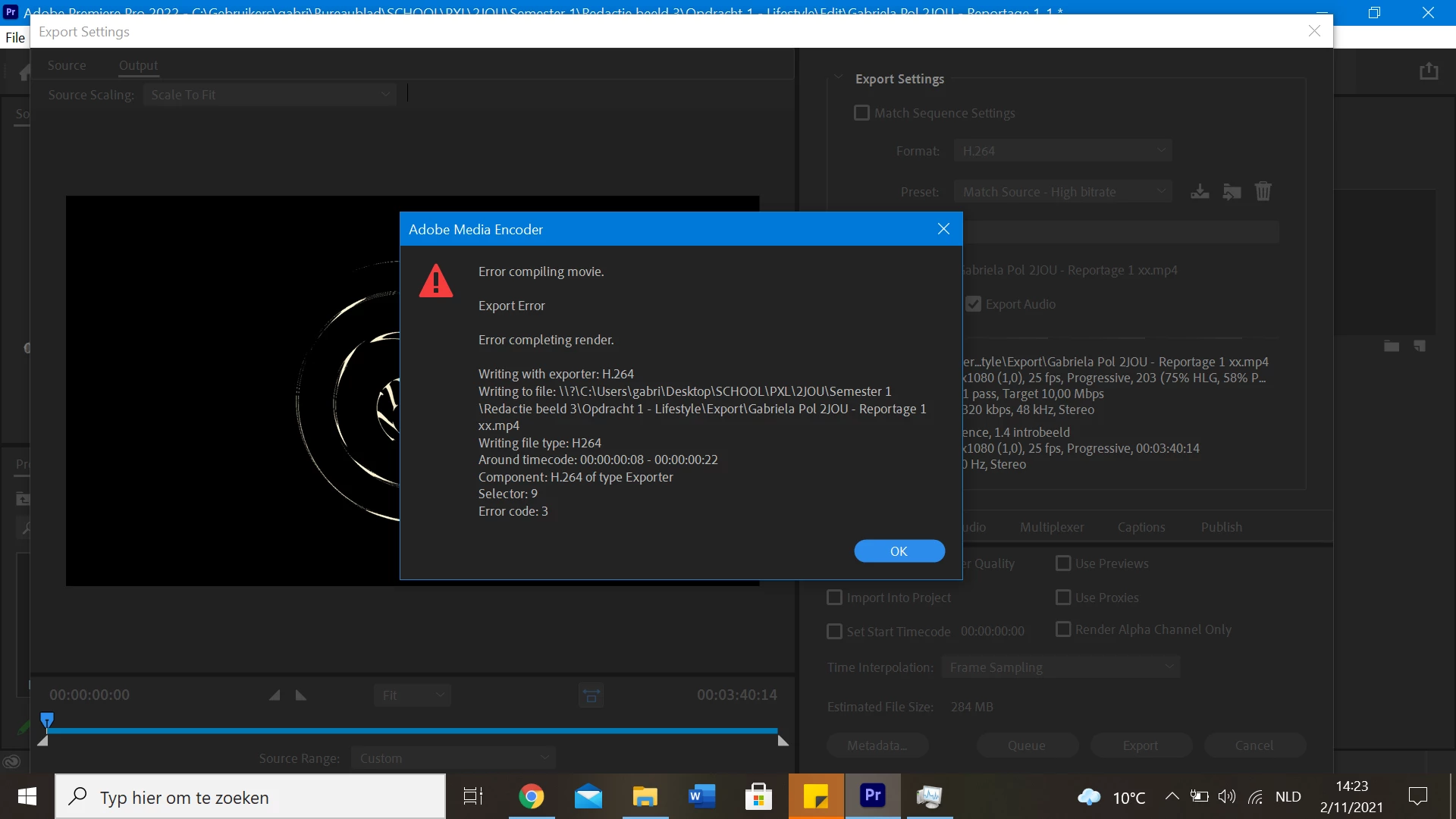
 

How do I solve this problem?

Thank you in advance!

Correct answer Joel Sheffield

As an addendum to that message, I found that when I disabled Hardware encoding, through edit>preferences>media it made the editing process impossibly slow.  So I couldn't move around in the clips easily.  My solution was to enable hardward encoding, restart the program, continue my edit, but then, before attempting to export the project, to go back to edit>preferences>media and disable hardware encoding.  This requires a restart of the program, but ok.  It works. I can then export an MP4 file.


Joel

16 replies

New Participant
November 16, 2021

I'm having this same problem and waiting adobe launch the 22.1 or 22.2 cause it's starting to give lots of problems here.. we are paying and don't having the service and anyone answer.. two weeks, we did format the notebook, reinstal and that's not the problem.. so Adobe, can you help us?

New Participant
November 9, 2021

I'm having the same exact issue. Ever since the update, the export goes wrong as soon as it starts on the mp4 files and I get the exact same error code.

Participating Frequently
November 9, 2021

Same problem.

How to downgrade? In CC app I can't find "other versions" any idea? 

Kevin-Monahan
Community Manager
Community Manager
November 9, 2021

Hi,

See if you can export using Software Encoding. It's in the Video Tab of the Export Settings dialog box.


Thanks,
Kevin

Kevin Monahan - Sr. Community & Engagement Strategist – Pro Video and Audio
New Participant
November 9, 2021

As it turns out, I was able to switch to software coding in the Edit>Preferences>Media tab.  When I did that, I was able to export the file.  That change requires a restart of the software.

Joel SheffieldCorrect answer
New Participant
November 10, 2021

As an addendum to that message, I found that when I disabled Hardware encoding, through edit>preferences>media it made the editing process impossibly slow.  So I couldn't move around in the clips easily.  My solution was to enable hardward encoding, restart the program, continue my edit, but then, before attempting to export the project, to go back to edit>preferences>media and disable hardware encoding.  This requires a restart of the program, but ok.  It works. I can then export an MP4 file.


Joel

New Participant
November 9, 2021

I have the same problem with the new update to 2022


.  I've tried software encoding, but that doesn't help.  Is there a way to revert to the earlier edition of Premiere Pro?

New Participant
March 10, 2024

I have the same error, I have this version, and the tip you gave worked for me, Thank you, you saved me.

New Participant
November 2, 2021

Have the same problem since the new update. You can try selecting Software Encoding instead of Hardware Encoding for this project. It will take a little longer but you can probably export it that way until we find solution for this problem. 

New Participant
November 3, 2021