I got the update for v22 not too long ago. About 2-3 weeks ago, I exported a video for a school project just fine, but now it seems that no matter what project I try to export the same error message comes up.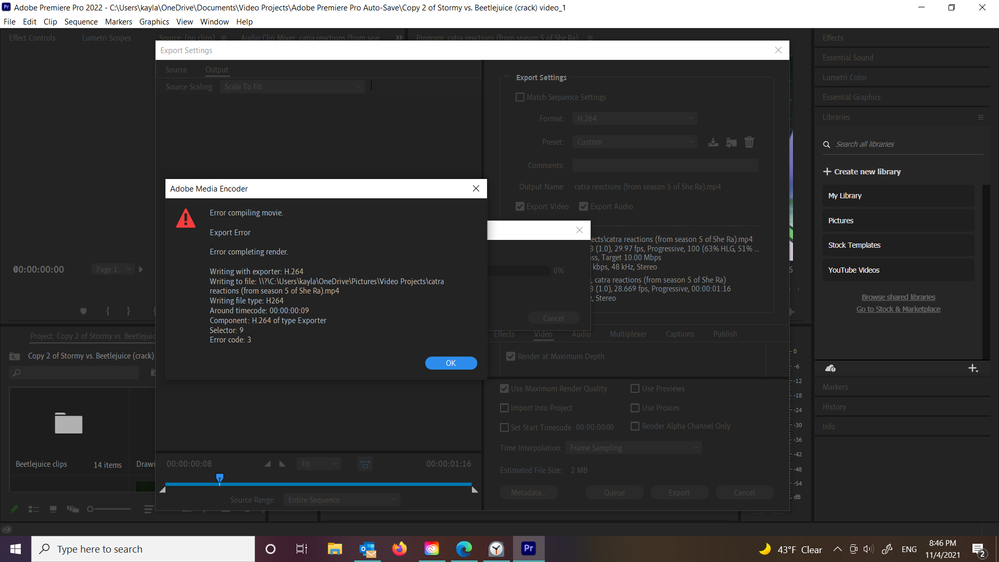
I began to think that it was just my computer, or the files I was using in the video were corrupted or something. However, I tried making a new project on my dad's laptop and exporting it, but the same error code came up. I have Premiere Pro 2017 on another device in the house and it exports videos just fine, which leads me to believe that this issue is a bug in this new version. Are there any suggestions on how to fix this myself, or could Adobe fix this problem?







 AdChoices