
Participating Frequently
November 28, 2016
Question

Exporting clips from markers/splits in a sequence

  • November 28, 2016
  • 1 reply
  • 4878 views

Starting a project with potentially hundreds of markers/chapters. The goal is to be able to quickly export these chapters into separate files in the render queue without having to manually set the in and out points each time.

Here's a sample timeline with markers at the video cut points.
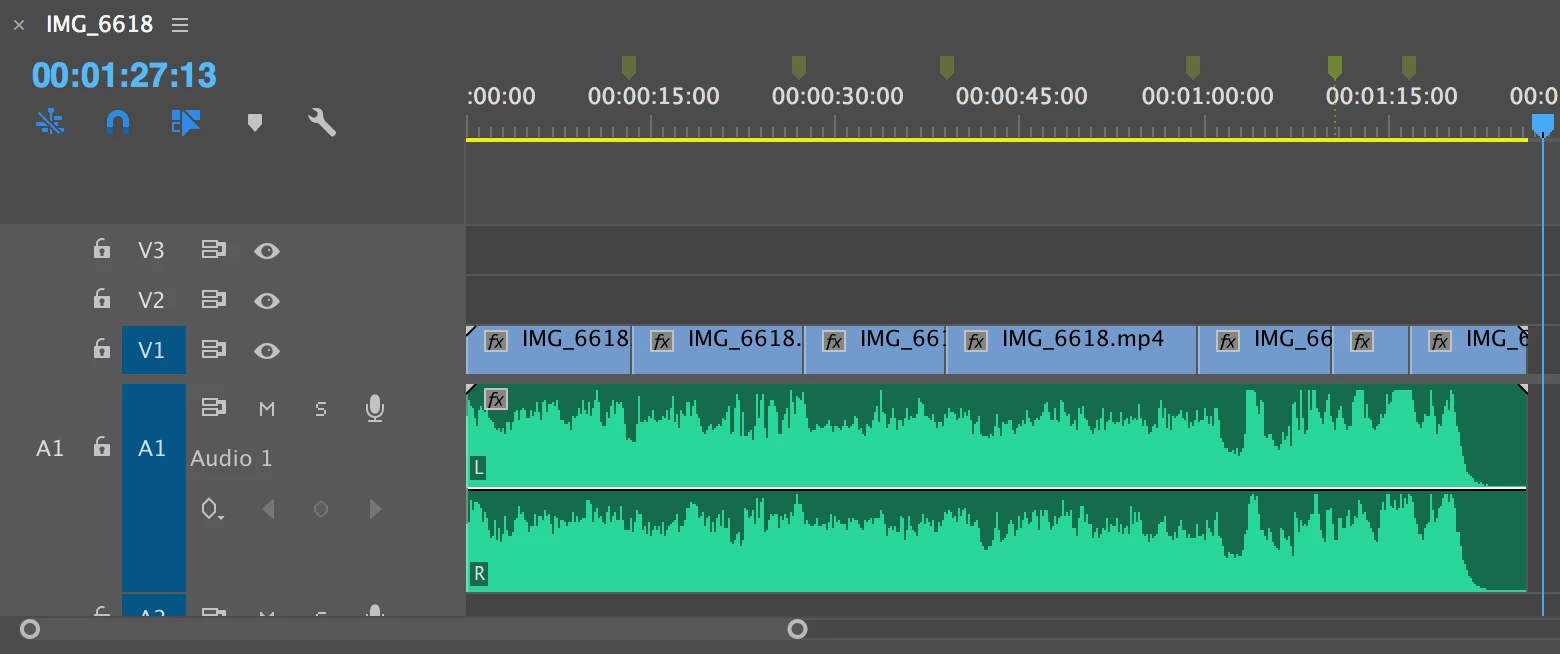
Ideal output for the sample above:

From 00:00:00 to 00:12:20, a file would be rendered called Chapter 1.mp4

From 00:12:21 to 00:26:22, a file would be rendered called Chapter 2.mp4

etc.

Is there a way to automate this process?

This topic has been closed for replies.

1 reply

shooternz
Legend
November 28, 2016

May I ask what the purpose of all these Chapters is?

Participating Frequently
November 28, 2016

Hi, shooternz​! I'm recording a voiceover in Premiere on a single timeline. I'm trying to put together many different videos that have custom audio in each of them, so I'm going to be using Michael Cardeiro's brilliant CompsFromSpreadsheet 5​ in After Effects. His plugin lets you create several comps that each point to different files. I'd like to use Premiere (or some other audio/video editor) to record the audio in one timeline, then export segments of that audio to the many files that will be fed into After Effects via the plugin.

Edit: To directly answer the question regarding the chapters/markers, they're just a starting point to explain where I'm trying to go. I'm willing to set up the project in any way to get this to work, whether that means using chapters, custom in/out points, whatever works!

Participating Frequently
November 28, 2016

Take a look at a work flow that might include Sub Sequences.

You maybe able to sub sequence your chapters and they will appear in a project bin (if you organise that).

Then you may be able to select all those subsequences collectively from the BIN  and send them to AME ( in a queue)

The Exports (using preset of your choice) should use the Subsequence "name" in the file.

I have not tried this.  You can be the guinea pig.


This works PERFECTLY. Combined with A Better Finder Rename (renaming app that lets you rename files using a CSV), I was able to achieve the desired result. shooternz​, you are amazing. Thank you so much!