
Inspiring
January 2, 2025
Answered

Font bug with animation model template

  • January 2, 2025
  • 5 replies
  • 1538 views

Hello!

I'm trying to use Premiere Pro's animation model templates, those included by default in Premiere Pro, but get a glitch with the fonts...

This is what it's meant to look like, the text is in its proper font, and it's about half the time like this:
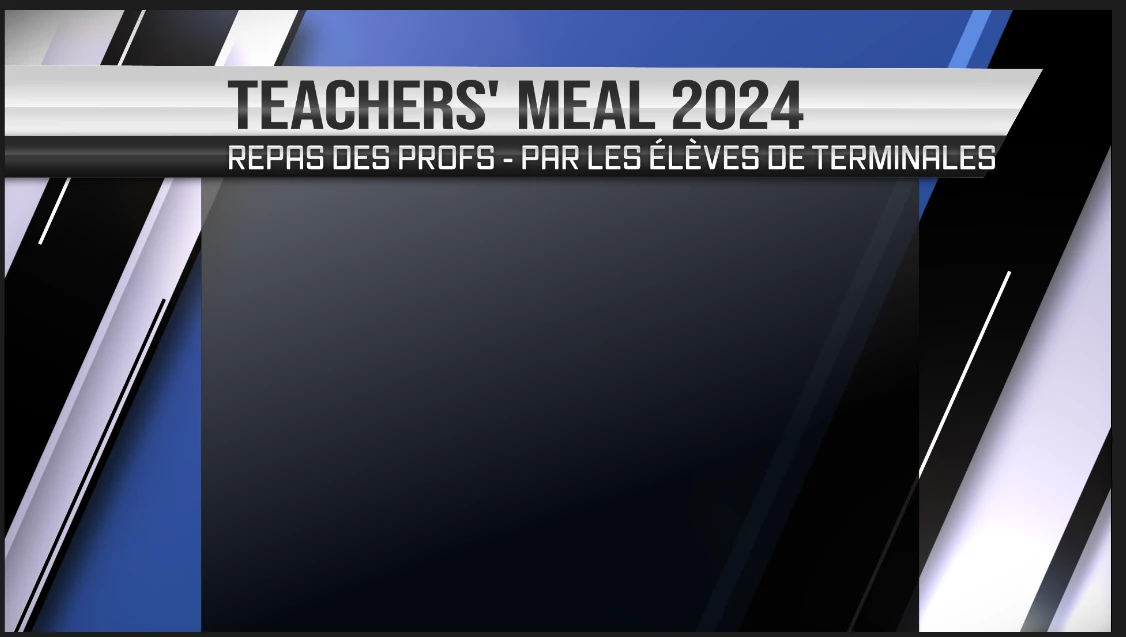
The other half, it goes like that:
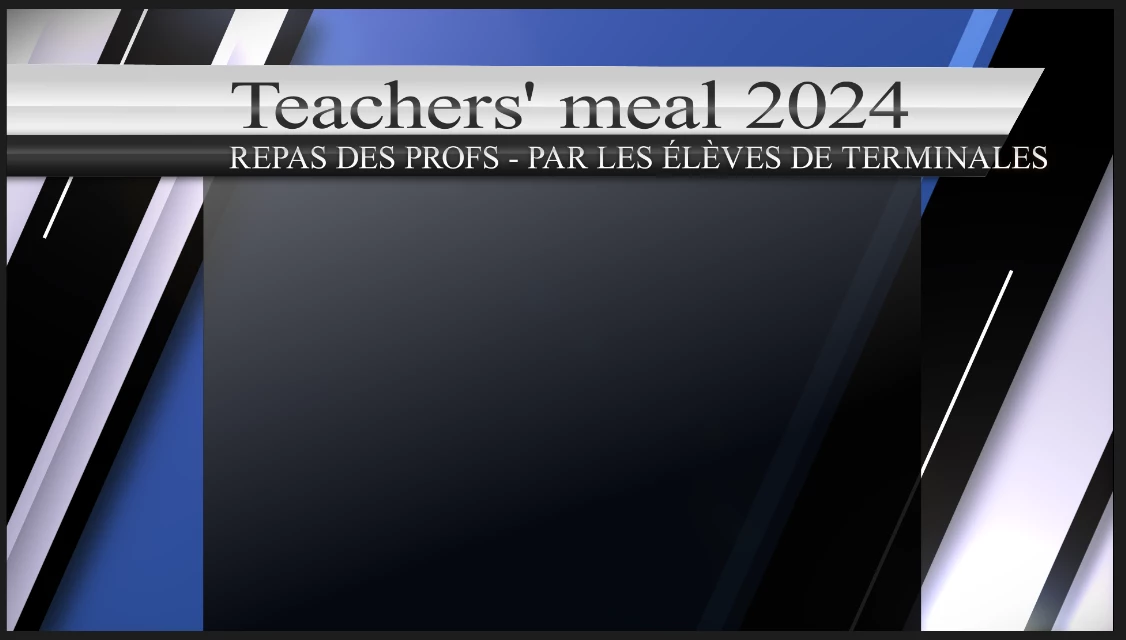
So it kind of flicks back and forth between these two fonts quite fast and seemingly randomnly, first one font will appear for a second, then the other for a few milliseconds, and back and forth...

This is both when previewing/looking at it in premiere pro and when exported. I've attached the exported so you can have a look.

Be glad if anyone can help! They're pretty good templates so it'd be nice to use them if I can.

Correct answer Arengu

Uho, now I feel kinda stupid... I closed my laptop and closed Premiere and now that I've reopened it it's fine again, the bug's disapeared... Should have been the first thing to do I guess, just closing and reopening the app. Thanks for the help anyway and sorry for the bother!!

5 replies

ArenguAuthorCorrect answer
Inspiring
January 2, 2025

Uho, now I feel kinda stupid... I closed my laptop and closed Premiere and now that I've reopened it it's fine again, the bug's disapeared... Should have been the first thing to do I guess, just closing and reopening the app. Thanks for the help anyway and sorry for the bother!!

MyerPj
Community Expert
Community Expert
January 2, 2025

You never know, with the right sound effect...!

🙂 Glad you got it.

Community Manager
January 2, 2025

Hi @Arengu,

Thanks for the extra info.  I haven't been able to reproduce this, but I will pass the info along to the team.

Is it only the graphics in the Sports family and all the other work, ok?

ArenguAuthor
Inspiring
January 2, 2025

Well here are a few more details, not sure what you specifically wanted but here's the lot:

  • Issue - Essential graphics template has a font glitch: keeps switching between the proper font and a serif font, several times a second sometimes, quite random, and that's both in PP preview and timeline and when exported (see first post of this thread for the export). 
  • Adobe Premiere Pro version number: 25.1.0 (Build 73)
  • Operating system - Windows 11 Entreprise, version 23H2
  • System Info: CPU, GPU, RAM, HD:
    • CPU : 11th Gen Intel(R) Core(TM) i5-1135G7 @ 2.40GHz 2.42 GHz

    • GPU : Intel(R)  Iris(R) Xe Graphics

    • RAM : 8 gb

    • Hard Drive : 237 gb, 51 gb available

  • Workflow details: Just importing the template directly from the pre-installed essential graphics panel into a newly created premiere project.
  • Steps to reproduce -  Not much to it! I just import a template from the essential graphics panel and replaced some text.
  • Expected result - The essential graphics template shouldn't have glitched and kept switching fonts...
  • Actual result -  ...but it did

Cheers

Community Manager
January 2, 2025

Hi @Arengu,

Thanks for submitting your bug report. That definitely looks like an annoying glitch.  We need a few more details to try to help with the issue. Please see: How do I write a bug report?

Sorry for the frustration and thanks for reaching out.

ArenguAuthor
Inspiring
January 2, 2025

Forgot to mention, I get the exact same problem with other templates from that family:

It flicks between these two.

Thanks!