Participant
January 10, 2022
Answered

Frame stuttering after export

  • January 10, 2022
  • 2 replies
  • 5743 views

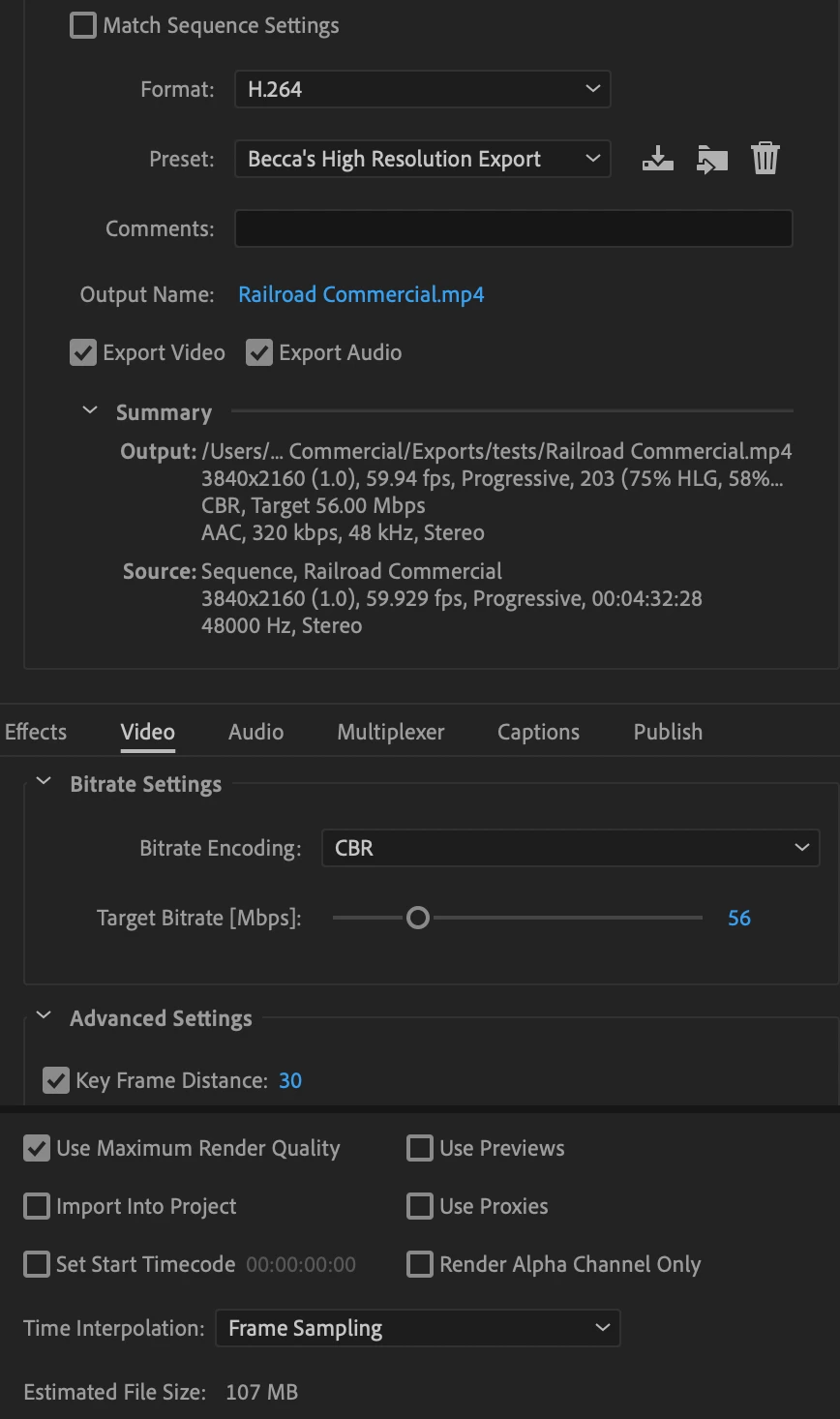
So I'm having issues with my exported video having some stuttering after I minorly edit it - any suggestions for adjusting export settings? Below I have the unedited video and the edited video - both with the same sequence and export settings. Appreciate any help!

https://youtu.be/jleQ1EA0MIo

https://youtu.be/hc_mwq5chuQ 


Correct answer Averdahl
quote

So I'm having issues with my exported video having some stuttering after I minorly edit it - any suggestions for adjusting export settings?


By @Rebecca5E8E


The footage you are using has a variable frame rate. Variable frame rate causes issues.


Use the free tool Shutter Encoder encoding|converting video FREE PC|Mac and use the Conform feature to conform it to 59.94 or even 60. Check the camera settings to see what frame rate the footage is supposed to be.


When done, use those clips as source clips and make sure that the Sequence Settings match the fps of the footage and that the export fps matches the source footage and the fps from the Sequence Settings. Any mis-match=stutter.


Uncheck Maximum Render Quality as well.

2 replies

Peru Bob
Community Expert
Community Expert
January 10, 2022
Averdahl
Community Expert
AverdahlCommunity ExpertCorrect answer
Community Expert
January 10, 2022
quote

So I'm having issues with my exported video having some stuttering after I minorly edit it - any suggestions for adjusting export settings?


By @Rebecca5E8E


The footage you are using has a variable frame rate. Variable frame rate causes issues.


Use the free tool Shutter Encoder encoding|converting video FREE PC|Mac and use the Conform feature to conform it to 59.94 or even 60. Check the camera settings to see what frame rate the footage is supposed to be.


When done, use those clips as source clips and make sure that the Sequence Settings match the fps of the footage and that the export fps matches the source footage and the fps from the Sequence Settings. Any mis-match=stutter.


Uncheck Maximum Render Quality as well.
Participant
February 11, 2025

Does not change the problem at all on my end. The new file stutters on playback inside AE and on export exactly the same way, and the original file plays fine. I've tried everything, this is not the solution.

Ann Bens
Community Expert
Community Expert
February 11, 2025

@Foster5EA7 

Please start a new discussion and give the necessary info: How do I write a bug report?