So I'm having issues with my exported video having some stuttering after I minorly edit it - any suggestions for adjusting export settings?
By @Rebecca5E8E
The footage you are using has a variable frame rate. Variable frame rate causes issues.
Use the free tool Shutter Encoder encoding|converting video FREE PC|Mac and use the Conform feature to conform it to 59.94 or even 60. Check the camera settings to see what frame rate the footage is supposed to be.
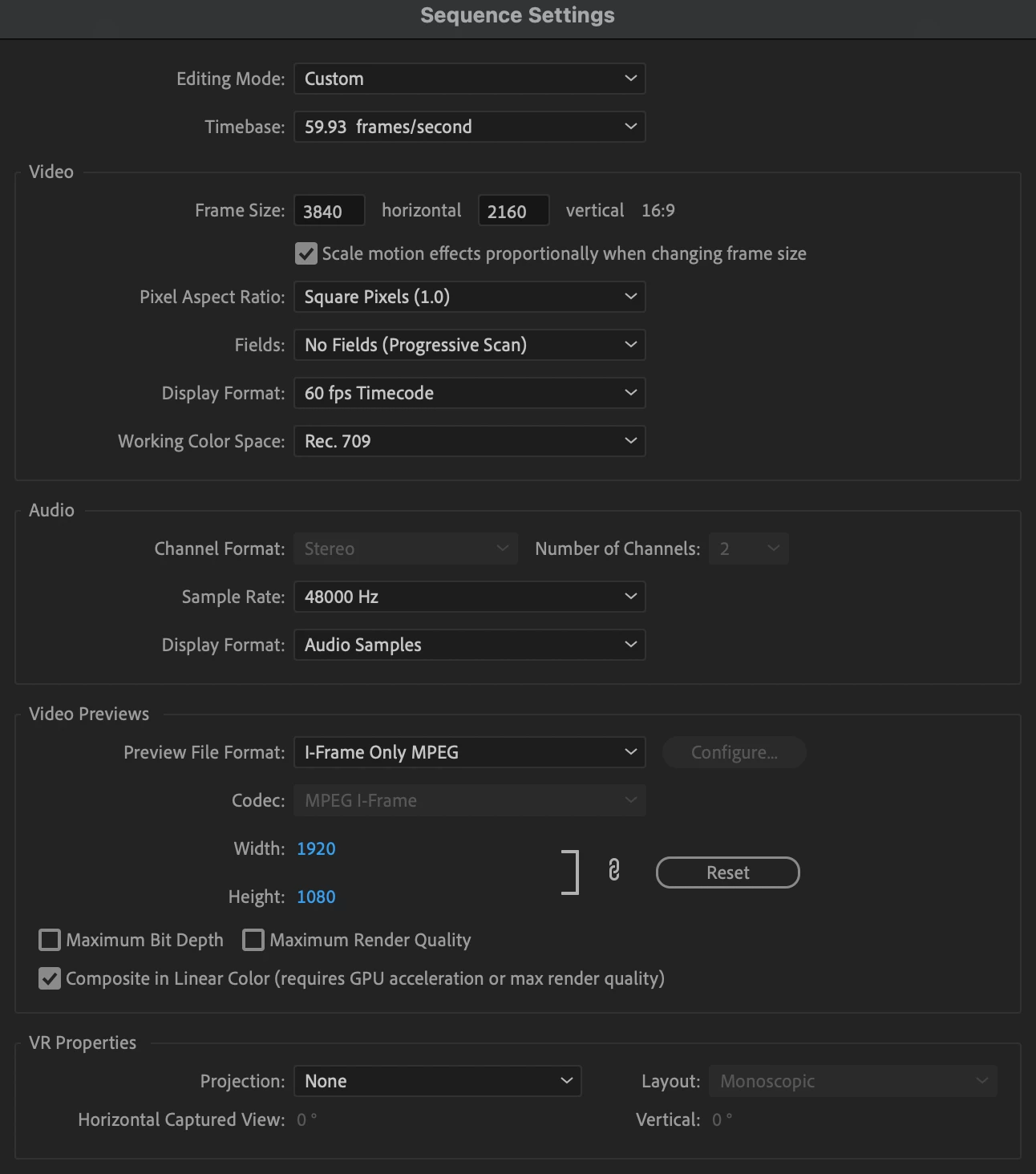
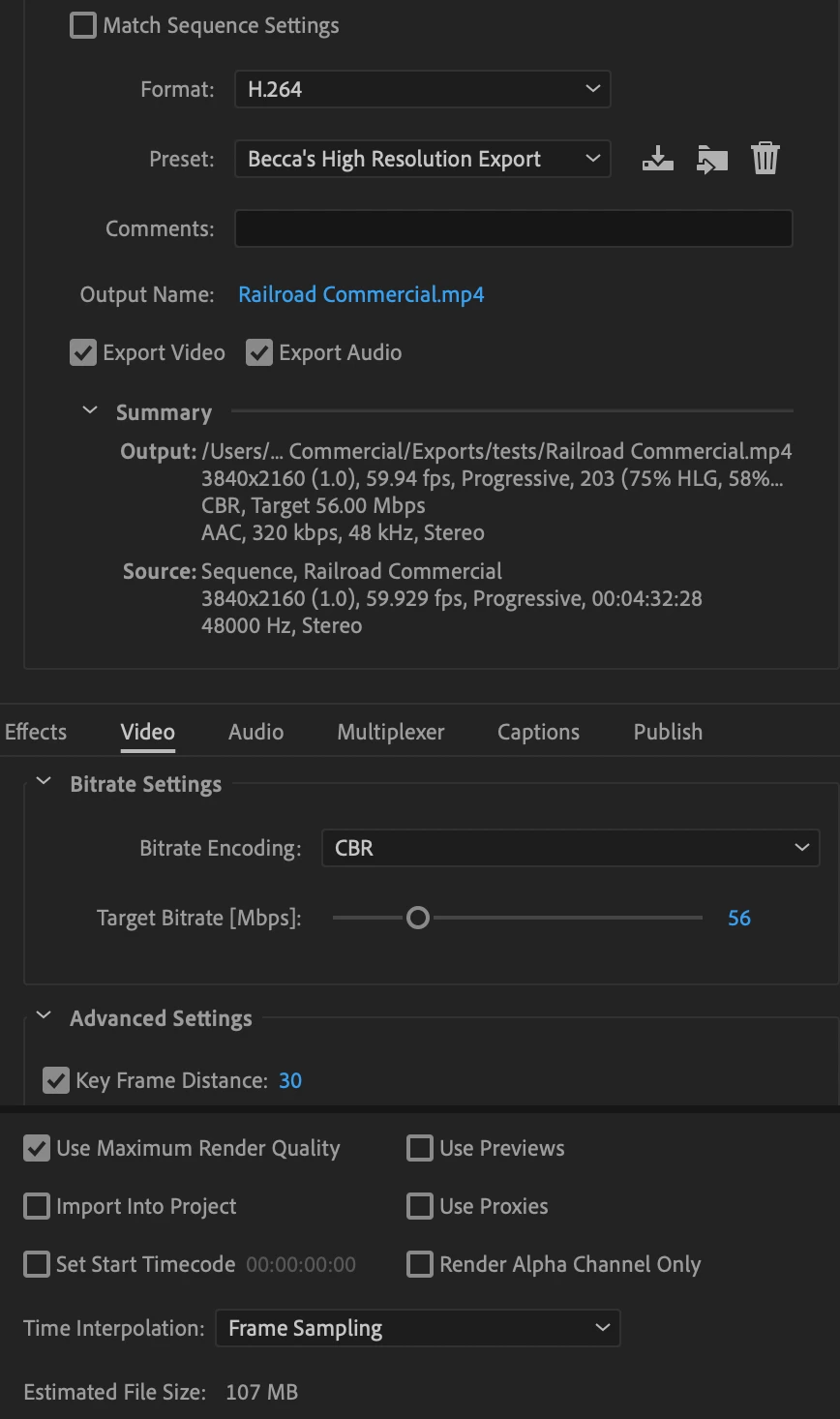
When done, use those clips as source clips and make sure that the Sequence Settings match the fps of the footage and that the export fps matches the source footage and the fps from the Sequence Settings. Any mis-match=stutter.
Uncheck Maximum Render Quality as well.


 AdChoices