


- Home
- Premiere Pro
- Discussions
- Re: Get Selected Item(s) in Project Panel
- Re: Get Selected Item(s) in Project Panel


Copy link to clipboard
Copied
Going through the examples and documentation, I couldn't find a function or value to tell if a folder or footage item is selected or access that item in the Project Panel of Premiere Pro. Closest thing I found was .select() which only selects the item you have coded. Has anyone had any success with this? Thanks!


 1 Correct answer


While PProPanel now shows how to get a message (and all selected projectItems) every time the project selection changes, getting and setting selection are not yet available.

 16
Replies
16
16
Replies
16

Copy link to clipboard
Copied
There is no API around project selections, in current versions of PPro. It's a highly-requested feature.
Copy link to clipboard
Copied
Any updates on this feature implementation? Thanks!
Copy link to clipboard
Copied
While PProPanel now shows how to get a message (and all selected projectItems) every time the project selection changes, getting and setting selection are not yet available.
Copy link to clipboard
Copied
Thanks Bruce Bullis this definitely helps! Just to confirm, the app.bind("onSourceClipSelectedInProjectPanel", function()) event is only available in PPRO CC 2018 yea?
Copy link to clipboard
Copied
Correct.
Copy link to clipboard
Copied
And from what I can tell, there's no way to know if nothing is selected in the project panel correct?
I'm basically assigning selected values to a variable to access them whenever I need to, but it seems that the "onSourceClipSelectedInProjectPanel" event doesn't update if everything is deselected. Thanks!
Copy link to clipboard
Copied
Also, I'm only getting up to 2 project item (arguments) at a time from app.bind("onSourceClipSelectedInProjectPanel", function()). Is that a bug, or am I missing something?

Copy link to clipboard
Copied
The TrackItem type has an isSelected field. You could easily search the timeline when you receive your callbacks for all items where that field returns true to build your own selection set...
Copy link to clipboard
Copied
sberic I haven't used TrackItems before. Do they correlate to objects selected in the Project Panel or Timeline? I'm trying to get objects selected in the Project Panel.
Copy link to clipboard
Copied
trackItems = things on a track, in a sequence.
Copy link to clipboard
Copied
That's what I assumed. I'm noticing there's a selected metadata column in the project panel now, but the metadata doesn't seem to update when an item is selected. Is this a way I can access selected items? Bruce Bullis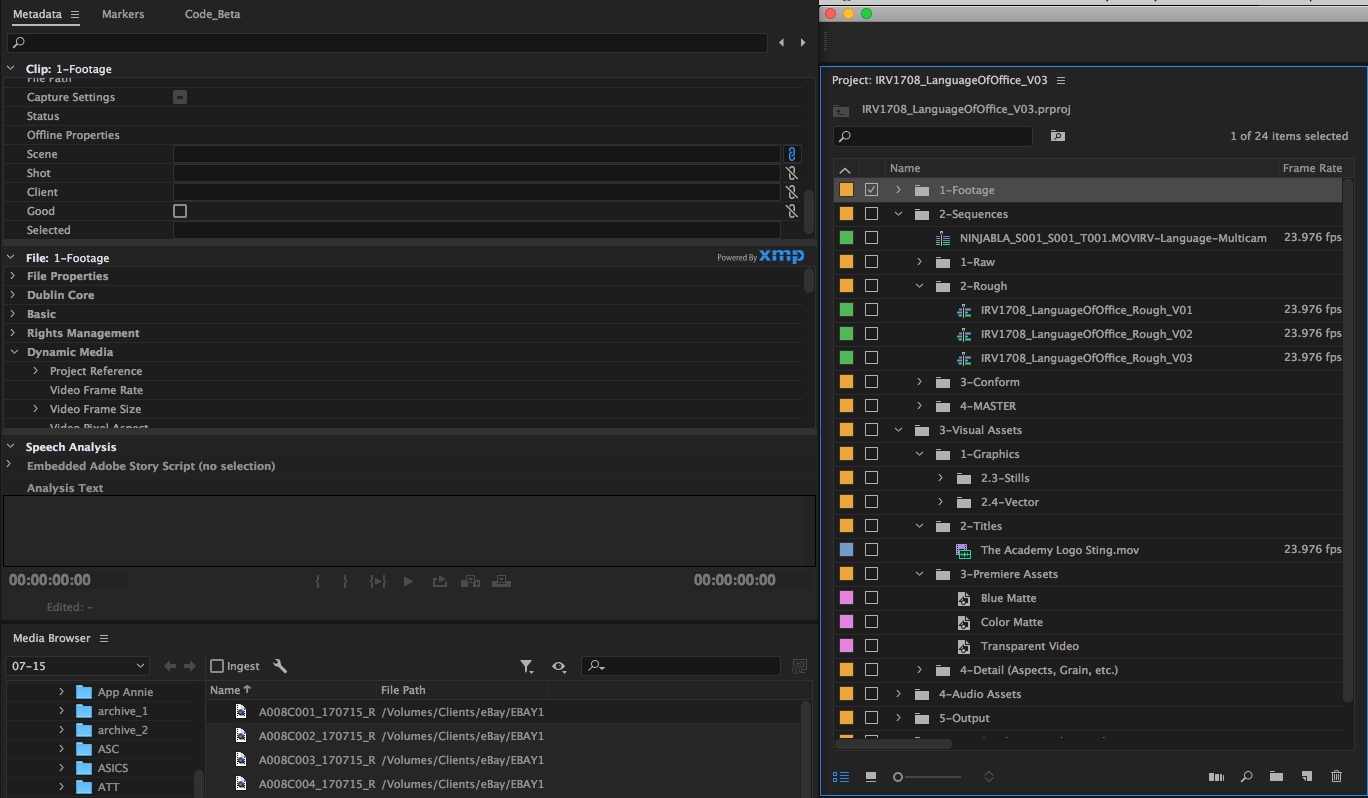
Copy link to clipboard
Copied
Not intentionally, no. 
We're Working On It™.
Copy link to clipboard
Copied
Okay good to know, thanks for the heads up!
Copy link to clipboard
Copied
justin2taylor wrote
sberic I haven't used TrackItems before. Do they correlate to objects selected in the Project Panel or Timeline? I'm trying to get objects selected in the Project Panel.
Whoops! Right, my bad. Those are Timeline APIs, not Project library.
justin2taylor wrote
Also, I'm only getting up to 2 project item (arguments) at a time from app.bind("onSourceClipSelectedInProjectPanel", function()). Is that a bug, or am I missing something?
This sounds like it's either a bug or an implementation detail. Perhaps it's related to "itemDeselected" and "itemSelected" parameters? If you select multiple at once (select one and then hold shift while clicking one several items lower), do you get multiple callbacks?
Bruce Bullis, I checked the What's New in 12.0? list of changes but did not see this API mentioned. Bug? Missed addition?

Copy link to clipboard
Copied
Almost 6 years later... Are you still working on it? How to select a project item?

Copy link to clipboard
Copied
In terms of getting items selected in the project window you can use:
app.getCurrentProjectViewSelection()In terms of setting, as far as I can see you can only select one project item at a time via:
projectItem.select()
this selects the projectItem but also deselects any other currently selected items. The documentation suggests this method is designed for used in conjunction with importing assets into a project.


Get ready! An upgraded Adobe Community experience is coming in January.
Learn more
 AdChoices