


GoPro proxy footage squashed in the source and program monitor
I'm having a problem with viewing my GoPro Hero 7 footage in Premiere Pro CC v.13 on Mac. It looks OK at first, but once the proxies are attached the picture is squashed, as in the screenshot below. The image should be 4x3 but for some reason Premiere makes the frame 4x3 and then adds letterboxing as well which squashes the image.
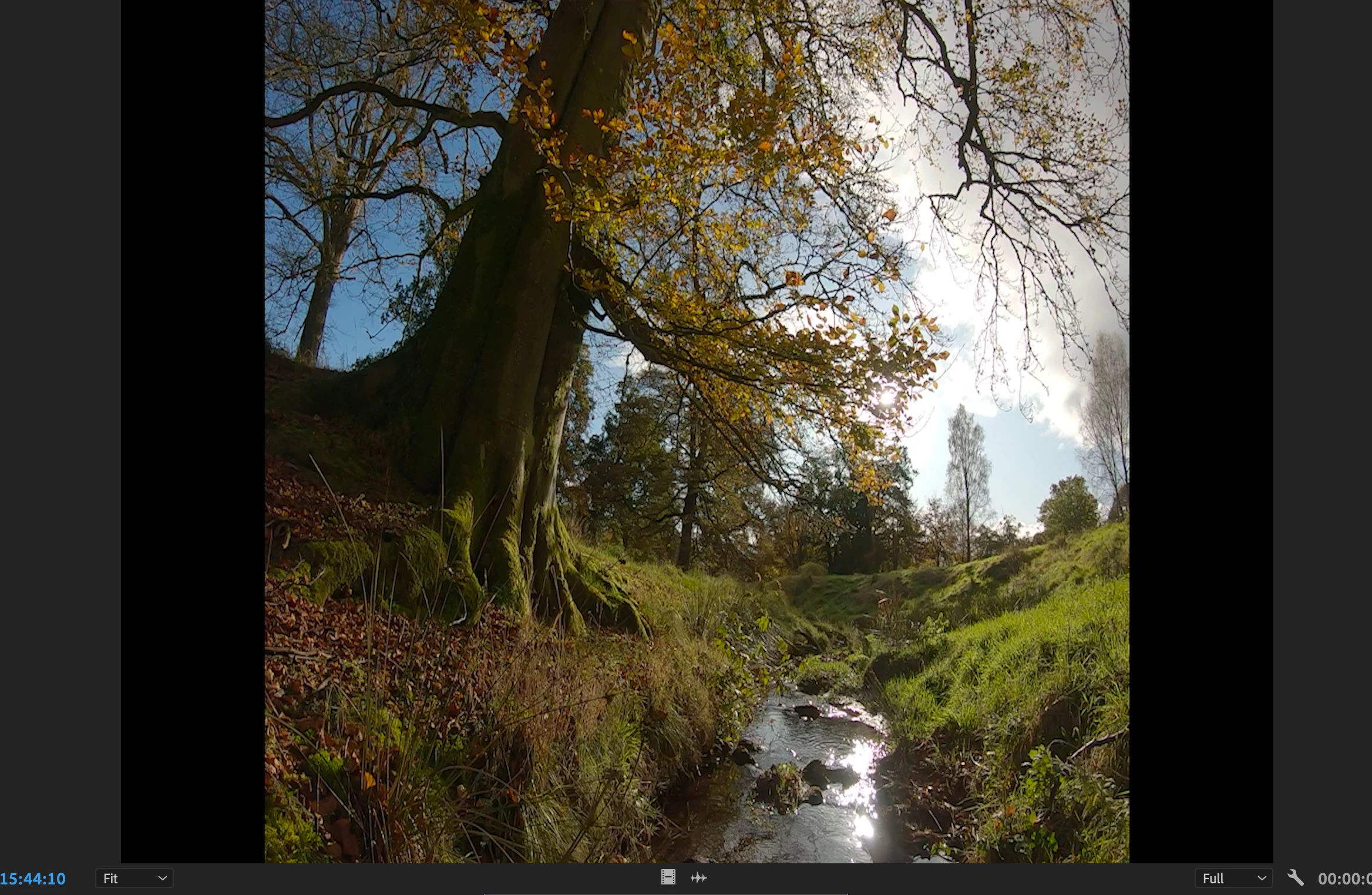
I have the source viewer set to 'fit'. If I change it to 100% it zooms in and cuts off the top and bottom of the frame. The same happens in the program monitor once the footage is on the timeline. I've tried creating 'new sequence from clip' but the same thing happens.
I want to use the footage in a project with other footage and codecs. These are the ingest settings I use to create proxies:
Type: MPEG Movie
File Size: 93.28 MB
Image Size: 1280 x 720
Frame Rate: 25.00
Total Duration: 00:01:18:10
Pixel Aspect Ratio: 1.0
Alpha: None
Video Codec Type: MP4/MOV H.264 4:2:0
I know that the Hero 7 uses the new H.265 codec so I tried re-ingesting the footage using the 1280-720 GoPro CineForm setting, but I still have the same problem.
I don't think the actual file is changed - it exports at the correct ratio, but I just can't view it properly when editing.
 AdChoices