


Participating Frequently
June 26, 2020
Question

Green lines across Program and Source monitors

  • June 26, 2020
  • 2 replies
  • 5563 views

Hi all. A few days ago I opened a Pr project to find green stripes across both my Program and Source windows (note how they appear in the Program monitor even when no footage is selected):
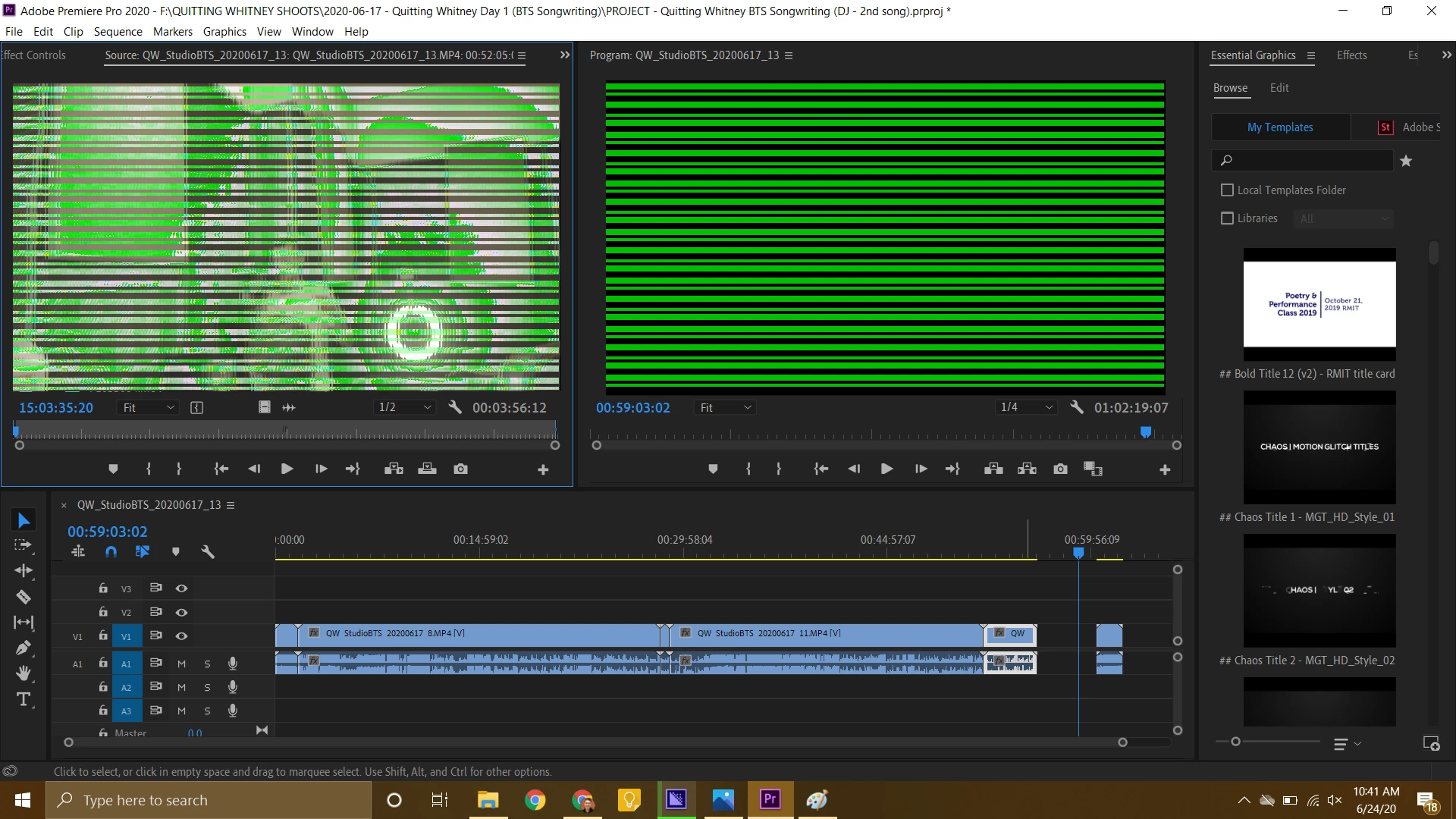


Thanks to this thread, I isolated the problem to my Intel HD Graphics 620 integrated graphics driver - the green lines appeared when I updated to the newest driver version (27.20.100.8280). When I rolled back to the previous version (27.20.100.8190), the lines disappeared.


The problem is that, with the older graphics driver, I get some highly concerning display glitching with my computer in general:


So now I'm stuck between two unusable situations: green lines over my footage with the new graphics driver, and full-screen display glitching with the old one.


Things I've already tried to cure the green lines (besides the graphics driver shenanigans):

  • Updating Premiere to 14.3
  • Rolling back Premiere to 14.2, 14.1, and 14.0
  • Switching between GPU Acceleration (Open CL) and Software Only rendering in Project Settings
  • Deleting my Media Cache
  • Creating a new Pr project
  • Opening an old Pr project
  • Importing different types of footage (mp4, mov)
  • Restarting my computer


Any advice would be greatly appreciated!

This topic has been closed for replies.

2 replies

Participating Frequently
June 27, 2020

Any other suggestions?

kerasmus
New Participant
July 24, 2020

Hoping you were able to resolve this issue - have the same problem

Participating Frequently
July 28, 2020

The solution for me was to roll back my Intel driver all the way to the February release, 26.20.100.7870. This fixed the green lines issue and so far hasn't caused the screen glitching issue.


Hopefully future versions of either Premiere or Intel will fix it so we don't have to use six month old drivers, but at least it's working for now.

Kevin-Monahan
Community Manager
Community Manager
June 26, 2020

deus_ex_felis.

From the AE forum:
"I fixed it by downgrading my Intel graphics drivers from version 
27.20.100.8280 to version 27.20.100.8190." They are not experiencing your issue when switching, however.

Hope we can assist.


Thanks,
Kevin

Kevin Monahan - Sr. Community & Engagement Strategist – Pro Video and Audio
Participating Frequently
June 26, 2020

Hi Kevin, thanks for the response - when you say beta version, do you mean Premiere Pro 14.3.1? How can I download this?


EDIT: Found it under Beta Apps in the CC Desktop app. Downloading now.


EDIT 2: The green lines persist in the Pr Beta (14.3.1).