


Participant
November 9, 2020
Question

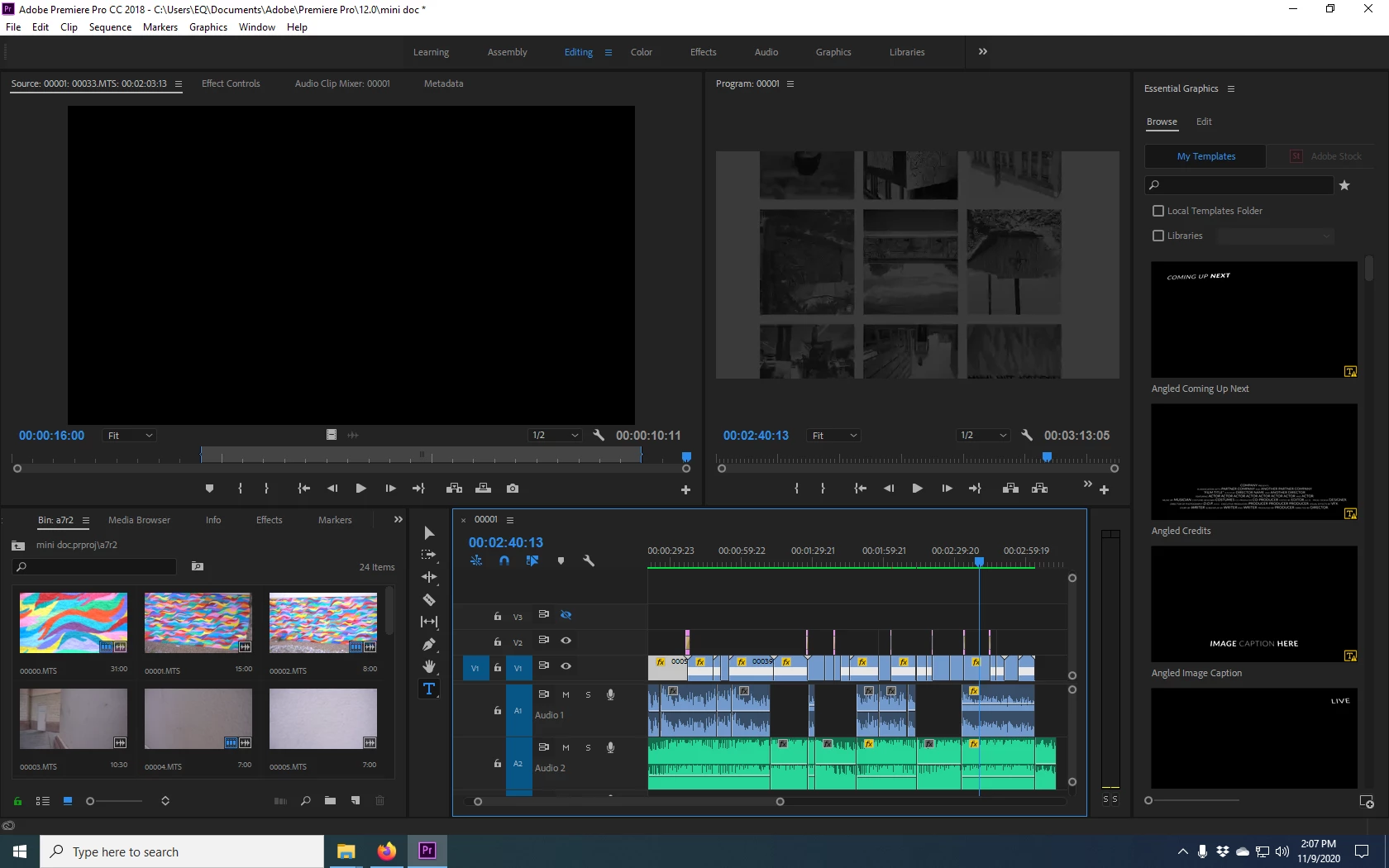
HELP! Premier pro messed up my video while I was trying to add text credits
  • November 9, 2020
  • 2 replies
  • 247 views

I was t rying to add some credits to the end of a video and when I deleted them (I didn't like the layout), my video now looks like this! Everything is fully inverted. Video is upside down, everything is dark and greyscaled. What is this? How do I fix it?


Need help asap!

This topic has been closed for replies.

2 replies

Participant
November 9, 2020

It looks like after closing it out and re-opening the project everything is back to normal. Seems premiere was in the process of a crash but didn't fully go.

Legend
November 9, 2020

thanks for closing the thread.  Not enough people do that.  but just a warning.  I think you lose the undo buffer when you quit and restart... so you were lucky that that was not an issue.  although autosaves would probably have saved the day...

Participant
November 9, 2020

Yah I had just manually saved before starting the credit adding process. So even if it couldn't "recover from undo" I could start back from a working point. I need to finish the project today and panicked. Lol Thanks for the reply!

Legend
November 9, 2020

have you tried stepping back in the history panel til things return to normal?  really hard to tell what's going on remotely with just this screen shot.  but first, Please tell us your system specs: OS version, Premiere version, amount of RAM, Hardware specs including graphics card and your source properties and sequence settings...