Participant
April 24, 2023
Answered

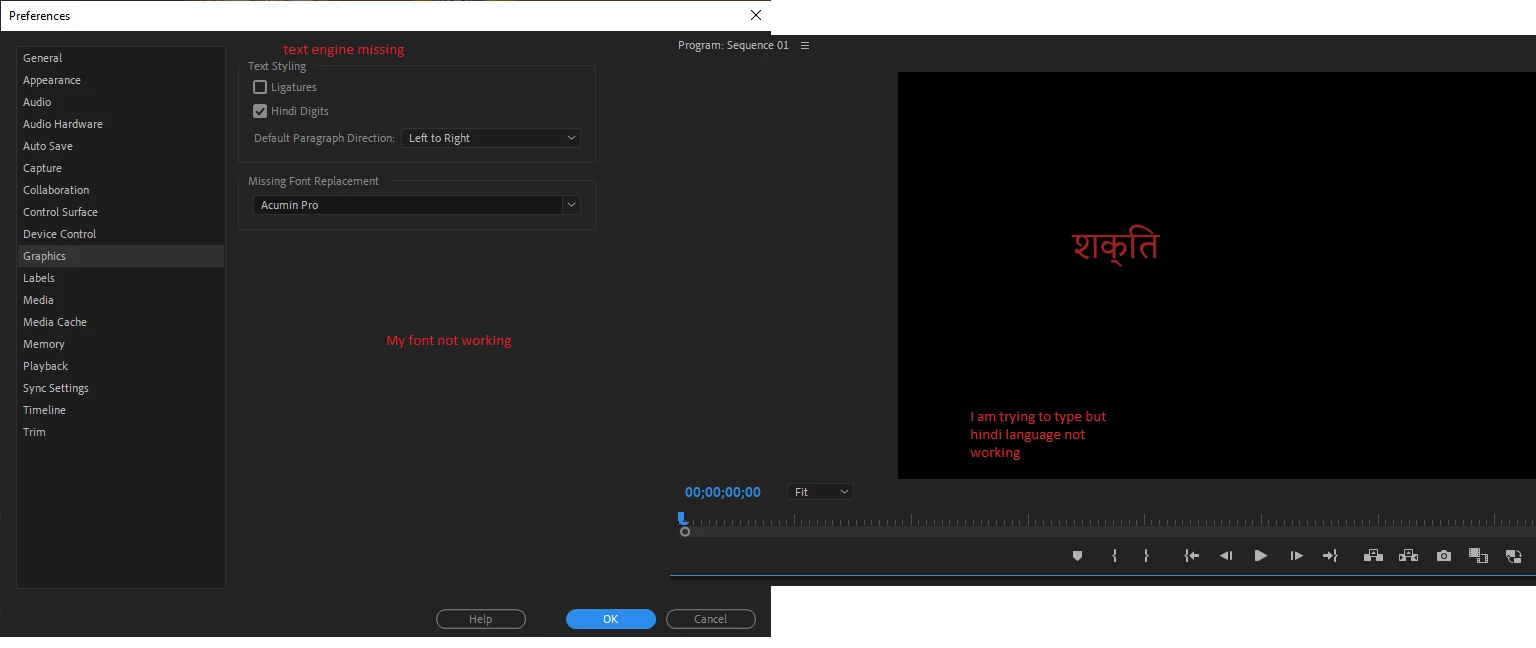
Hindi font not working properly in after effect 2023 and premiere pro 2023
  • April 24, 2023
  • 9 replies
  • 5535 views

Correct answer Prathamesh5DE8

hi everyone I tried this method which worked for me 

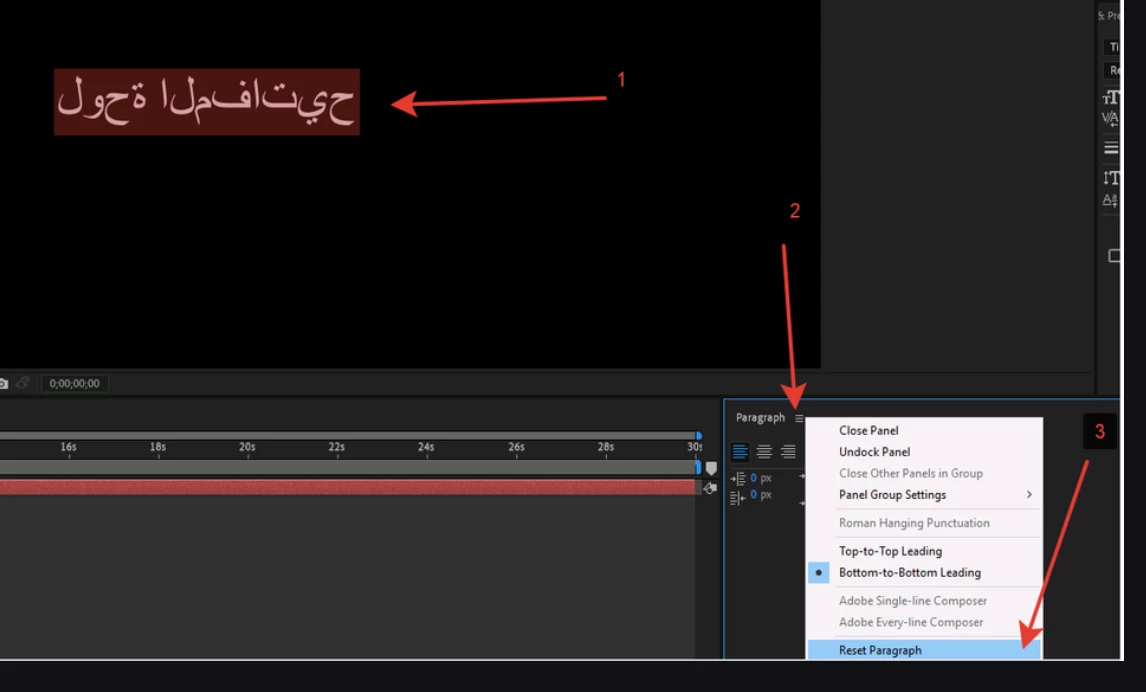
1.) Select the text you want to correct (Devanagari, Arabic, etc)

2)  From the Paragraph window Right click on the  3 lines and just click "reset Paragraph" 

The issue will be resolved...

(It works for any language I tried Urdu, Devanagari, etc)
 

9 replies

Participant
July 5, 2024

Dude you're a genius...thank you so much

Prathamesh5DE8Correct answer
Participant
December 6, 2023

hi everyone I tried this method which worked for me 

1.) Select the text you want to correct (Devanagari, Arabic, etc)

2)  From the Paragraph window Right click on the  3 lines and just click "reset Paragraph" 

The issue will be resolved...

(It works for any language I tried Urdu, Devanagari, etc)


Participant
December 23, 2024

This is the right way, Thanks!


Participant
November 29, 2023

Please mujhe bhi bata do

Participant
September 3, 2023

I am having the same issue too! And now there is no option for the text engine setting either! Has anyone found a solution to this please? It would really be great help to know how to work around this. It is already incredibly frustrating to have these issues crop up all the time from adobe. Attaching a screenshot. The app itself (in the text input box) renders the text correctly (so I assume it is the Mac OS which is doing it's job of rendering the font / characters correctly) but the text displayed in my viewer is messed up and how! 


Participant
July 16, 2023

did you find any solutions brother?


Participant
April 26, 2023

My pc has windows 10 home single language. And it supports one language English. What's the problem?


Stan Jones
Community Expert
Community Expert
April 26, 2023

Sunil,


In this forum, I only see recent solutions related to Hindi digits. I've reached out to Ali Jaber to see if he has any ideas.


Stan


Participant
April 26, 2023

I have seen this issue on youtube and many other websites but could not find any solution. So can you suggest any solution.

Whenever I am typing any text in Hindi, it is not working properly. I have tried changing the font but when I am copying and pasting any text in Hindi, it is not showing properly.

Stan Jones
Community Expert
Community Expert
April 24, 2023

Sunil,


As of PR 22.1.1, December 2021 release there is no longer an option for text engine. See "universal text engine" here:
https://helpx.adobe.com/premiere-pro/using/whats-new/2022-1.html


Is your issue at all similar to this thread?

https://community.adobe.com/t5/premiere-pro-bugs/ligatures-and-hindi-digits-are-messed-up-in-the-latest-update/idc-p/13669611#M6055


Stan