Thanks again MtD , but is there a way in which to have the mixer tracks PERMANENTLY set panned to L & R as you demonstrated in the audio mixer ?
You would do that by setting up your sequence settings - here is an example in very simplistic terms - if I wanted a Sequence to have 4 mono tracks of audio and output 2 mono tracks (a Channel 1 and Channel 2 - much like FCP7) - with Track 1 + Track 3 going to Output Channel 1, and Track 2 + Track 4 going to Output Channel 2, then in File > New > Sequence when the New Sequence Pane opens, I would select the correct video preset and the click on the Tracks Tab and change the Master to Multichannel with 2 channels of output, and the Track types to Mono and pan as I wanted the tracks in the timeline to output:
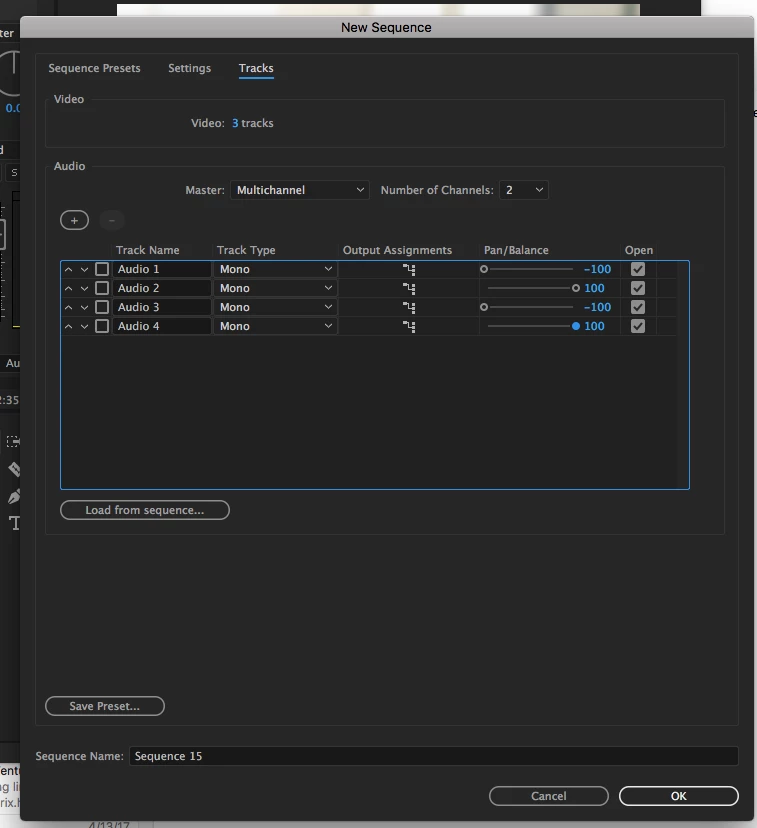
I would then hit the save preset button and name and save this preset, then use it to create a new sequence which will have the tracks set to mono and the track mixer already panned correctly:
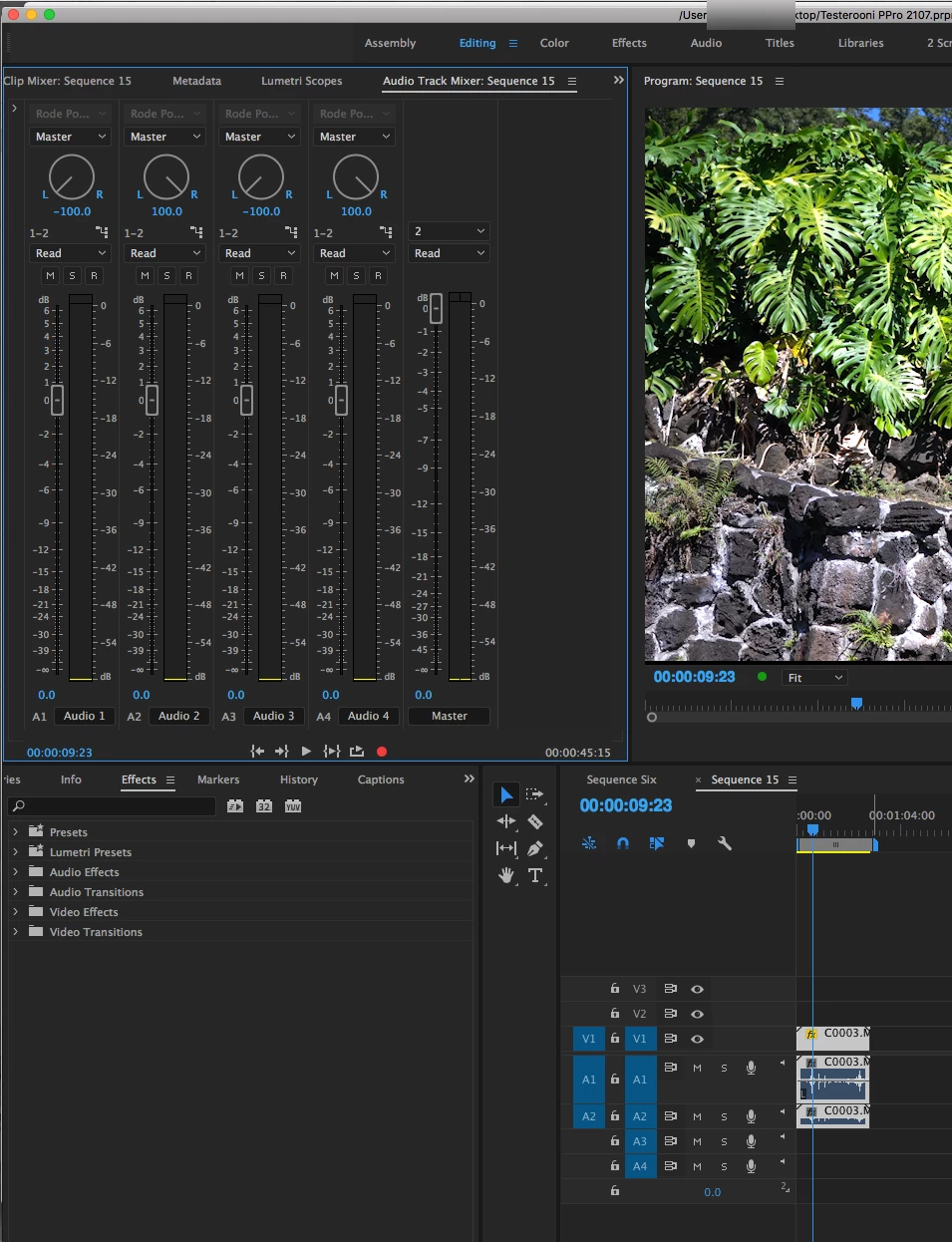
But if I received camera files that had - say - a lavaliere on on channel and a shotgun on the other channel but where delivered to me as stereo files - I would still need to select those camera files in the Program Panel and once selected, right click and choose Modify > Audio Channels to convert those files to two track mono.
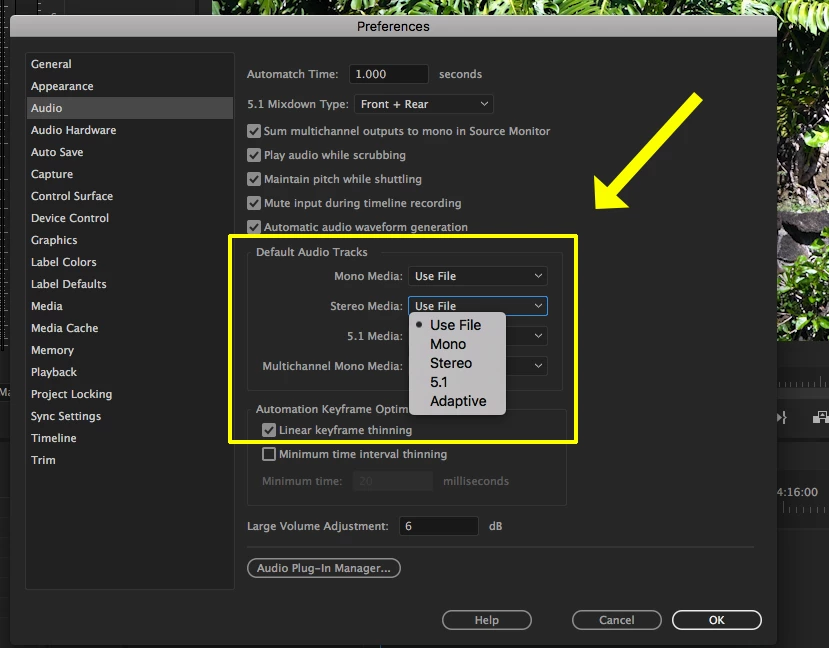
Two notes - converting the files to two track mono won't change the files that already on the timeline, you need to do this before you place the clips on the timeline, and there is a way to set your preferences so that when you import video clips that contain audio, you can convert them at the time of ingest to two track mono files - but this is all covered in the tutorial, if I remember correctly:
MtD




 AdChoices