


Known Participant
August 23, 2012
Answered

How do you apply a transition to multiple clips? NOT using default transition.

  • August 23, 2012
  • 5 replies
  • 80167 views

Using CS6

I have videos on one track and titles on another track. I want to apply dissolve to black for the videos and gradient wipe to the titles.

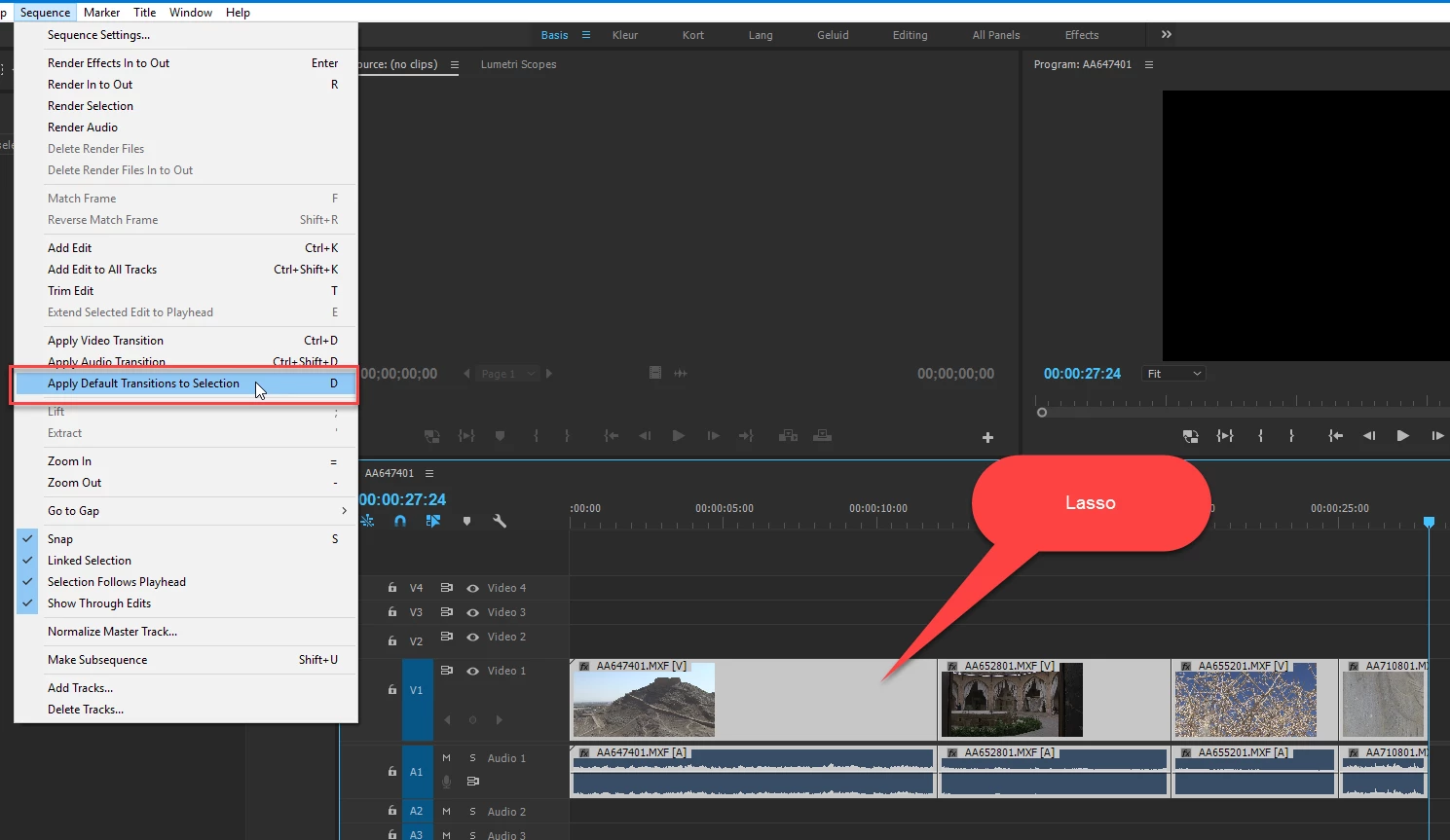
Right now I have to assign dip as the default transition, select all the video, and apply default transition. Then find the gradient wipe, change *that* to the new default transition, select all the titles, and apply default transitions. Then I have to go back and reset my default transition to gradient wipe since that's my "main" default transition.

Uhhhh... why can't we just select a bunch of clips and drag ANY transition to the selection and have it apply just like regular effects? Why force us to do this complicated singular default transition dance?
    This topic has been closed for replies.
    Correct answer Ann Bens

    Yes you do.  Otherwise it selects the clips and not the edit points.  Explain step by step please how exactly you are doing it or post a vid and provide the link.


    This works from cs6 through 2017.

    5 replies

    saeids4378122
    Participating Frequently
    January 3, 2017

    in premier go to effects and video transitions then right click on desired transition and select "set selected as default transition"

    then choose track select forward or backward tool and select entire clips then  press shift+D

    Known Participant
    January 4, 2017

    Thanks for this saeids. This definitely helps relieve some of my pain... I'm using the push transition a lot, along with video cross dissolves. So I have set up my shortcuts for push as default transition and a second keyboard shortcut for Apply Video Crossfade Transition to handle my video crossfades.

    I would say, in principle, it would be nice to be able to create multiple keyboard short cuts for multiple transitions. Right now, I'm ok because I'm relying on mostly these two. But what if I had a third I was using a lot? Only choice would be to switch the default back and forth as needed, which seems like a real hassle.

    New Participant
    July 24, 2016

    Yo i found this video and it makes it easier for you

    Premiere pro cs6 - apply transition to all clip - YouTube

    New Participant
    January 8, 2016

    If you use for example cross fade on 3 layers you will sometimes experience a transparency issue, especially if you work with logos etc..
    The solution is:

    You have 2 possibilities:

    1- IF EVERYTHING HAS TO HAVE A TRANSITION, A fade in of the timeline or a fade out of the timeline, when you have a BG image, A logo and a bunch of text layers (because they all have to be animated seperately and you don't have time for AE) ?  -> Put your transition on an ADJUSTMENT LAYER over everything. You can use this technique for lots of stuff.


    2- IF YOU CREATE A "COMPLEX" BANNER, TITLE ... BUT THE MAIN VIDEO SHOULD STAY AS IT IS, Like with interviews, you create a banner for the title and there are 3 layers (BG, Title & Logo) you want that all to fade in, move in, slide in..etc...? -> Use NEST SEQUENCE, By NESTING you can Group all those layers but still can edit them later if the client decides that his name should be bold, bigger, yellow etc...) and you can then simply apply the wanted transition to that NEST.


    PS: For all of those who use both AE & PR never forget the benefits of a nested sequence (premiere) or composition (after effects)!! Can be very handy and timesaving!

    Hope that was helpful

    New Participant
    October 12, 2015

    There's a good Youtube video that explains how to copy and paste transitions. I needed to do this using the cube effect but wanted the effect in reverse. By placing the effect on one cut and changing the setting, I was able to copy the effect and quickly paste it to 70 slides using the DOWN key (on a pc).
    Adobe Premiere Pro CC - How to Copy and Paste Transitions - YouTube

    Brainiac
    August 23, 2012

    select all the video, and apply default transition.

    How do you do that?

    Known Participant
    August 23, 2012

    Jim Simon wrote:

    select all the video, and apply default transition.

    How do yo do that?

    Huh? Say that I have 10 clips that require dip to black 2 seconds centered. 5 that require dip to black 4 seconds on the right. 20 that require cross dissolve of 2 seconds. 2 that require film dissolve at 2 seconds. What's the fastest way for me to do this?

    Known Participant
    February 4, 2017

    Nope you can do this with the selection tool (V)

    Been doing this for a long time now.


    Ok, I see how you're doing it now!  You don't just lasso the clips though, you have to lasso the clips while holding down the command key and then it works.  Otherwise the selection tool just selects the clips and not the edit points.