


AntDX316
Inspiring
January 15, 2022
Question

How do you scale comp with the mouse cursor?

  • January 15, 2022
  • 1 reply
  • 1104 views

How to scale comp with the mouse cursor?
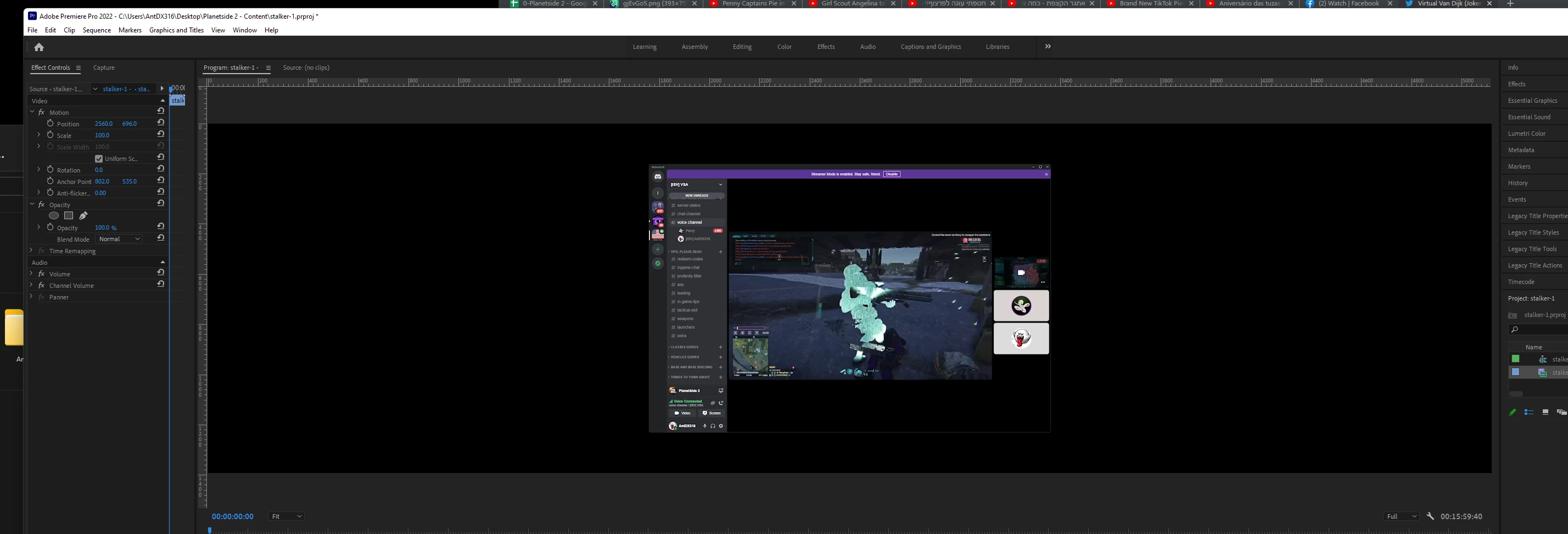
Basically the method now is.. tweak the numbers until you get it just right.  Can I just crop the sequence somehow?

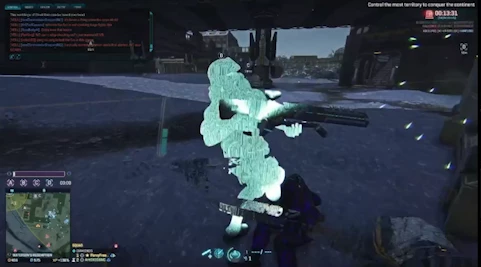
Basically want this and nothing else:


This topic has been closed for replies.

1 reply

Kevin-Monahan
Community Manager
Community Manager
January 15, 2022

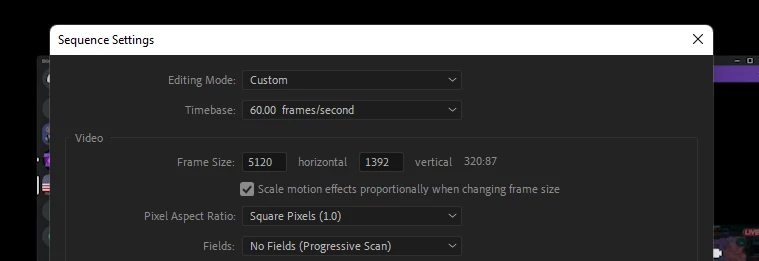
Yes, Ant. there are a number of ways to solve the issue. You cannot "crop" a sequence, per se, but you can change its Sequence Settings to match the clip dimensions and frame rate. It sounds like you want the sequence to be the same size as your clip. Right click on the clip in the Project panel and choose Properties. What does it say? Is the clip HD?? It looks like the clip's properties is HD but you are in a 5K sequence. I would advise you work in an HD sequence. You can go to Sequence > Sequence Settings and change the resolution to 1920x1080 frame size at a frame rate that matches clip properties and click OK.


Next time, you may want to set up differently. Many people simply right click on the clip in the Project panel and choose > New Sequence From Clip. This creates a sequence based on the clip's properties. Do check on the Sequence's settings by going back to Sequence Settings and make any adjustments to the sequence, as needed.


Please come back with questions.


Thanks,
Kevin

Kevin Monahan - Sr. Community & Engagement Strategist – Pro Video and Audio
AntDX316
AntDX316Author
Inspiring
January 15, 2022

I just want to drag like masking for the comp like with cropping in Lightroom.

AntDX316
AntDX316Author
Inspiring
January 15, 2022

It's an odd form factor that doesn't adhere a particular standard which is why I need to crop odd and custom.
