


Inspiring
January 29, 2024
Answered

How to add a background image to multicam sequence

  • January 29, 2024
  • 3 replies
  • 776 views

I've searched everywhere I can think of to search without success, so hoping I can get the solution here.

I want to add a background image to my multicam project. It's an interview - Interviewer and interviewee. I have three angles - One full size of each participant and one of both participants. Here's how the sequences look in the timeline:
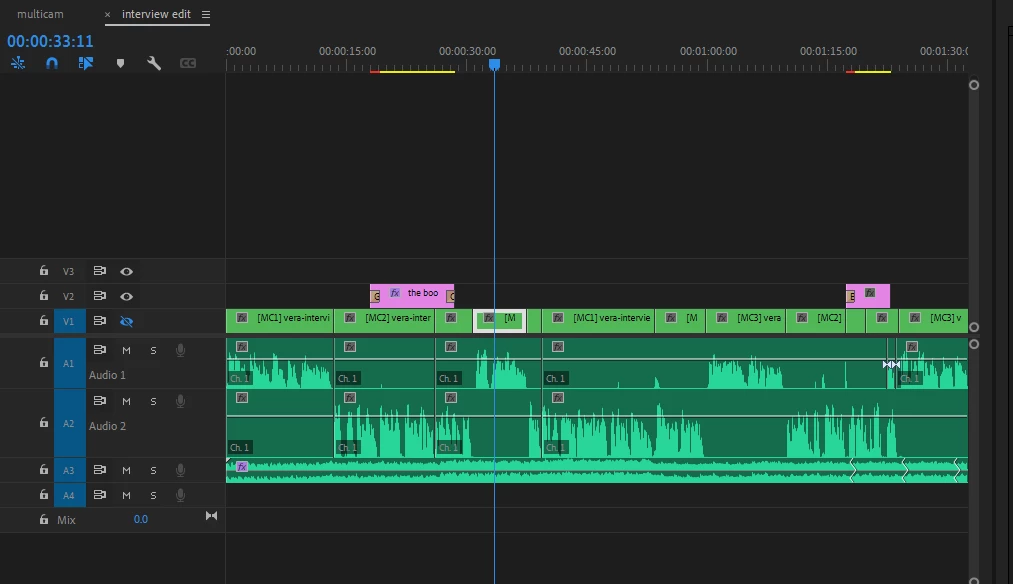
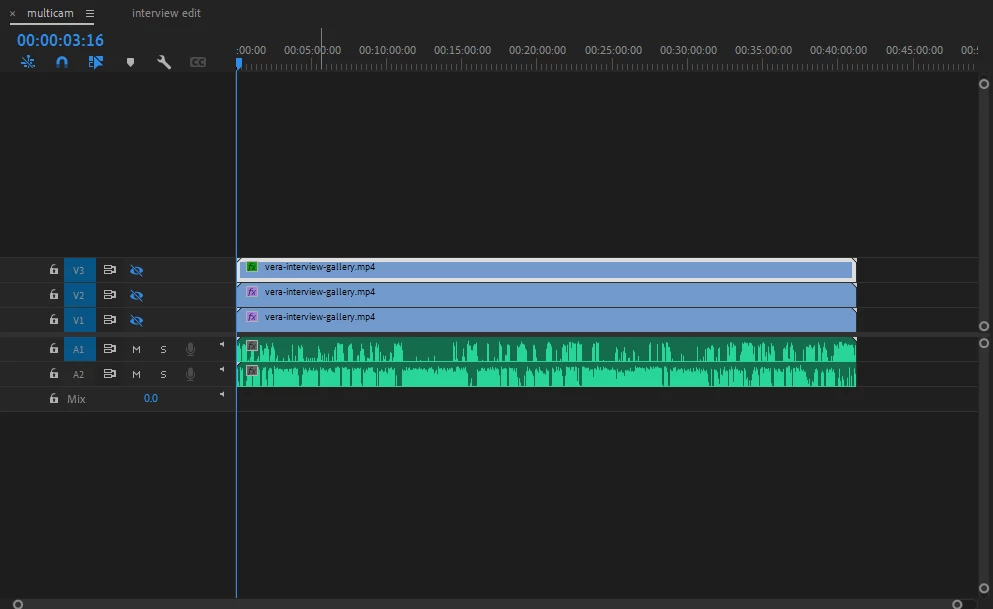

It's only the angle with both participants that needs the background image, but it wouldn't matter if it had to sit underneath the other two angles as the BKGD and angles are both 1920x1080.

Any help greatly appreciated.


This topic has been closed for replies.
Correct answer VicLD34596666

Problem solved. 


Realising, thanks to Peru Bob, that my clip already had a black background generated by Zoom video recording, I did some more research and found that I needed to place my new background graphic on a new track right below the video, then add the 'crop' effect to the video clip. It was then a matter of cropping the black background, This of course uncovered the new background and gave me just what I was looking for.

3 replies

VicLD34596666AuthorCorrect answer
Inspiring
January 29, 2024

Problem solved. 


Realising, thanks to Peru Bob, that my clip already had a black background generated by Zoom video recording, I did some more research and found that I needed to place my new background graphic on a new track right below the video, then add the 'crop' effect to the video clip. It was then a matter of cropping the black background, This of course uncovered the new background and gave me just what I was looking for.

Peru Bob
Community Expert
January 29, 2024

Did you remove the existing background?

Is there an alpha channel in the interview media?


Or do you want it to be on top of the current background?

If so, it needs to be on a track above the others, not below.


Inspiring
January 29, 2024

Thanks for your reply, Bob.


I'm relatively new to video editing so I had to go off and find out what an alpha channel is. If I've got it right I would say there is no alpha channel. The video is a Zoom meeting recording. I just reduced the opacity to zero and it's solid black. 

So is that what you're suggesting, that that is a background? Ha! Of course it is. 

You've given me food for thought and a new learning curve. I'm going to look into this thing using your comments.

Thanks again.

Peru Bob
Community Expert
January 29, 2024

You're welcome. 

Inspiring
January 29, 2024

I should add that I've tried inserting the background image on a new track below the video track in the edit sequence, and the same in the multicam sequence. I also nested the 'both participants' angle in the multicam sequence and added the image the same way in that new nested sequence. None of this worked.