Inspiring
May 7, 2024
Answered

How to adjust the POSITION of all clips to a certain value?

  • May 7, 2024
  • 2 replies
  • 3118 views

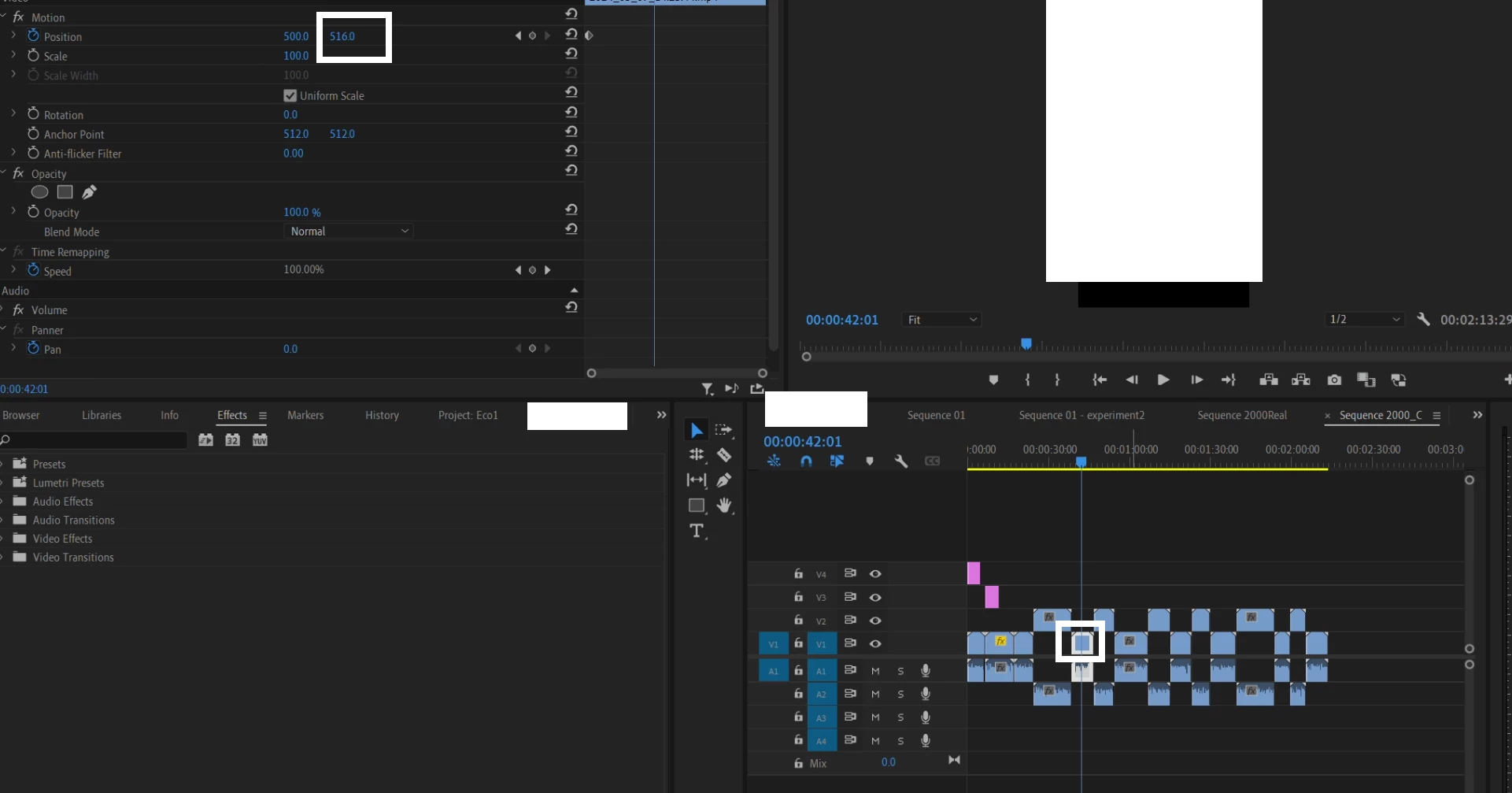
Image:


I selected one clip (or item) in the timeline, changed its position. Then did a "SELECT ALL -> .." And searched for "SAVE PRESET"


But the save preset button stayed GRAYED OUT. I only changed the position.

I then Tried to change the position inside an ANIMATION, meaning I created a "time item" you know the little "watch" icon for animations.

Save preset still does not exist.


Ok then I tried to select ALL the items in V1 line, and "effect controls" tab HID. You cannot change the position of all the selected items at once.


SO HOW DO I CHANGE THEIR POSITIONS ALL AT ONCE???

This topic has been closed for replies.

2 replies

Peru Bob
Community Expert
Peru BobCommunity ExpertCorrect answer
Community Expert
May 7, 2024
Ann Bens
Community Expert
Community Expert
May 7, 2024

Change position of one clip,

Ctrl  + C

Select all other clips in timeline,

Right click > Paste attributes.


Bear in mind that all other Motion properties will overwrite the exciting values.


You can also make a preset of the position of one clip

select all in the timeline and drag preset to these clips in the timeline.

Inspiring
May 7, 2024

amazing

Thanks to both of you  @Ann Bens  and @Peru Bob