
Participant
August 20, 2017
Answered

How to bevel edges of a mask?

  • August 20, 2017
  • 2 replies
  • 3667 views

I'm using an opacity mask to hide edges I don't need in my footage.  I want to bevel the edges of this footage, but if I make a mask for bevel it's like it uses an entirely different clip. I'm going to post before and after screenshots.
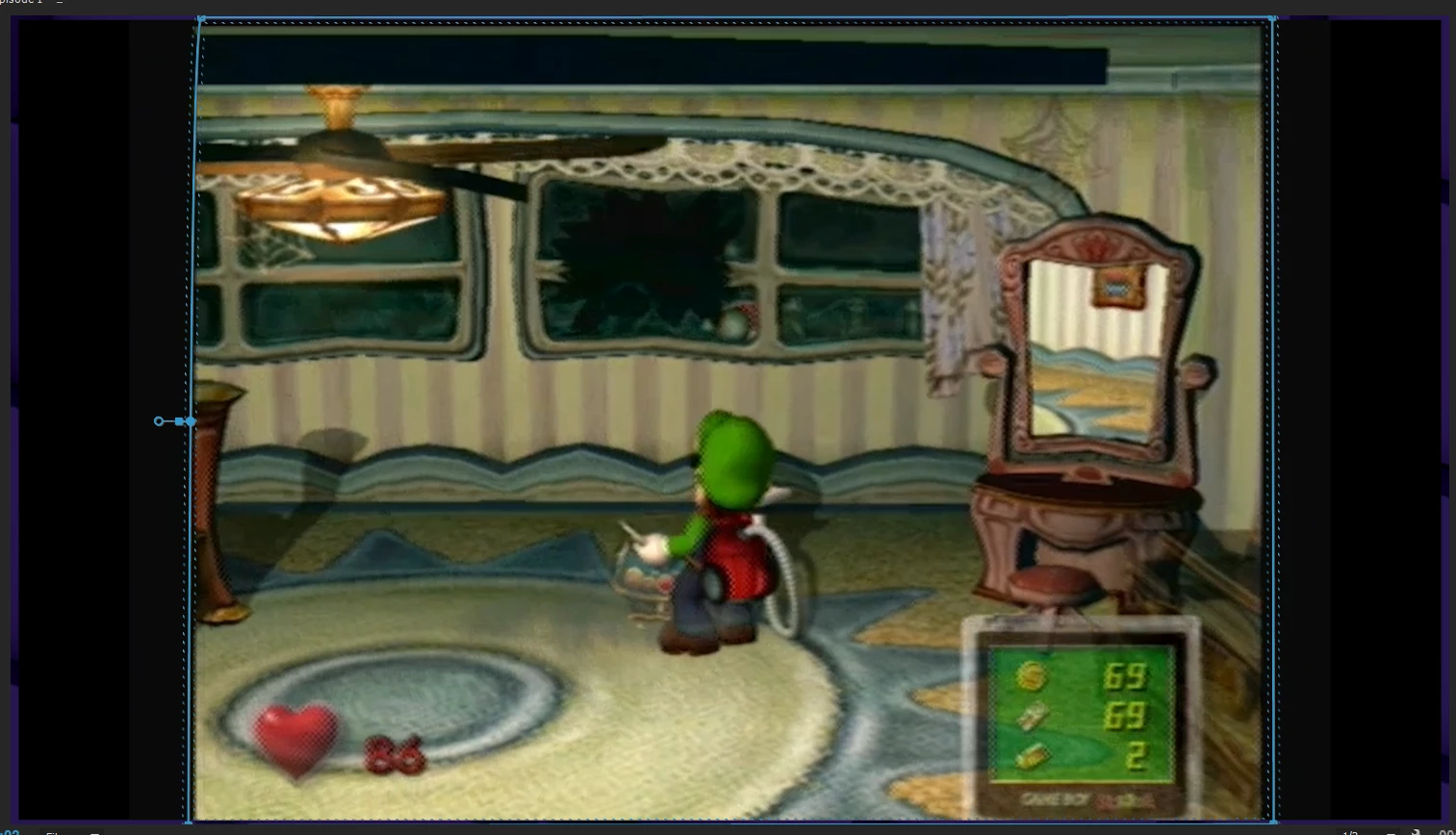
This is without the opacity mask.
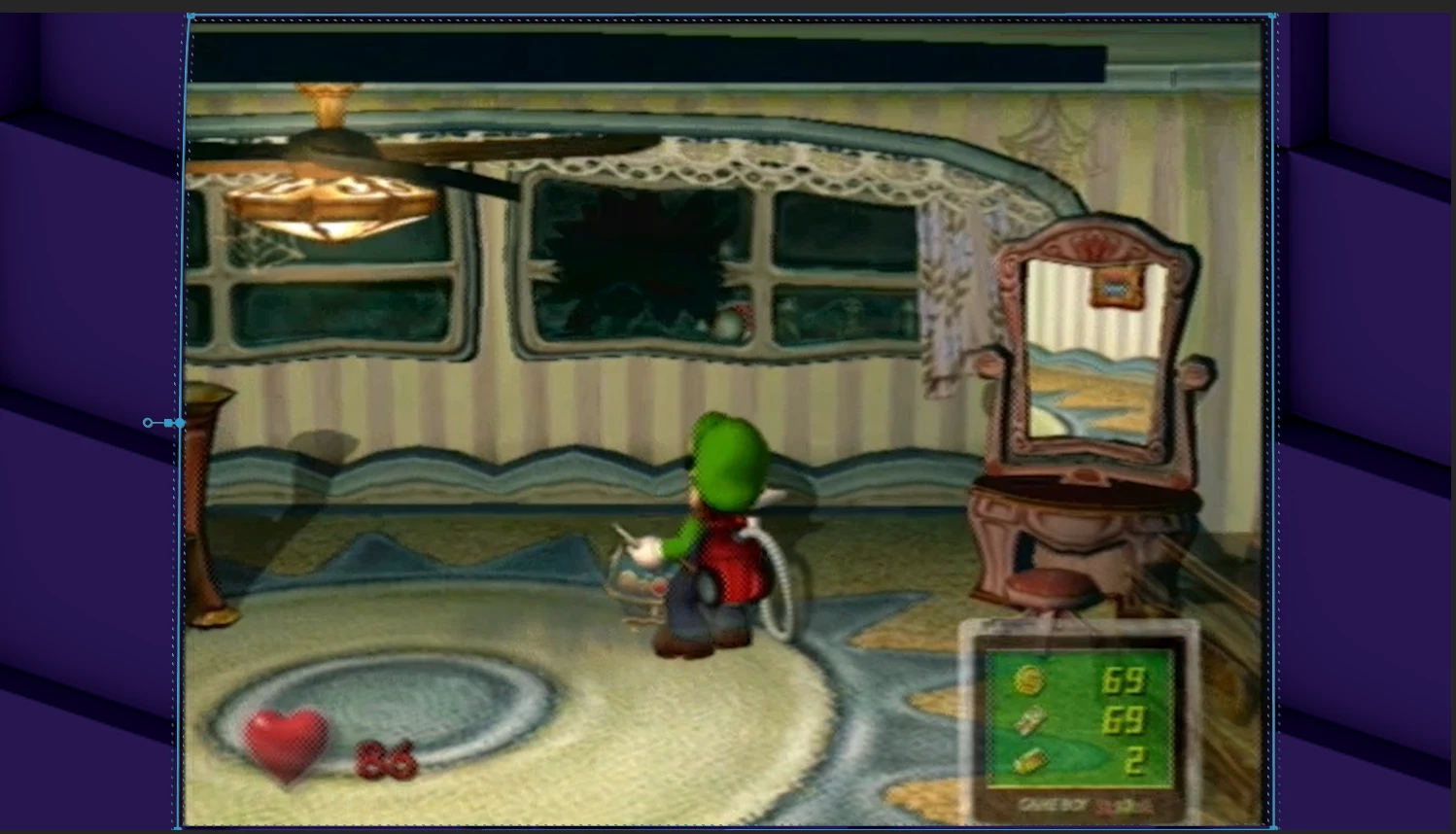
When I apply the opacity mask. This works as intended.
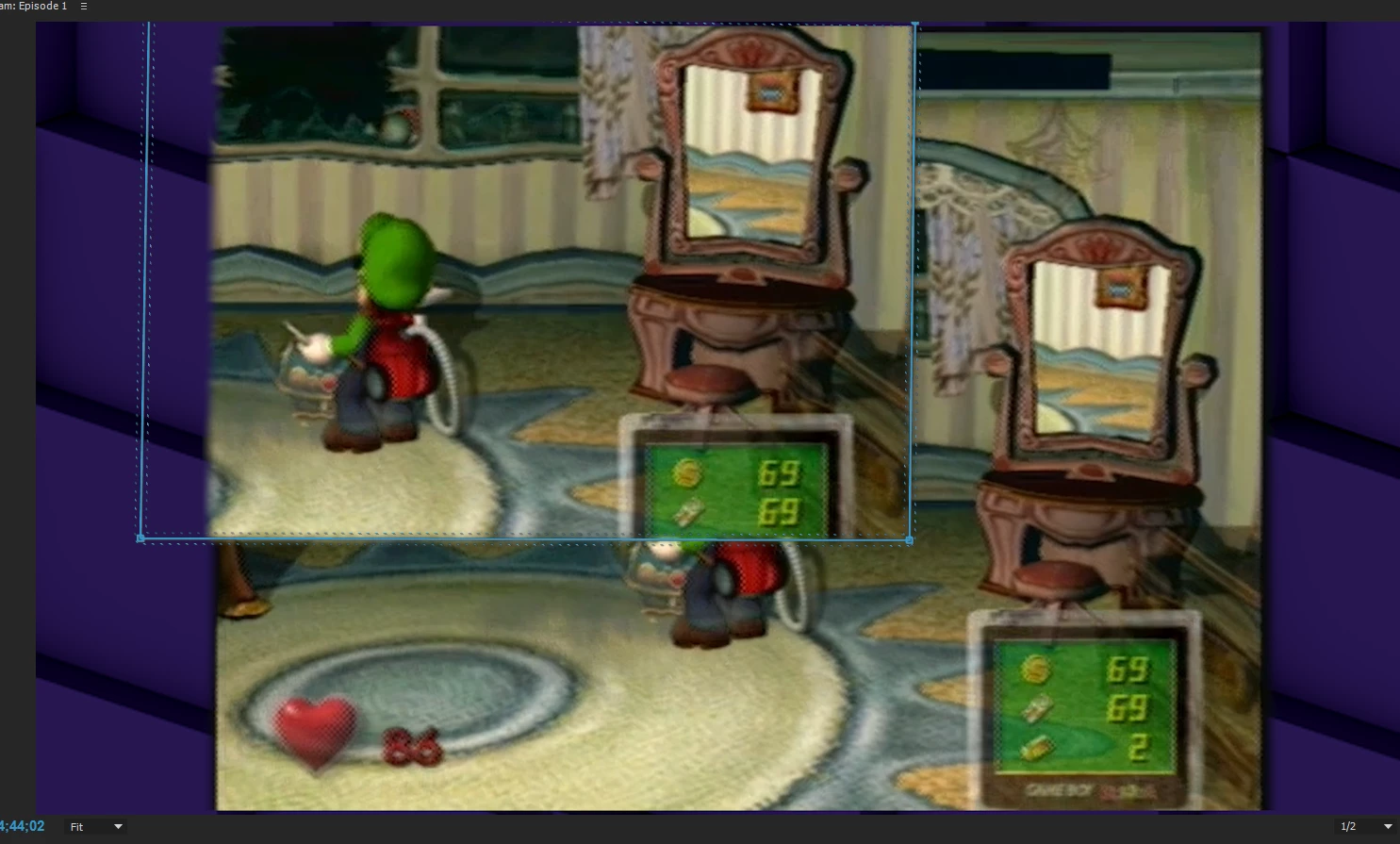
This is when I apply a bevel mask. It does this with or without the opacity mask applied. I'm really unsure what to do about this. Maybe I don't understand how the beveling works? I'm really just at a total loss.

Is there a way I can apply beveled edges to a mask specifically?

Thanks for any help.

This topic has been closed for replies.
Correct answer eikonoklastes

Apply a Crop effect first, and then apply a Bevel Edges after it.

2 replies

Ann Bens
Community Expert
Community Expert
August 20, 2017

There are two different edges features: feather mask (a mask feature) or the effect Bevel Edges.

Bevel Edges does not work on a cropped image.

The effect is applied to the edges of the frame,it will however show on a scaled down image.

Are you trying to apply an edge to a full frame, a full frame scaled down or a full frame with cropped image.

You either use the feather mask or the Bevel Edges but not a the same time.

Post screenshot of Effects Panel.

Legend
August 20, 2017

https://forums.adobe.com/people/Ann+Bens  wrote

Bevel Edges does not work on a cropped image.

Bevel Edges will work on a clip with the Crop effect applied before it. It will not work on a clip "cropped" by a mask.

Ann Bens
Community Expert
Community Expert
August 20, 2017

Aaaaaaaaah when did Adobe change this?

eikonoklastesCorrect answer
Legend
August 20, 2017

Apply a Crop effect first, and then apply a Bevel Edges after it.

Participant
August 20, 2017

Ann Bens

It turns out hes actually right!

eikonoklastes

Thank you so much for this info!

Thanks to both of you for helping me solve this issue. I didn't realize I had to crop it. I suppose it makes sense, I just wouldn't have thought of that. I hope this thread will appear for anyone else who has this issue, I actually couldn't find any other answers. Thanks for your time guys, it was extremely helpful.