


Copy link to clipboard
Copied
Hello all,
I am looking for some guidance. How can I create the effect on the attached image? It is a gif, not sure if it'll show here.

Essentially, I would like the subject to be all black. I'm not worried about the background because I know I can easily greenscreen that. Instead, I'd like to know what I can do so that the people in the video are all black. No contour outlines, no shadows, simply black. There is a third person in the image (far right) that's a little lighter, that would be nice too, but I'll be content with all black.
any help would be appreciated!
thanks,
AR
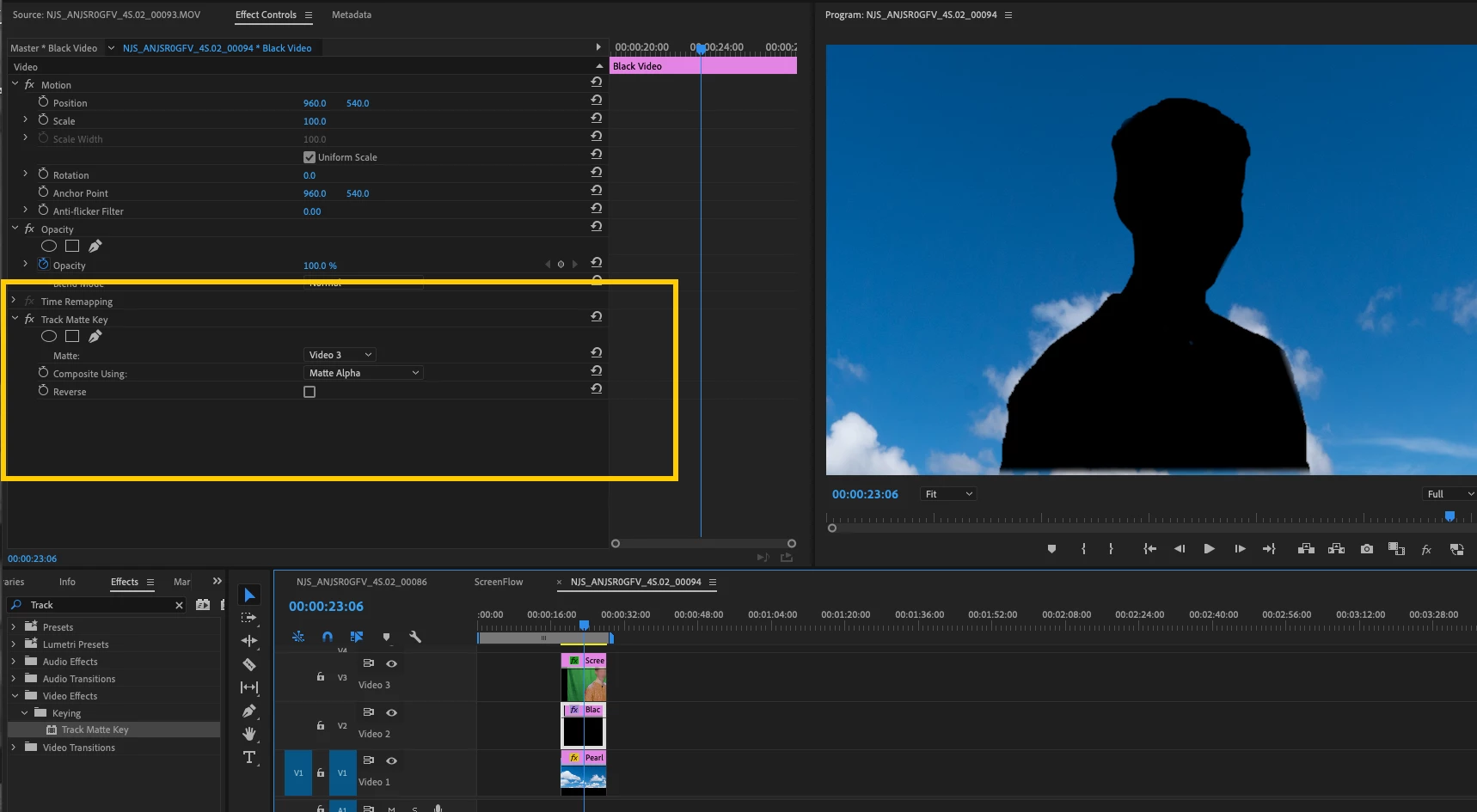
Put the background on V1, and the green screen clip on V3 above it. Pull the key on the green screen clip so that you see the person keyed nicely and the background revealed cleanly.
Now place a clip of black video on V2 between the two clips. You can get black video from File > New > Black Video.
Place the Track Matte Effect on the black clip on V2 and specify the Matte Source as V3 (the green screen matte) and Composite Using Matte Alpha, and done.
MtD
Copy link to clipboard
Copied
If it is a video and not a still, it might be a job for After Effects.
Copy link to clipboard
Copied
Put the background on V1, and the green screen clip on V3 above it. Pull the key on the green screen clip so that you see the person keyed nicely and the background revealed cleanly.
Now place a clip of black video on V2 between the two clips. You can get black video from File > New > Black Video.
Place the Track Matte Effect on the black clip on V2 and specify the Matte Source as V3 (the green screen matte) and Composite Using Matte Alpha, and done.
MtD
Copy link to clipboard
Copied
Get ready! An upgraded Adobe Community experience is coming in January.
Learn more