


Inspiring
December 6, 2021
Answered

How to edit this thing in Multicam

  • December 6, 2021
  • 1 reply
  • 426 views

Hi, i have tried editing in multicam. I create multicam by placing first video on video track 1 and second video on video track 2. Then create nested sequence then right click nested sequence -> Multicam -> Enable.

Preview below :
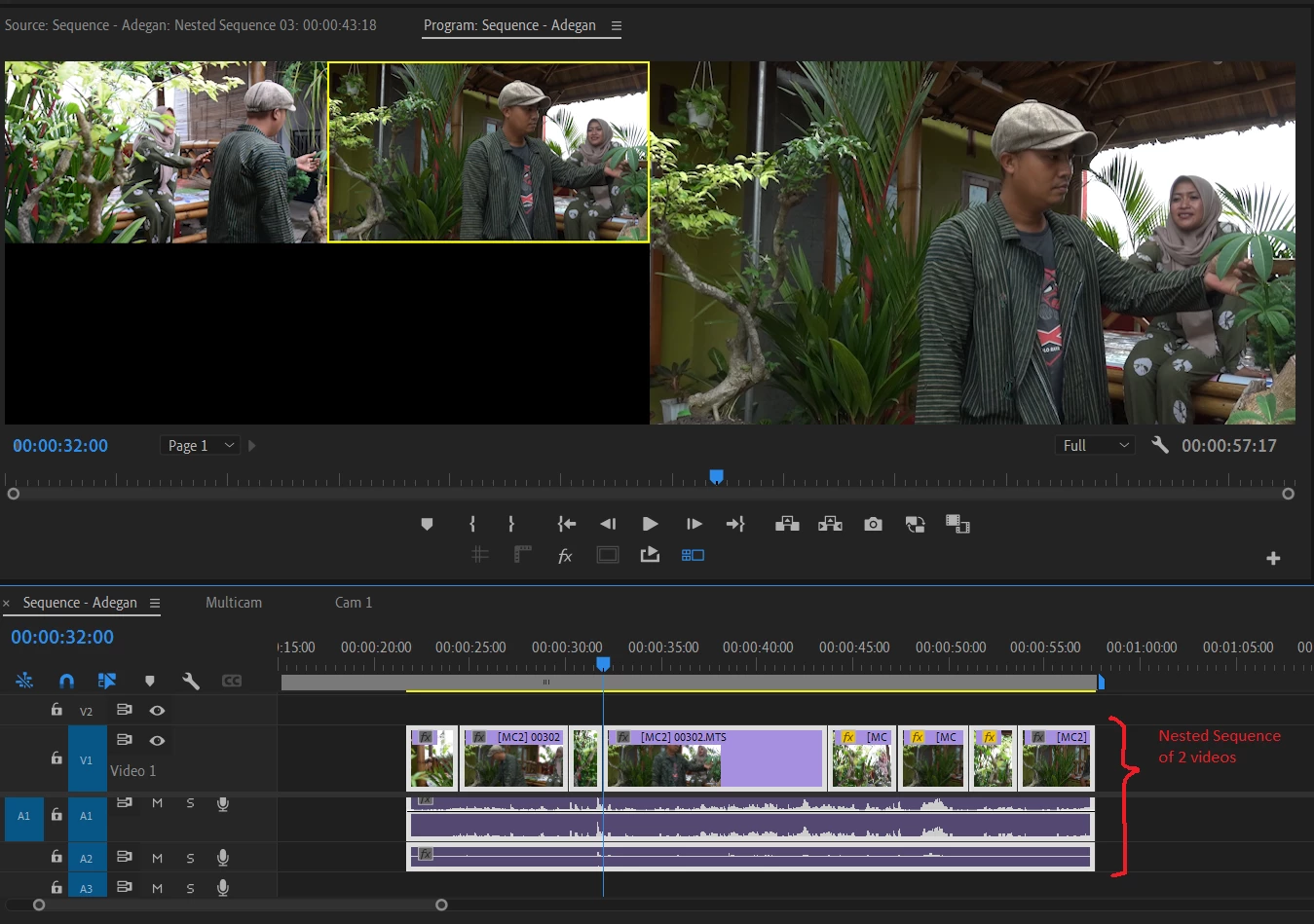
But, i have some difficulties.

I want to edit First video, adding some color corection, add some graphic and more, how to do that?

Double clicking this nested sequence of multicam doesn't show two videos track.

Usually, when double clicking nested sequence (not multicam), it displays some video tracks inside of it.

Thanks.

This topic has been closed for replies.
Correct answer Ali Jaber

Unlike other sequences, double-clicking a multicam sequence will open in it the source monitor. So, instead of double-click, select the multicam sequence and use the shortcut: ctrl+shift+f (reveal nested sequence).

If you want to add Graphics for one camera only, for example camera 1, then select all the clips of camera 1 track, then nest those (right-click: Nest), then add all your graphic elements inside of that nested sequence.

1 reply

Ali JaberCommunity ExpertCorrect answer
Community Expert
December 6, 2021

Unlike other sequences, double-clicking a multicam sequence will open in it the source monitor. So, instead of double-click, select the multicam sequence and use the shortcut: ctrl+shift+f (reveal nested sequence).

If you want to add Graphics for one camera only, for example camera 1, then select all the clips of camera 1 track, then nest those (right-click: Nest), then add all your graphic elements inside of that nested sequence.

Inspiring
December 7, 2021

Thanks ali_jaber,

######Raizen 7, 40Gb Ram, RTX 3060, Win 11 -- All of Software in the world are just tools. Buy it if it works for you :)