


Concept-Production
Inspiring
November 29, 2019
Answered

How to import transparency (.mov) in premiere Pro

  • November 29, 2019
  • 3 replies
  • 29150 views

Can anyone know how to import transparency QuickTime .mov, with alpha channels in Premiere? 

Actually it seems like Premier Pro does not support transparency movies on top of video than PNG sequence… 

I have to work with over 10 hours QuickTime moves. You can imagine no time for me to convert to PNG sequence, and after effect do not support up to three hours movie. 

Bless you…
This topic has been closed for replies.
Correct answer Ann Bens


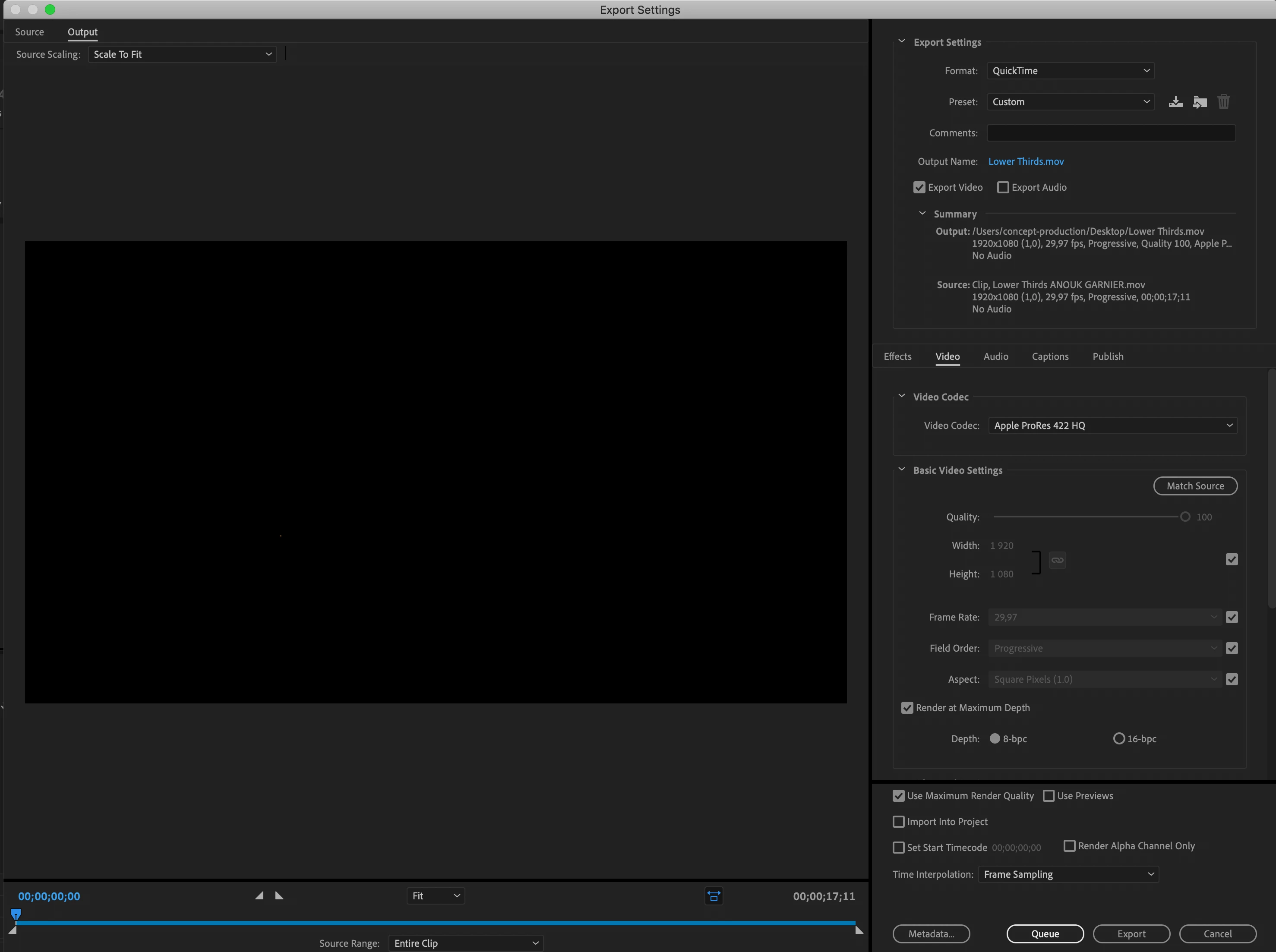
You exported without an alpha channel.

You need Prores 4444 with alpha.

3 replies

MyerPj
Community Expert
Community Expert
November 29, 2019

PP-14.0 Win1903, works well, don't have to do anything. I suggest checking the clip....

Inspiring
November 29, 2019

Works correctly on my system, source file QT in Animation Codc with alpha:

Verify your source files do indeed have a viable alpha RGB Millions color +,  to see the transparency and verify it, load the clip to the source monitor and switch on Transpareny Grid:

MtD

Concept-Production
Inspiring
November 29, 2019

Any solution would be great ...

Erns R.
Concept-Production
Inspiring
November 29, 2019

You exported without an alpha channel.

You need Prores 4444 with alpha.


Thank you Ann Bens, that was good answer thank you so much I will do that 
I just tested a very little video and it's work this way


Erns R.
Ann Bens
Community Expert
Community Expert
November 29, 2019

Premiere does support mov with alpha channel.

Upload a short clip to test.

Mac or Windows: Please post comp sepecs and Pr build.

Concept-Production
Inspiring
November 29, 2019

Thank you Ann BensI know I can import but after importing you cannot turn it to transparent. You have to use blend mode which disturb the color. I'm not trying to blend it I'm trying to put it on top as you can use with PNG transparency. For exemple in After Effect you can use normal mode, to make .mov video sit on top of another video and it's support alpha chanel. This mode is not in premiere.

Erns R.
Ann Bens
Community Expert
Community Expert
November 29, 2019

If the clip has transparancy you dont have to do anything.

Just drop it in the timeline. Beware transparancy shows default as black.

Either put a red solid under the mov or turn on the Transparancy Grid under the wrench in the  Program Monior to check.