


Participating Frequently
September 2, 2013
Answered

How to Open .CFA Files

  • September 2, 2013
  • 3 replies
  • 54090 views

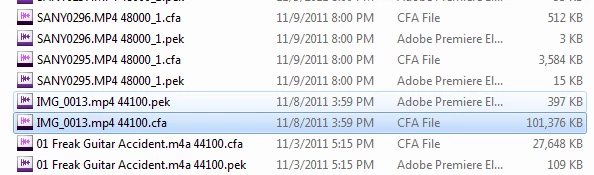
Hi all, I've been looking on my hardrive for some old files, and found at least what I think is the audio portion. They're all .CFA and .PEK files. But I'm assuming the .CFA has the bulk of the data because of the size.

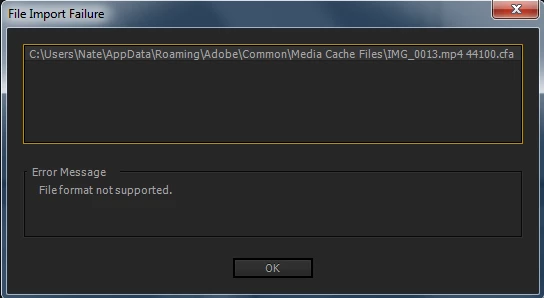
I thought that Premiere Pro would be able to open the files, but it seems not. I've also tried Media Encoder, Premiere Elements, and Encore, but still nothing. Below is my process and error. Any help appreciated thanks!

The location of all these files: C:\Users\Nate\AppData\Roaming\Adobe\Common\Media Cache Files
Trying to import into Premiere Pro
Correct answer Steven L. Gotz

There is nothing of value to you in the CFA files. You can feel free to delete them, and when you go to use the original audio files, the CFA files will be recreated. The same with the PEK files. They are supposed to be temporary files that help Premiere Pro play back files in the timeline without having to render the audio constantly.

If you were hoping to recover lost media files, that is not going to happen by using CFA files.

3 replies

SigitySym
New Participant
June 18, 2015

...we've been in this same boat a few times.  If your content is audio only you may have luck renaming the file .PCM, then open the file with an audio tool like Adobe Audition and use the settings associated with the original to open, example 32bit Float, 44.1 sample.

To Attempt to Recover Audio...

1. Rename .CFA to .PCM

2. Open .PCM in Audition and provide the compression specifications, example 32bit Float 44.1 sample rate.

Inspiring
March 8, 2017

I thought I'd just add to this thread as I've seen many question in this regard and wanted to report the result of applying SigitySym's advice above. My Dad had lost a .wav file for which he had the corresponding CFA file. I followed the two steps above. I picked another .wav file Dad had and used the Source Audio Format from that. The result was the correct length and pitch but in my case the file wasn't contiguous, and there were duplicate pieces of audio inserted all over the place. However, once I found and chopped them out of the wave form I got something pretty near to the original piece.

Thanks for the hint SigitySym.

the_wine_snob
Inspiring
September 2, 2013

In addition to Steven's comments, you can see this article for more background on the CFA and PEK files: http://forums.adobe.com/message/3892177#3892177

Sorry that those will not be of help, but good luck on locating the original Assets.

Hunt

Steven L. Gotz
Steven L. GotzCorrect answer
Inspiring
September 2, 2013

There is nothing of value to you in the CFA files. You can feel free to delete them, and when you go to use the original audio files, the CFA files will be recreated. The same with the PEK files. They are supposed to be temporary files that help Premiere Pro play back files in the timeline without having to render the audio constantly.

If you were hoping to recover lost media files, that is not going to happen by using CFA files.

artofzootography.com
Participating Frequently
September 2, 2013

Thanks guys. Good to know. I thought that they actually contained stuff I could get out. I recently lost 900 GB on my external and was hoping they would be an alternative. :/

New Participant
December 22, 2023

I have the same issue here. I was looking for old family videos which were deleted and now I can't get them back. Tried searching and I only came across the CFA files .