

March 2, 2020
Answered

How to unlink nested squences?

  • March 2, 2020
  • 7 replies
  • 5196 views

I have two nested sequences and whenever I change something inside one of the nested sequences the other one changes also. I don't want this to happen , so how can I unlink them ?
This topic has been closed for replies.
Correct answer chusbaker

Hi user 123452,

to have titles that are a copy but behave indepentdent from the original you need to use Alt. In your case, go inside the original nested sequence, select all clips with Ctr + A, press Alt and drag a copy to the right of the timeline, select the copied clips (all of them) and Ctr + X (Windows Cut), Next go to the main sequence where your nested sequence lives and paste your copied clips (Ctr + V), Nest the clips, done. This new nested sequence is independent from the original.

Best of luck

7 replies

chusbaker
chusbakerCorrect answer
Participating Frequently
March 3, 2020

Hi user 123452,

to have titles that are a copy but behave indepentdent from the original you need to use Alt. In your case, go inside the original nested sequence, select all clips with Ctr + A, press Alt and drag a copy to the right of the timeline, select the copied clips (all of them) and Ctr + X (Windows Cut), Next go to the main sequence where your nested sequence lives and paste your copied clips (Ctr + V), Nest the clips, done. This new nested sequence is independent from the original.

Best of luck

March 3, 2020

Thank you

Community Expert
March 3, 2020

because you are using the legacy title, it will always refer to the same title,

either use the Type tool, or if you have to use legacy titles, you will also 

have to copy paste your titles and rename them, then insert them in the other sequences

March 3, 2020

Thank you

Community Expert
March 5, 2020

welcome!

March 3, 2020

I hope this video helps. After copying pasting and renaming the nested sequence, inside the new nest I changed the color of the letter v from red to green , but it also changes the color for the other nests.

https://www.youtube.com/watch?v=GpTbhmtV7II

Inspiring
March 2, 2020

I think you have to use SAVE AS (new name)  instead of just copy paste and then rename that in the resource panel ( media) because renaming stuff in copy paste and names you change in resource panel are local ..like doesn't create new instance.


??

Community Expert
March 2, 2020

it will create another instance, separate from the first one, renaming is just 

to know which is which... you can try it ...

Community Expert
March 2, 2020

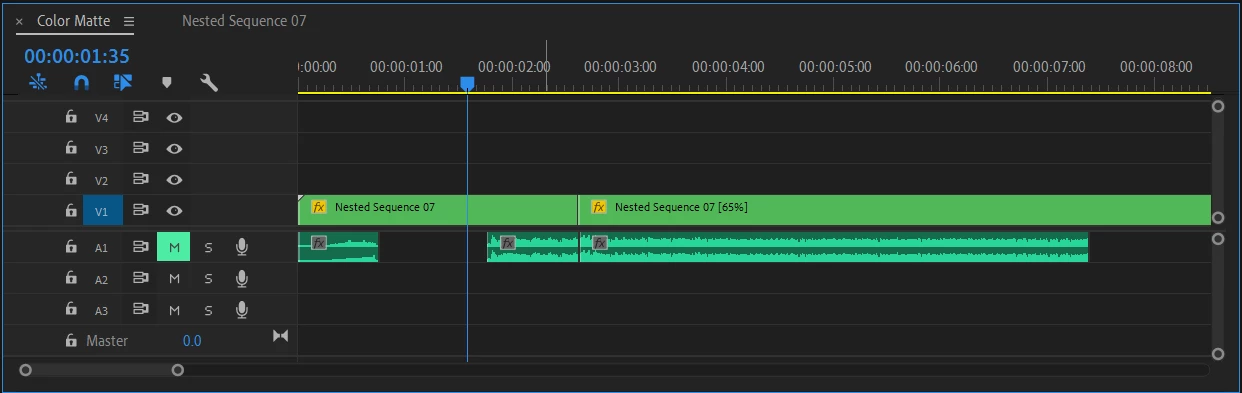
do you have nests inside nests? 

can you please share in detail your timeline or try to share a video?

what me and Peru Bob told you to do should work, but it seems like

your workflow is more complicated

Peru Bob
Community Expert
March 2, 2020

Create a new nest and copy the contents of the first nest into the new nest.

Then they will be independent of each other.

March 2, 2020

Tried to do that but still.

Peru Bob
Community Expert
March 2, 2020

How did you do it?

Community Expert
March 2, 2020

how did you nest? you seem to have nested from inside the same sequence timeline twice,

copy paste the first nested sequence from the project panel and rename the copy to "sequence 02" etc...

this will create 2 separate nested sequences of the same assets inside, but editing one of them will

not update in the second one. or make subsequences...

March 2, 2020

I copied and pasted the first nested sequence then I renamed it , but  still if i changed anything in one of the  nested sequences it would update the other one.
