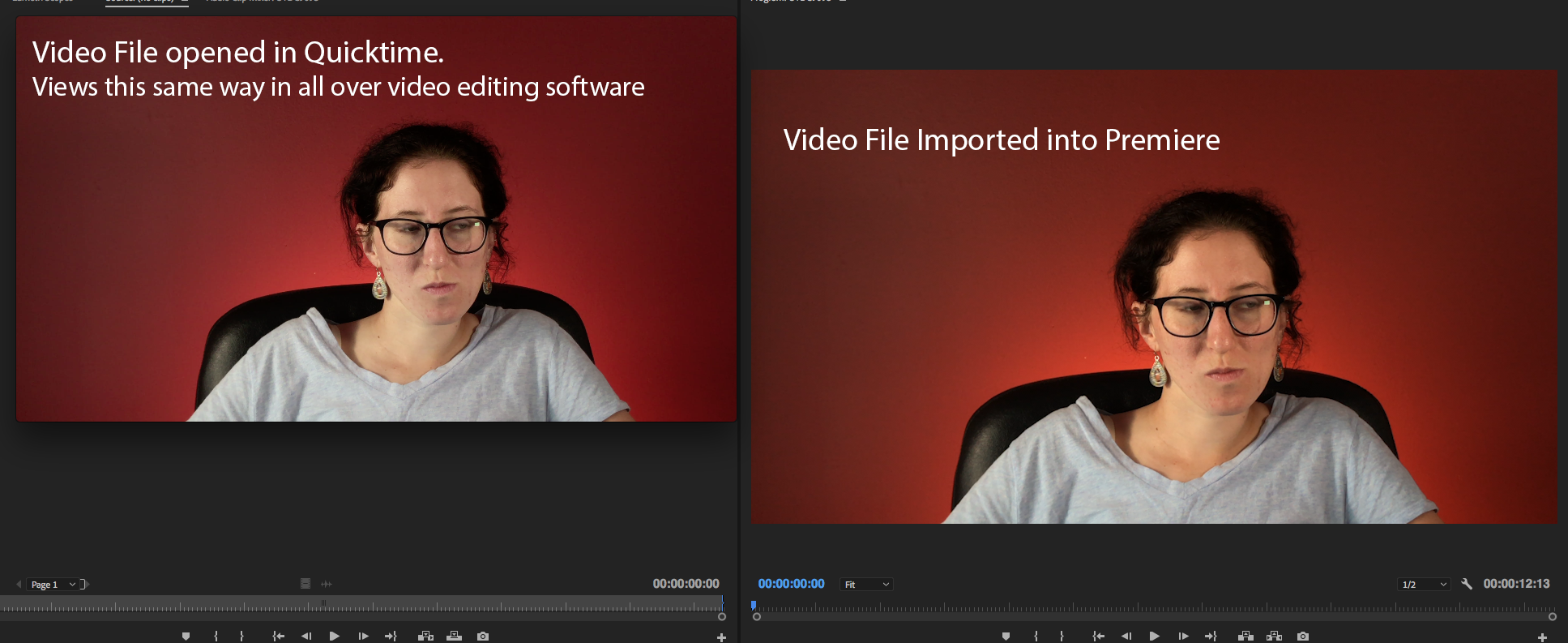
I'm new to Premiere and am having an issue I've seen mentioned a few times but have yet to see an answer that works for me. I'm running the latest version of Premiere Pro on a Mac pro desktop computer with OS Sierra. I recently imported a video file (.mov) into Premiere and there is a yellow hue shift being added over the entire video. When I import this video into any other video editing software on my computer (Final Cut Pro, iMovie) the video looks exactly as it does on the right in my example attached. Can anyone tell me why this is only happening in Premiere and how can I fix it? Thanks







 AdChoices