



Amaury.
Participant
May 23, 2023
Question

I'd like to paste on a specific layer (with a twist)
  • May 23, 2023
  • 2 replies
  • 318 views


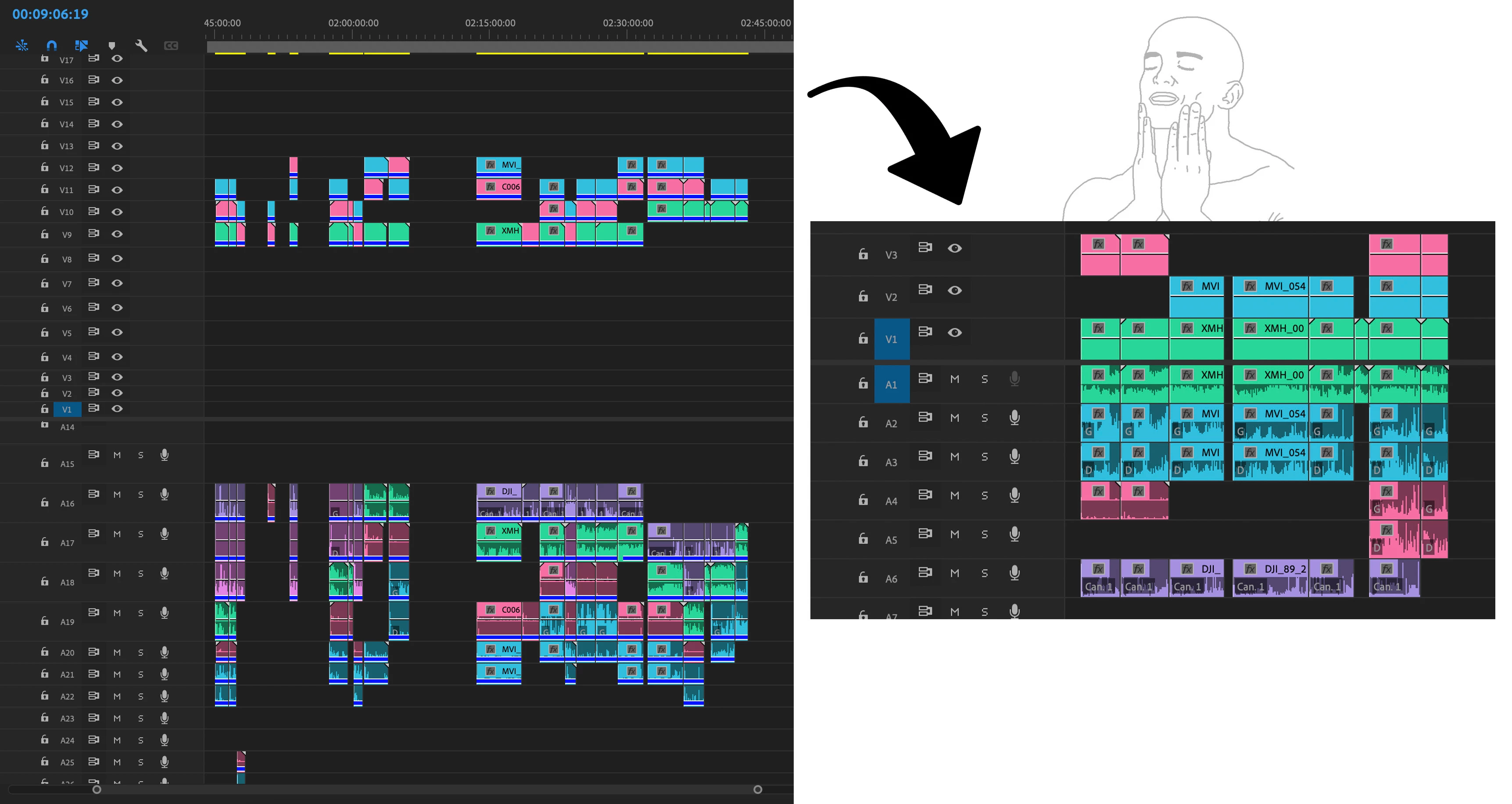
Hey! So I have 3 different camera clips (with different color labels) with their sound clips + some other lavmics stuff.


I'd like to go from that mess on the left to a clean timeline with each camera clips on the same layer. The problem is I don't know if there's a way to paste clips from multiple layers to a single one. I'm wasting tons of time doing this by hand, I'm looking for a faster way…

This topic has been closed for replies.

2 replies

MyerPj
Community Expert
Community Expert
May 23, 2023

Just and FYI:

There's some new "Paste" keyboard shortcuts and a new "Simplify" for sequences (also in the sequence menu). I don't know if they will help, but you could try it out and let us know! 🙂


Amaury.
Amaury.Author
Participant
May 23, 2023

So I kinda found a workout (though it's still quite a manual way to do this)


Here goes :

- Before anything, make sure each clip is labelled differently by camera/lavmic type.

- Sync all of your footage.


Then for the sorting part:

- Duplicate your comp for each kind of media you want to sort (each camera, lavmic…).

- Go to the first duplicated comp. Delete all clips except the ones from your first camera (you can have a shortcut for "Select by label group").

- Delete all empty tracks, select clips by track (thanks to Select all to the right and Shift), and move down the clips with Alt + down/up arrow. Repeat and delete empty tracks. You should end up with only the number of tracks and everything lined up properly.

- Create a blank master comp, copy and paste on the first layers.

- Repeat with all the duplicated comps and paste on the master comp.


I'm not a native English speaker so I hope I was clear enough. If you have a faster way I'm still curious 🙂