



I have cache going into two separate folders, is this by design?
I've just noticed I have cache going into two separate folders, is this by design?
I use an M.2 500g for my video projects, on a WIN 8.1 i7-5960X. While in production I move everything on the M.2 - Project files, video media files, and Media Cache & Media Cache Files. After project completion I remove all contents from the 2 Cache folders, delete my video files (they are also backed up on a RAID), and move the Project file folder to my projects backup RAID. My work flow is efficient, and my machine cuts through heavy multicam projects like butter.
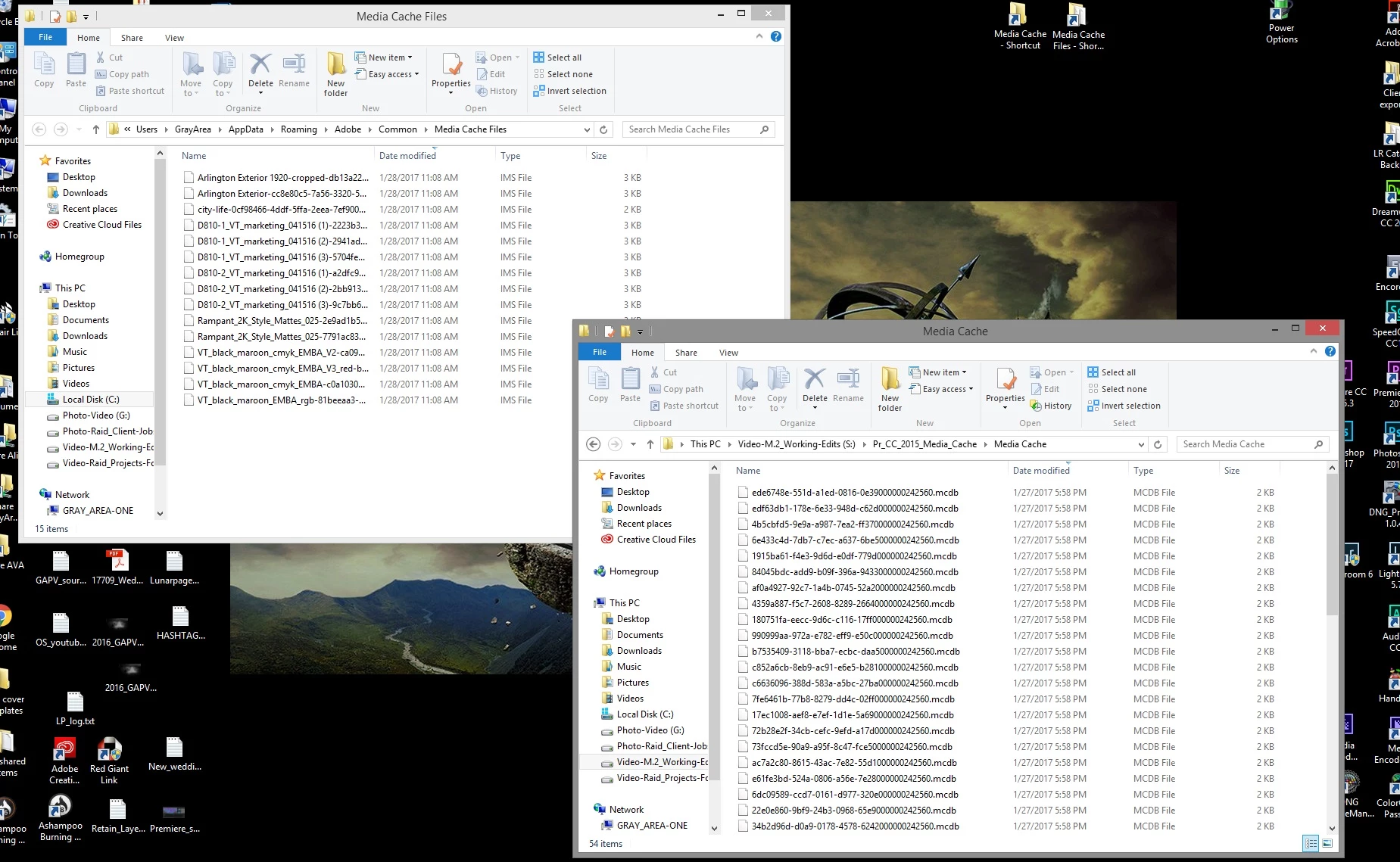
However, this morning while poking around for other things, I noticed I have Media Cache going into 2 folder locations, the one on my M.2 as my setup work flow. And I also find Media Cache being built and going into what looks to be the PR Cache default folder at C/users/myname/AppData/Roaming/Adobe/Common/both media folders.
Image 1 below: screen of the two folder locations, top folder is generating cache items when I open a project.
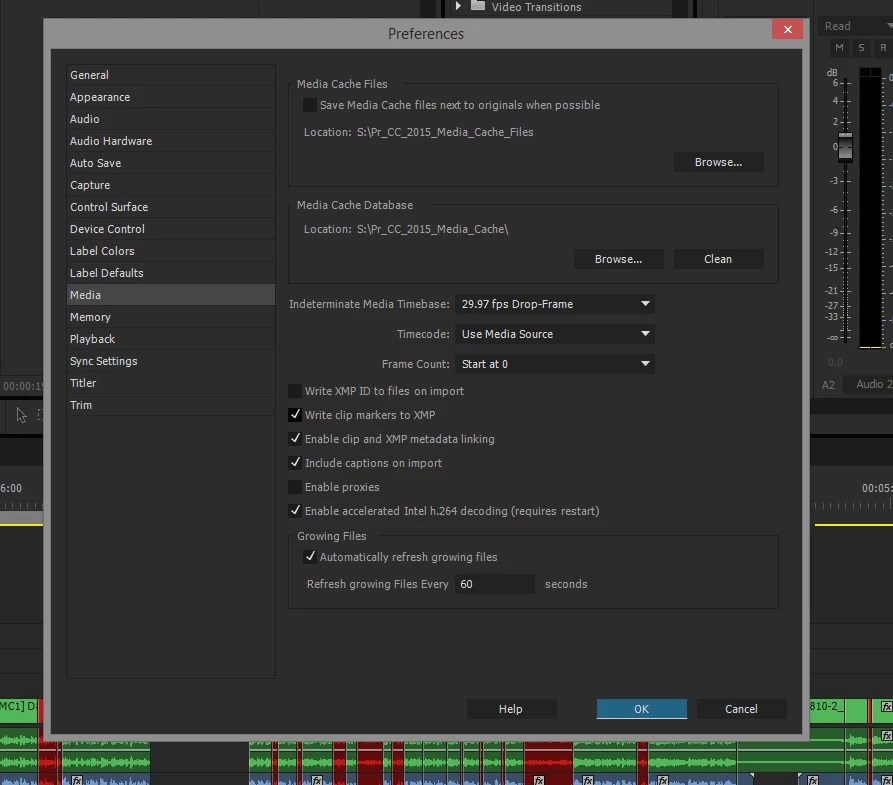
Image 2 below: is PR pref settings, with my two M.2 Cache folder locations on my S:\M.2 drive.
Is this by design? Am I missing something that is causing cache to go into 2 locations? I welcome any advice.
Thanks,
Donnie
 AdChoices