


bartonlew
Legend
August 23, 2021
Answered

images not showing up in program monitor

  • August 23, 2021
  • 4 replies
  • 6662 views

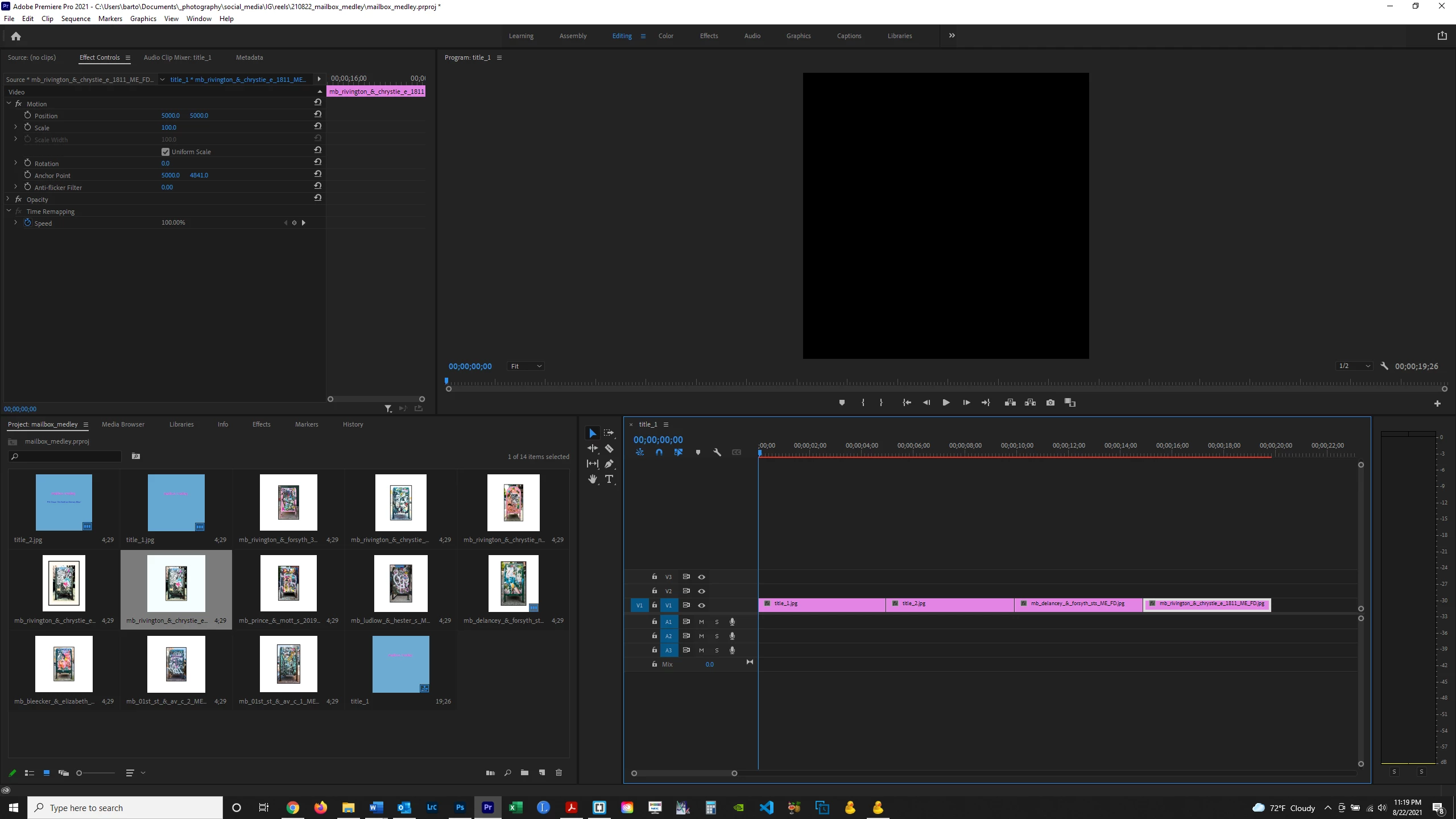
My images are not showing up in the program monitor after dragging them into the timeline.  Does anybody know why?  Thanks.


This topic has been closed for replies.
Correct answer Silkr0ad

Select your clips and hit " : "

Then go to "Sequence" in the top bar and choose render In to Out.

Is there any change ? 

4 replies

Participant
March 25, 2023
  • It's 2023, and there isn't still no solution to this problem? I'm currently having it. I imported png into my project panel and it's not appearing in my program panel after dragging them into the timeline 
Participant
September 5, 2023

This is incredibly annoying. How is there not a fix for this? I've never had this issue before.

Participant
January 31, 2022

rendering doesn't work, deleting and importing the image from the file again doesn't work, trying it on a different computer doesn't work, doing all of the maintenace cleaning doesn't fix it either.

Community Expert
January 31, 2022

What is the file type, dimensions, color space (rgb, cmyk)?


Silkr0adCorrect answer
Inspiring
August 23, 2021

Select your clips and hit " : "

Then go to "Sequence" in the top bar and choose render In to Out.

Is there any change ? 

G.
bartonlew
bartonlewAuthor
Legend
August 23, 2021

That worked.  Thank you!

Joëlle Bh
Community Expert
Community Expert
August 23, 2021

Hello bartonlew

Can you please try to 

  • Delete and re-import the files.
  • Delete your project and create a new one.
