
imported files are zoomed way in and the export looks the same
I'm using Premier CS5 on my Win7 desktop, as I always have since learning (on the fly) to use Premiere.
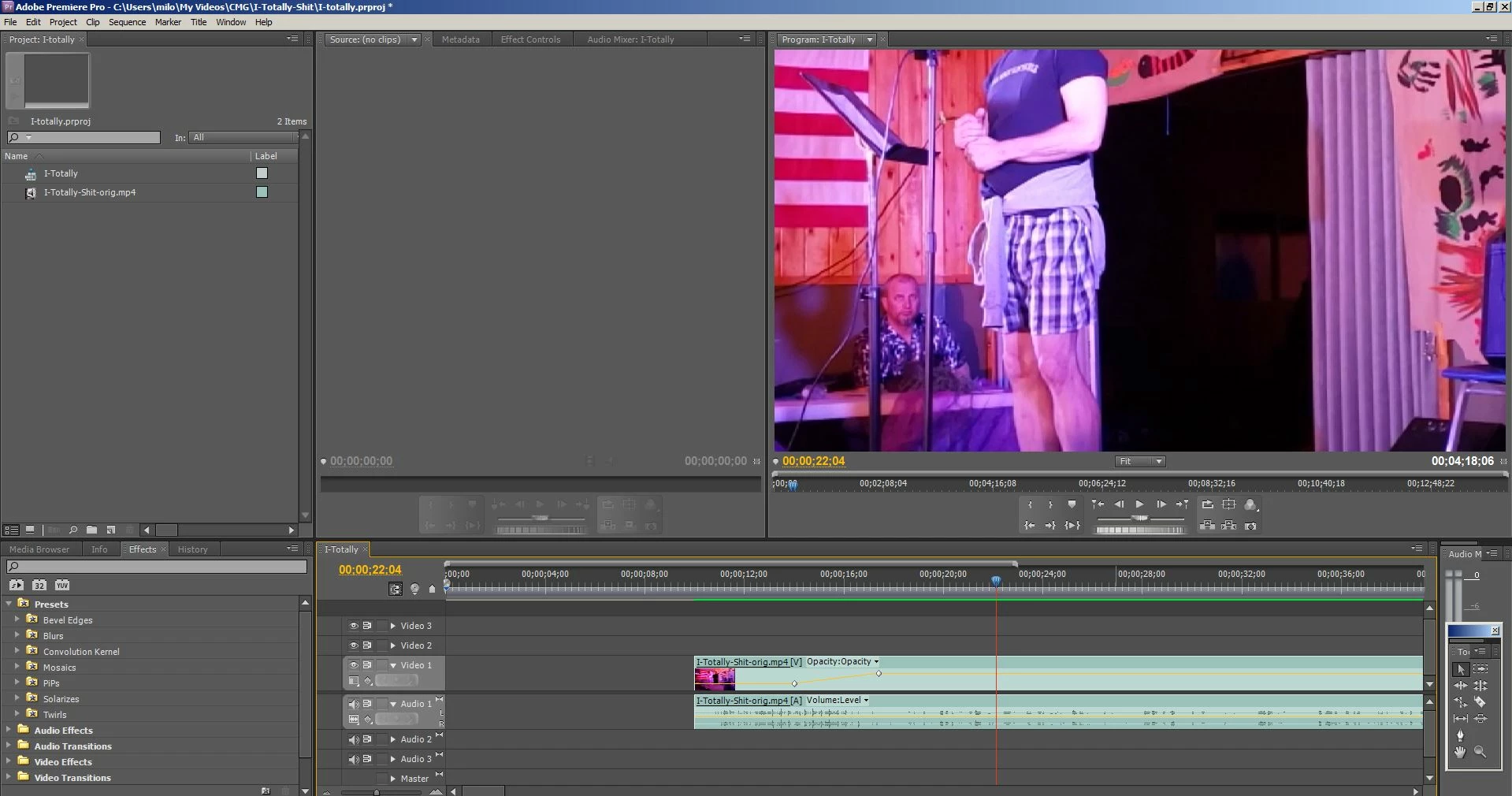
I imported an mp4 file (taken on my new Galaxy s9 and shipped over to my computer)
and put it on the timeline, intending to just trim about a minute at the beginning and add a title screen.
~
I noticed right away that the upper right video (where we see what we're editing) has me on stage but
it's zoomed way in so my head and feet are cut off. This is not how it looks when I just play the mp4.
I've not seen this happen before. There may be a way to zoom in on a video on purpose that I don't know (and
perhaps this got turned on) but it's not my intention.
~
I had hoped that perhaps it was only a zoom on the viewing of the video and not the actual contents, but when
I exported it as an .FLV file, the resulting FLV video was cutting my head off as well.
What might I be doing wrong in either defining the new project or importing the video or just in using some settings that could be causing this?
~
In case it's helpful, I right-clicked on the .mp4 file and the properties say that the frame width and height are 1920 and 1080.
When I start the new project, I always use by default (cause I don't really know what I'm doing but it's seemed to work til now)
DV-NTSC Widescreen 48kHz
Datarate 14487kbps
Total bitrate 14743 kbps
Frame rate: 30 frames/sec
IMPORTANT ADDENDUM: I tried again from scratch and noted that the settings above show that the frame size for DV-NTSC Widescreen 48kHz
is 720x480. Thinking, "Aha, maybe my new phone yields different sized videos so that's what's happening!" i started looking at the other options.
I found at least two that say 1920x1080 with 29.97 frames per second so I tried both. Happily, my whole body showed up so that's a sign that perhaps my diagnosis of the problem was right. But the video plays terribly in Premiere, with the video pixilating and my body jumping about a bit. So how do I know what's the right option?
 AdChoices