


Imported .mp4 File Error: No Preview Playback, No Editing Capabilities Enabled
Hi there,
I am at my wits end with this software and am about a week behind on a critical work project that has stalled in the face of this issue. I'm desperate - community, please help!
I have 2 video clips (both in .mp4 video format, which have been subsequently converted using Adobe Media Encoder CC v14.4 to MPEG movies with mp4 filetype using H.264 encoding):
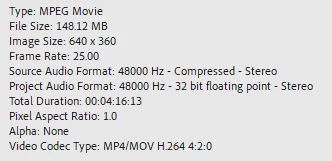
- Video 1 - originally a Zoom recording:
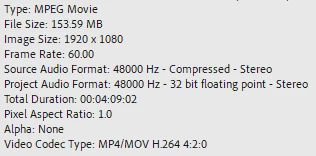
- Video 2 - screencapture video from OBS app:
After importing the converted files and loading them onto the timeline for a new project, I am able to preview Video 2 but not Video 1. As a result, I am unable to view either video feed in the playback preview workspace (see attached screenshot of Premiere Pro Display Error):
The videos are meant to be overlaid, I need to show one over the other. When each is loaded independently, the screencapture previews without issue. When Video 1 is loaded - with and without other clips - preview is disabled.
I am able to view and hear both projects in Windows Media Player without issue. Whenever Video 1 is imported, it breaks the project. However, I can't re-record this video and I can't go without using it. Please help!
I have tried so far:
- Setting Project Settings > General > Renderer to Mercury Playback Engine Software Only
- Restarting the software, and my computer
- Clearing media cache and then re-importing
- Using Sequence > Render In to Out to render the video preview
- Importing into Adobe Premiere Rush to try to edit the files there - same result.
 AdChoices