



Importing DJI Phantom 4 Pro Footage into Adobe Premiere Pro CC 2017.1.2(22) v11.0 Oasis
Hi,
I've shot a number of footages on my P4P a week ago and currently trying to compile them using Adobe Premiere Pro CC 2017.
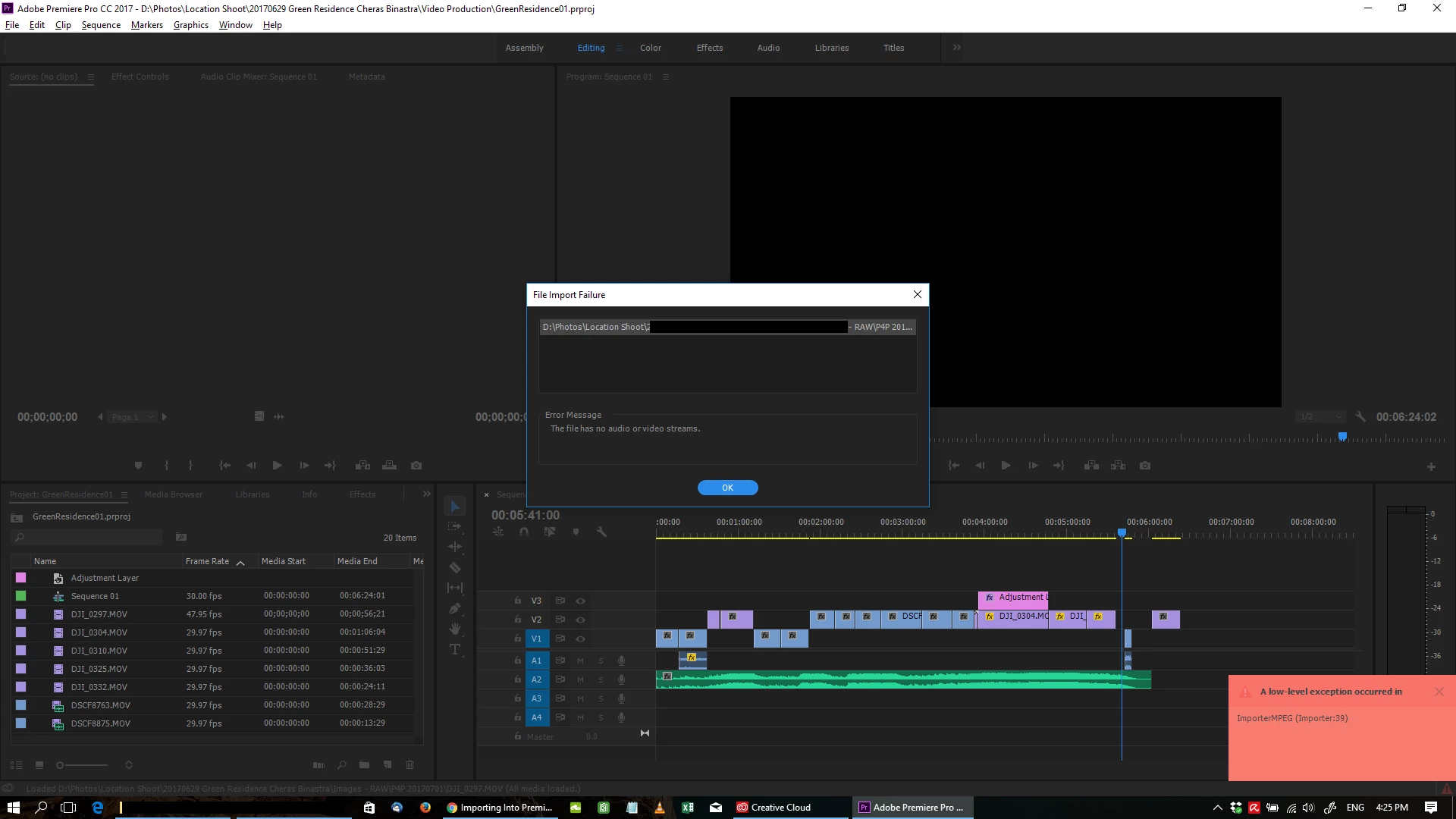
Some of the footage gets imported without issues, some have the File Import Failure : The File has no audio or video streams - (A low level exception occured in ImporterMPEG (Importer:39)) Please refer to the screenshot.
It seems to happen to certain files only, i have no idea why... All the videos are shot on the Phantom 4 Pro using h.264
Can anyone please advice?
I have tried using ffmpeg and handbrake to convert the MOV file to MP4 and then import into Premiere Pro again and it works... but the conversion process have degraded the video quality tremendously... from the 800++MB MOV file the converted MP4 file is less than 30MB...
I would prefer to import the original MOV file straight from the SD card into Premiere in order to retain the quality...
Please help!!!
Jesse
 AdChoices