
Participant
November 1, 2021
Answered

iPhone 12 pro max and 13 pro HDR footage blown out in Premiere Pro 2022 (v22.0)

  • November 1, 2021
  • 23 replies
  • 124040 views

After upgrading to Premiere Pro 2022 (v22.0) all my HDR footage from my iPhone 12 ProMax and 13 Pro are blown out (screen shot below)
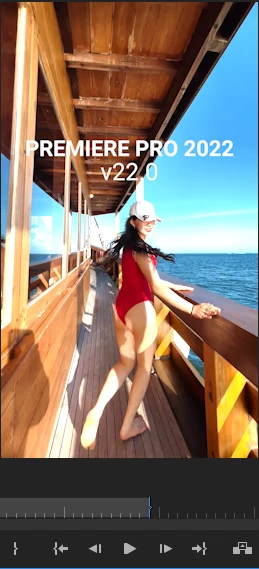
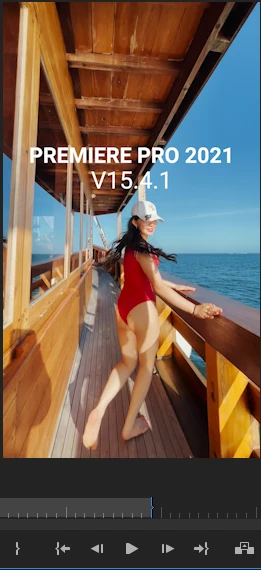


There are actually similar disscussion here that talks about this issue, but i thought i would make new discussion that spesifically talks about this issue on iPhone 12 Promax series and above. So whoever having similar issue hopefully could find this thread when they're googling


There are two solution to fix this issue

First Solution, go to project panel, select all of your HDR clips > Right Click (windows) > Interpret Footage > Color Space Override > Choose Rec 2020
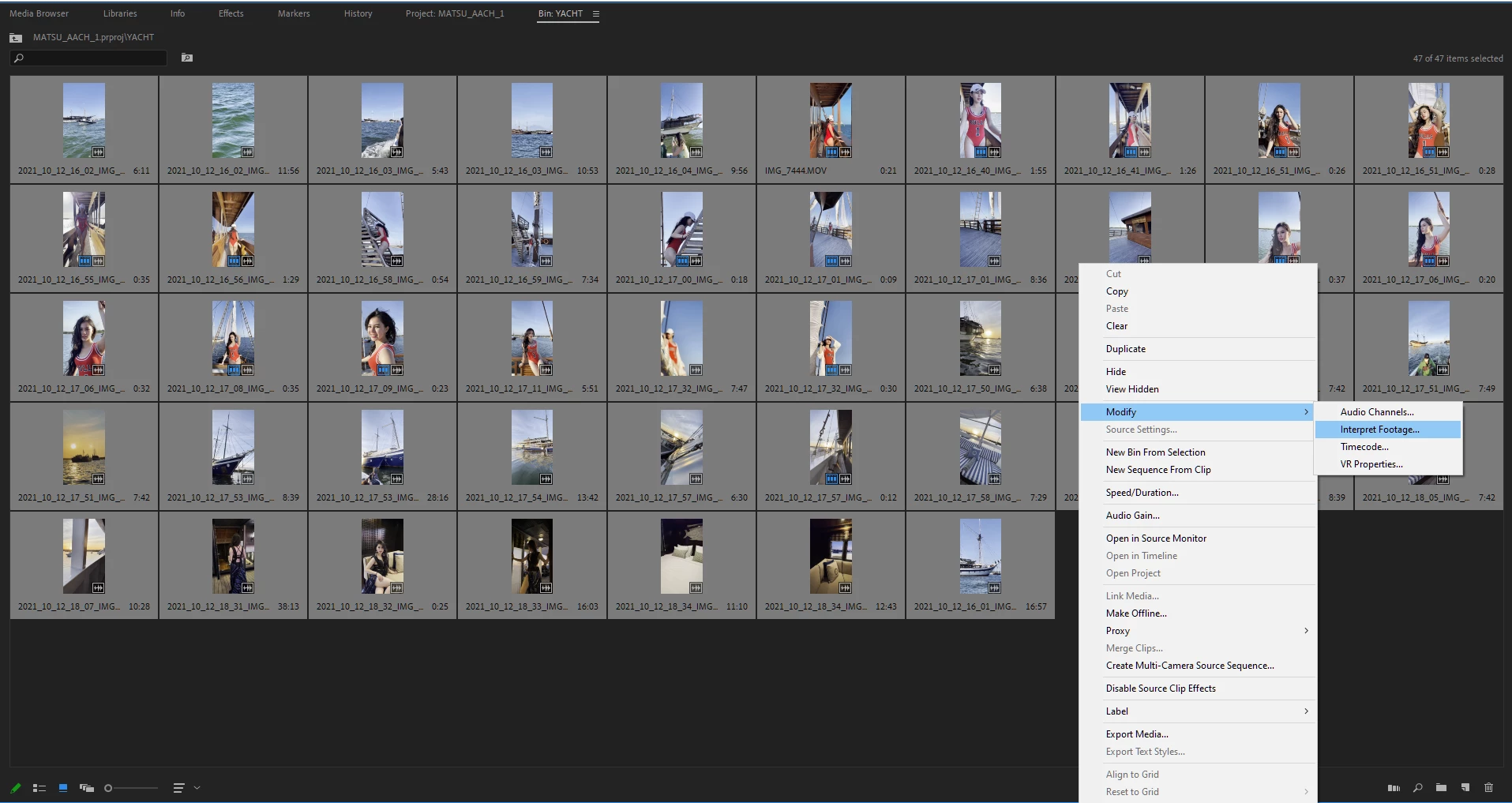
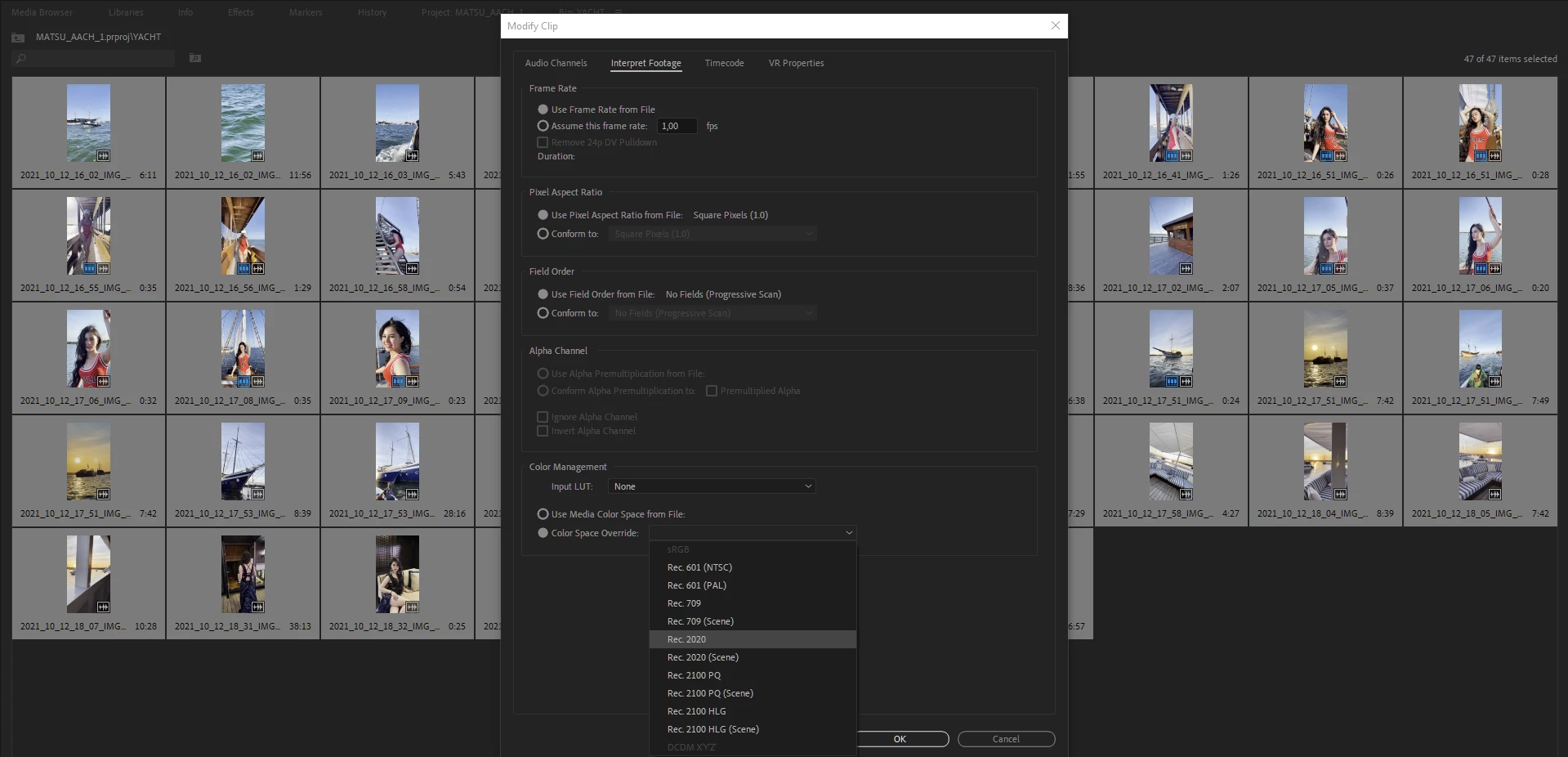


Second Solution (I do recommend using this), open your creative cloud control panel and just re-install previous version Premiere Pro 2021 v15.4.1 (i'm using both PP 2021 & 2022 at the moment)
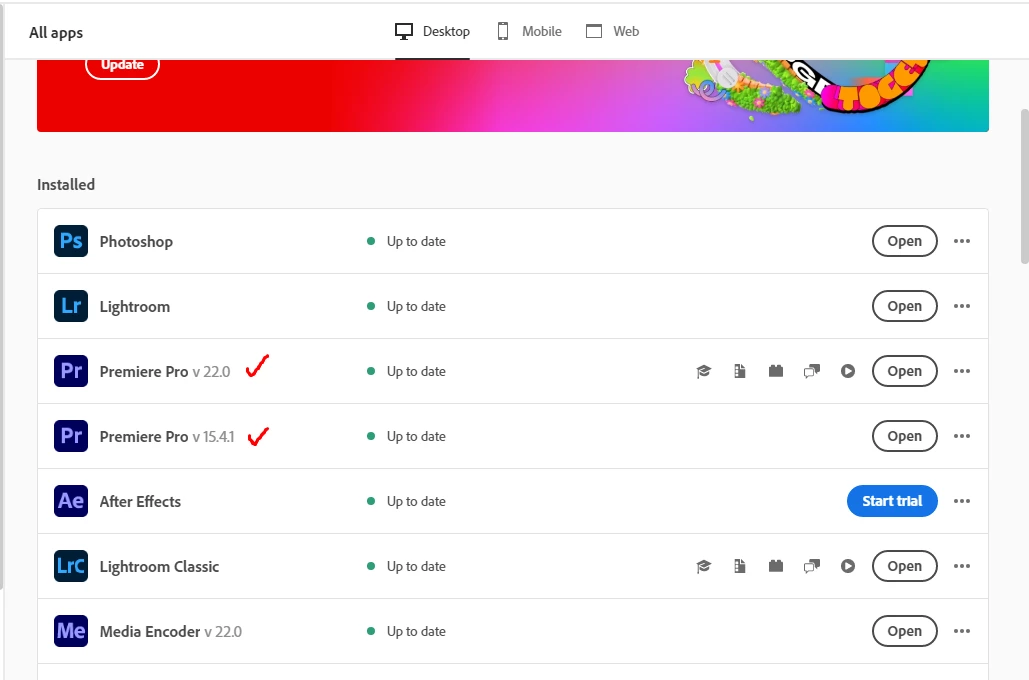


Hope this will help whoever having this iPhone HDR footoge blown out on Premiere Pro 2022 v22.0


This topic has been closed for replies.
Correct answer R Neil Haugen

This new version added quite a bit of user-settable color management options (CM) and that's confused a lot of people. There are several places to check & set CM.


  • Clip properties in the bin: Modify/Interpret Footage
  • Sequence settings dialog settings
  • Scopes panel settings.


For most users with HDR media right now, I'd suggest setting the sequence to the 2100/HLG option as a starting point. Match that in the scopes and clip settings if you can.


And report back how well it works. It will probably take us all a bit to sort this out.


And the reaction of some users to the engineers adding CM options, is why many of the engineering staff were reluctant: they knew for a lot of users it would be confusing and cause issues until they could figure it out.


Once you understand how it's supposed to work, you'll have more options than you did before. Yea, it's painful to figure out at first.


Neil

23 replies

YurieGM
Participant
November 14, 2021

Thank you, Kevin!!!


This is Yurie.

I should have asked you two days ago in on the zoom.

My client bought an iPhone13 recently, and he started filming with it and gave me footage to edit.

PremierPre was updated to 2022, so I had no idea when I saw the footage color went crazy exposure.

After I found this suggestions, I modified the color space override to Rec.2020 right now!!

Now I start to use Lumetri Color as same as before. 🙏 👍 😊


R Neil Haugen
R Neil HaugenCorrect answer
Legend
November 3, 2021

This new version added quite a bit of user-settable color management options (CM) and that's confused a lot of people. There are several places to check & set CM.


  • Clip properties in the bin: Modify/Interpret Footage
  • Sequence settings dialog settings
  • Scopes panel settings.


For most users with HDR media right now, I'd suggest setting the sequence to the 2100/HLG option as a starting point. Match that in the scopes and clip settings if you can.


And report back how well it works. It will probably take us all a bit to sort this out.


And the reaction of some users to the engineers adding CM options, is why many of the engineering staff were reluctant: they knew for a lot of users it would be confusing and cause issues until they could figure it out.


Once you understand how it's supposed to work, you'll have more options than you did before. Yea, it's painful to figure out at first.


Neil

Everyone's mileage always varies ...
Participant
December 5, 2021

Thank you Neil it solved the problem with HDR footage from the new iPhones. But I use 5 different cameras and have different source material, I know that is not perfect, but for my private project its necessary (gopro hero, Nikon DSLR, iPhone 6s plus, iPhone 12 pro, sony compact), issue here: HDR material from iPhone 12 pro is perfect, rest is now greyish, darker and not vibrant anymore. So I can choose between two evils... do you have any suggestion?

Participant
December 30, 2021

Ahh, Adobe ... Help. It's unfortunate that though there are some great Adobe help staffers, that's not the experience so many users get. In the future, as soon as you get a 'live' person either online or via phone, ask for the "video queue" as that gets you up to someone with specific Premiere Pro experience, rather than a generalist working from a cheat sheet.


Your problem is "doable" with a bit of knowledge and practice. We'll get you going.


Neil


Hey guys I am reading these responses and am still lost in how to fix the iPhone footage problem. I went back to 15.4 as the Adobe help line told me. The problem is that my company is requiring us to upgrade to adobe 2022 for security concerns. Is there a quick solution to this problem? I am editng 120, 30 minute videos a week all shot on iPhone and the footage is coming from sources I dont have contact with to ask them to change. Can someone help? Sorry for being so ignorant to color space changes, I just need a simple solutio if ther is one. Thank you in advance.


lorenzof76705276
Participant
November 3, 2021

Thanks for the advice here. Oh an Adobe thank you for costing me time and money once again with a shoddy update. 

ChandrachAuthor
Participant
November 3, 2021

After experienceng this issue, now I know that I shouldn't update right aways when there is new update for adobe softwares. Glad to help