


- Home
- Premiere Pro
- Discussions
- Is there a Premiere CS6 analogue of Photoshop's Hu...
- Is there a Premiere CS6 analogue of Photoshop's Hu...
Is there a Premiere CS6 analogue of Photoshop's Hue/Saturation adjustment layer?

Copy link to clipboard
Copied
I'm running CS6 and I'm trying to deal with 8mm colour footage from the 1940s. The reds are very strong and can't really be dealt with via RGB curves, the usual way I deal with colour problems. If I was in Photoshop, I'd do this:
• apply a Hue/Saturation adjustment layer;
• select the red channel (from the available options of RGBCMY); and
• desaturate the reds by 10-30%
Works well on a still from the film in Photoshop, but I can't find any colour effect inside Premiere that allows me to desaturate just the reds.
Is there a Premiere analogue of Photoshop's Hue/Saturation?
[title edited by mod]


 18
Replies
18
18
Replies
18


Copy link to clipboard
Copied
you can import movies directly into photoshop. premiere has a lumetri color wheel where you can desaturate with a circle selector.
another thing I use is, white output on red channel reduce to 140 and set transfer mode to 'color'.
Copy link to clipboard
Copied
Thanks, Chris, for the suggestions.
The films are part of a larger project in Premiere, so the PS suggestion would be undesirable, I think, because it would involve an extra encode out of PS.
Re the last sentence, I don't understand which effect you are suggesting I use.

Copy link to clipboard
Copied
I also use cs6. A dinosaur.
suggestion was probably something like levels red channel output.

I'm sure you've already gone through all the options...but it's not like photoshop cs6. No selective color adjustment layer, or hue saturation stuff that I know of.
This one is OK (RGB) but all this is really fine adjustments and tricky. You can go to speed grade if you have that too...
Also these get stacked. The order matters. I would do levels first and then RGB, see what happens.

Copy link to clipboard
Copied
This was a cool post for me, cause I never played with RGB curves before and tried it out and since I know how that works from psd it was kinda cool.
thanks.

Copy link to clipboard
Copied
Just discovered that AE has a Hue/Saturation effect, just like Photoshop. So I'm looking into that as well.


Copy link to clipboard
Copied
Hi Guy
Have you tried using Lumetri's HSL Secondary to target the color range then desaturate ?

Dave

Copy link to clipboard
Copied
Guys this is CS6... There is no Lumetri.
Copy link to clipboard
Copied
Oops my mistake Ann 
Dave
Copy link to clipboard
Copied
Thanks for all the responses. To sum up:
• CS6 do not have a Hue/Saturation control as per Photoshop
• There is no way in CS6 to desaturate just the reds
• I could do it in AE (CS6) which does have a Hue/Saturation control. However, because of the way I've set things up, using AE on my existing project isn't possible either.
One final question for when I upgrade: that Lumetri control seems rather complicated looking, with a colour wheel and what have you. Can it desaturate the reds, or saturate them, by simply clicking a Red button somewhere, and moving a slider up or down? Is it a true analogue of Photoshop's Hue/Saturation?
Copy link to clipboard
Copied
If you have cs6 creative suite, then you also have speed grade, a color grading program. Some people really liked it. It is no longer supported by Adobe. If you want there are people here who are really good at using it and may see this thread and suggest exactly how to do what you want.
I'm using a laptop with internet and not my editing computer, and I don't have a sample of your source material either. I assume it's like the usual old 8mm stuff that got old and color is what it is now.
If you use something to share a 5 second portion of a file that you want to use as a sample there's ways to do it. And it wouldn't be a gazillion gigabyte file. Just enough to work with.
So you do have options aside from subscription. But either way I'm sure you'll get it looking as nice as possible !
Copy link to clipboard
Copied
Thanks for all the comments. I was hoping that desaturating reds could be accomplished by a workaround, but according to responses to my post in the Photoshop forum about how desaturation is actually done, there's a lot of complex maths behind it. Thus, no workaround mimic.
I've uploaded a 1 minute snippet from the film (330 MB). For Tasmanian bushwalkers, the target audience, it has significant historical interest. The film was taken in 1947 on a 14-day trip from Cradle Mt to Lake St Clair and then to Frenchmans Cap. I had it scanned at 2k on a Lasergraphics Scanstation, supposedly the best scanner for 8mm film. The upload has been scaled to 50% and converted to ProRes 422 (from the original 4444)
Reds are the main problem – but only when skin tones are in the frame. There is a small amount of red cast overall, but it is mostly a skin-tone problem. Why would that be?
Anyway, as soon as I saw the reds I thought: desaturate them 30% using Hue/Saturation, my typical solution for slide scans that have a one-colour saturation problem. And when I try that in AE or PS, is seems to be an excellent start, affecting only those red skin tones.
If anyone else wants to experiment on the film to see how best to reduce the reds, I'd been interested to hear your comments. I'm not looking for superb colour accuracy, in fact I want most of the imperfections of the film to remain so that it has the look of an old film. But those red skin-tones need taming.
It's a pity that Adobe never implemented Hue/Saturation in Premiere CS6. It's a very useful tool.
Copy link to clipboard
Copied
Took me a while to find this thread. You got moved to CS6 and earlier SUBSPACE.
I didn't go into editing computer and just using laptop got some minor observations.
The scan of your film is excellent.
Nothing bothers me about it just the way it is. A little flat maybe, but that was necessary to get all the tones.
my laptop is not color corrected monitor, but most people won't have that either when they view your final product.
I put level effect in sample and had a hard time seeing skin tone so messed around so I could see it better, and then basically just lowered red channel gamma from 100 to 90. You're probably in a col corrected monitor and would finesse as you see fit, but it seems to work playing with the red gamma.
Seems to me that if you really want to be perfect you'd have to make cuts just so that level effect can be adjusted just on those parts that you want it. For example, the mountains with clouds hated any adjustment to it via levels with the exception of red gamma.
BEFORE

AFTER
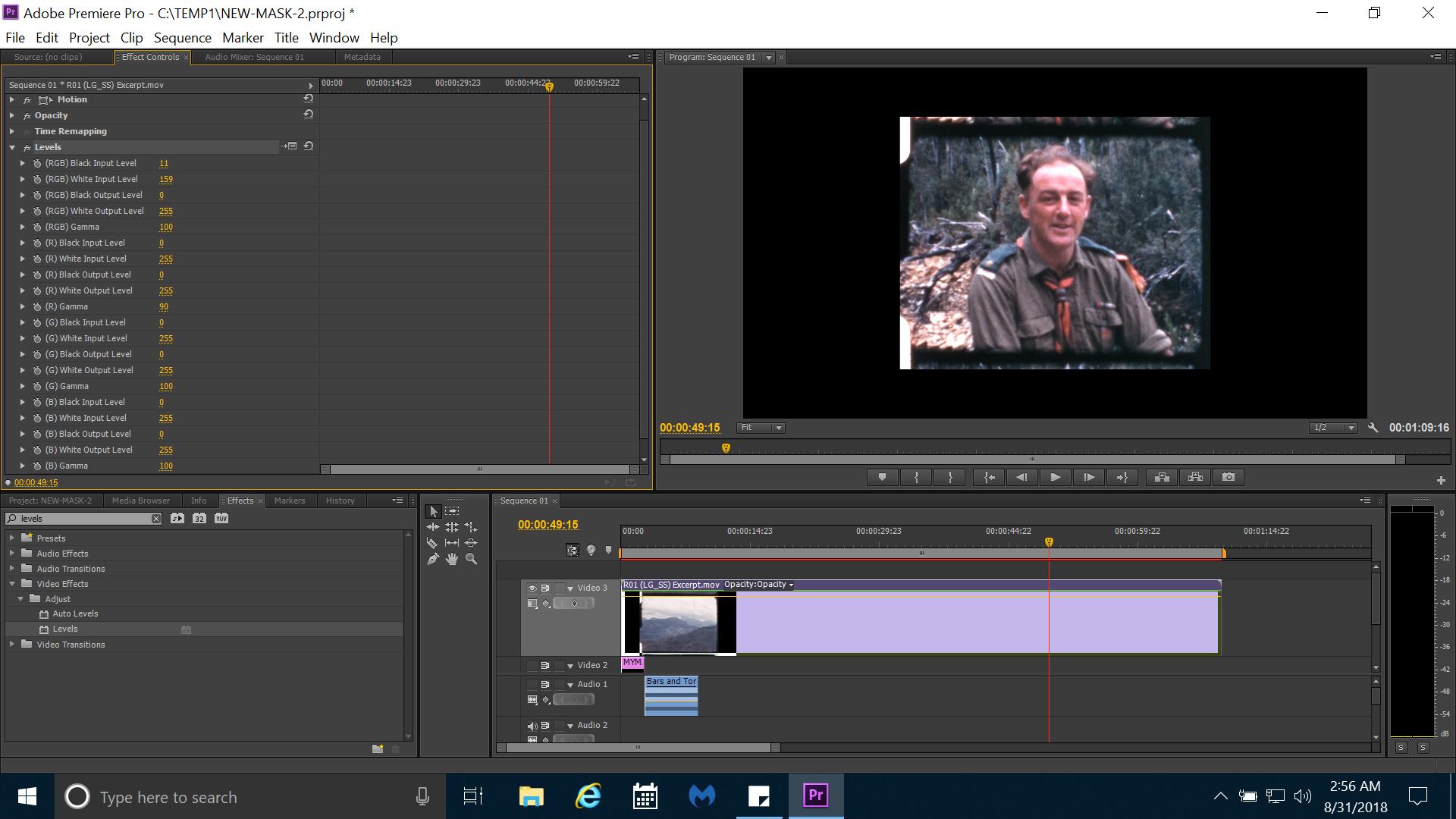
Copy link to clipboard
Copied
full resolution on program monitor
red gamma down to 80
some messing around with rgb white
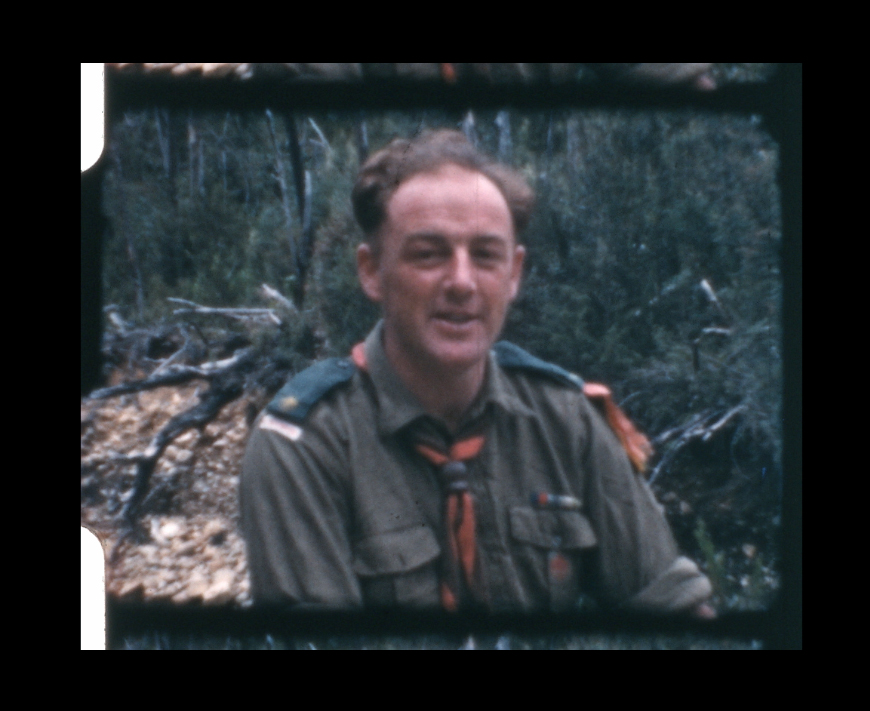
Copy link to clipboard
Copied
LAST ONE...
LEVELS applied first ( stacking order matters) with R gamma 80, the rest default
Brightness Contrast effect added next, adjusted to taste.
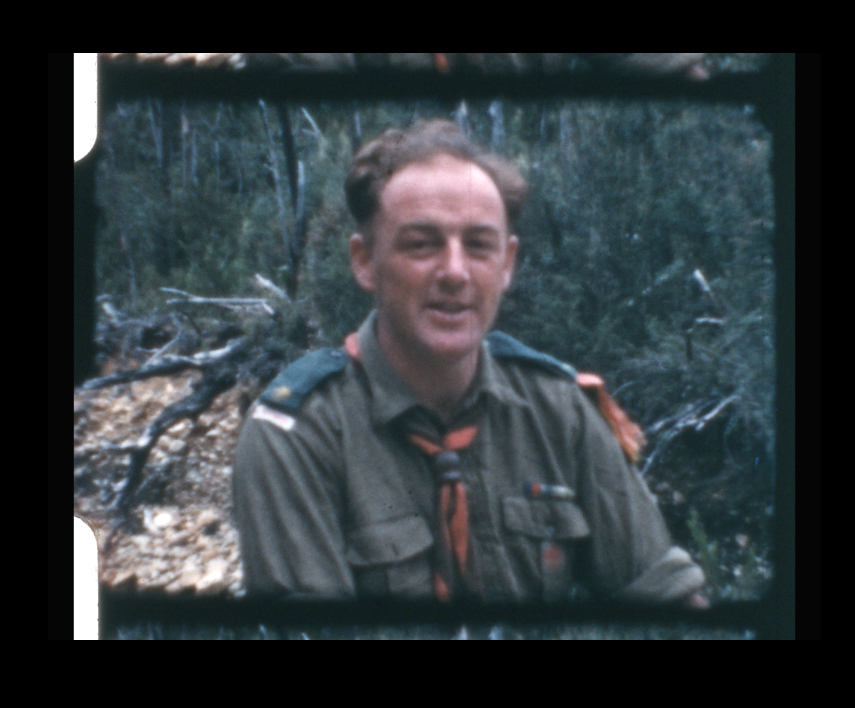
Copy link to clipboard
Copied
Maybe fastest way to fix everything is this crazy solution...
add black and white effect to all material
add brightness / contrast to all material
brightness = 14.0
contrast = 5.0
even mountains with clouds likes it. And looks good throughout.
Being black and white adds ( on some circles of art world ) a specific look related to older stuff, and rather adds value instead of diminishing value overall.
This might be the fastest and easiest way to deal with a lot of footage, and have a nice artsy look to it.
Copy link to clipboard
Copied
Well, I guess I've gotten as much as can out of this fun and informative thread. Thank you for helping me to get into stuff that keeps my brain working a bit. I'm retired so I need that.
Here's comparison … used main concept H264 that comes with cs6.
Copy link to clipboard
Copied
make it full screen on full HD screen
Copy link to clipboard
Copied
Thanks, Rodney, for all your input. Given me lots to think about.
1. Adjusting the reds downwards via Levels does give pretty good results for skin tones (I had already tried doing that via Curves), but it affects the rest of the image slightly. Not as focussed as desaturation.
2. Hadn't considered B&W for the films because the colour is pretty good. But I know what you're getting at, and I'll do some experiments. I've done B&W conversions for scans of Agfa slides, which all have the turning-purple problem. For certain images that can't be replaced (photos of areas that are now inundated by dams, for instance), converting to B&W is the only solution.
3. Full screen on full HD screen? Better than that. This project will be showing at a local venue in November, tiered seating with a 7m screen. The best in Tasmania outside the cinemas.
If you happen to be in Tasmania in November, come along, I'll give you free entry. Or if you'd like to see a Blu-ray of the production, gmail me at gdburns and I'll send it off after the presentation.


Find more inspiration, events, and resources on the new Adobe Community
Explore Now
 AdChoices