
Participating Frequently
December 2, 2022
Question

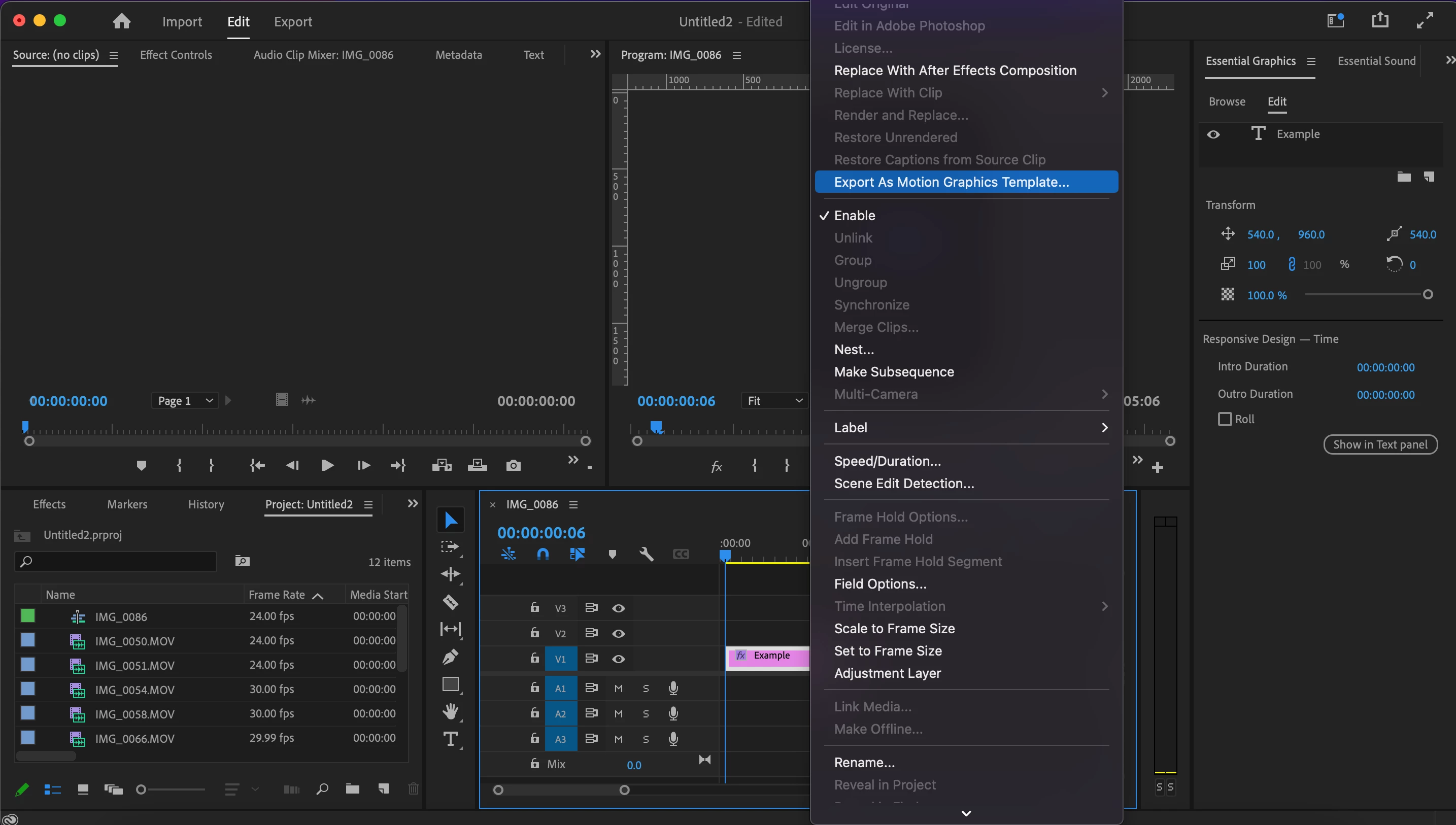
Issue exporting motion graphic template
  • December 2, 2022
  • 13 replies
  • 587 views

I am unble to export my animated text as a motion graphic. When I click the otption to do so this is as far as it goes. The menu that would allow me to assign the directory and add the description does not show hence the graphic goes unsaved. I was able to save graphic templates before so I'm wondering if there was a change in settings which may have cause this issue. I have also uninstalled and reinstalled the app and installed an older version and I still have the same problem. I am really confused can someone help me?

This topic has been closed for replies.

13 replies

Kevin-Monahan
Community Manager
Community Manager
March 25, 2024

Hello @ChArdobe,

Thanks for the message. It’s been a long time since you filed this bug. I apologize for the lack of a response. Are you still having this issue? The team will need more info from you to reproduce the bug. Can you provide the information required here? How do I write a bug report?


I'll move your post to the Discussions board while we await your information.


Thanks,


Kevin

Kevin Monahan - Sr. Community and Engagement Strategist – Adobe Pro Video and Audio
ChArdobeAuthor
Participating Frequently
December 6, 2022

Hello Kevin, 

I have tried your suggestion and it still didn't work. I also reset the app preferences again and it didn't work too. I am thinking about uninstalling the app and deleting all attached files and anything and hopefully it works.


Kevin-Monahan
Community Manager
Community Manager
December 3, 2022

Hi Ch,

Do a Get Info on the destination folder and unlock it. Reset R/W permissions for the folder. Be sure to include the enclosed items in the drop-down menu. I hope this helps.


Thanks,
Kevin

Kevin Monahan - Sr. Community and Engagement Strategist – Adobe Pro Video and Audio
ChArdobeAuthor
Participating Frequently
December 2, 2022

Thank you helping 🙂

PECourtejoie
Community Expert
Community Expert
December 2, 2022

Sorry, I tried...

I'm sure someone else will chime in with a relevant idea.

ChArdobeAuthor
Participating Frequently
December 2, 2022

I tried that and there was nothing that needed permission 

PECourtejoie
Community Expert
Community Expert
December 2, 2022

Usually, you go on System Preferences, Privacy and you would notice if you still need to grant access to certain apps, there should be a prompt.

ChArdobeAuthor
Participating Frequently
December 2, 2022

I am using version 23 and I believe I accepted all permissions. How can check that all permissions are granted?


PECourtejoie
Community Expert
Community Expert
December 2, 2022

Hi, please confirm the version that you are using.

Did you give Premiere all the permissions required in System Preferences/Privacy? It might need full disk access.

ChArdobeAuthor
Participating Frequently
December 2, 2022

Hello Carlos,

That's the way I reset it and it still didn't work. I'm going to to update my OS and see if that fixes anything.