



Answered
Light Red Background After Using Ultra Key
I am trying to edit a video that was recorded on an Elgato 4K60 S+ in standalone mode using an SD card. After I finish the recording, I import that file into Premiere Pro. I then have to go into Preferences under Edit and, under the General Tab, I check "Display Color Management". Doing so gets rid of the washed-out image I was getting in the video... awesome 🙂 The problem I'm now running into is that whenever I import something into the Project that has a green screen that requires the use of the Ultra Key Effect, a light red background is left behind, as shown in the image I attached. I'm pretty new to Premiere Pro, so I have no idea how to fix this issue. Any help would be greatly appreciated.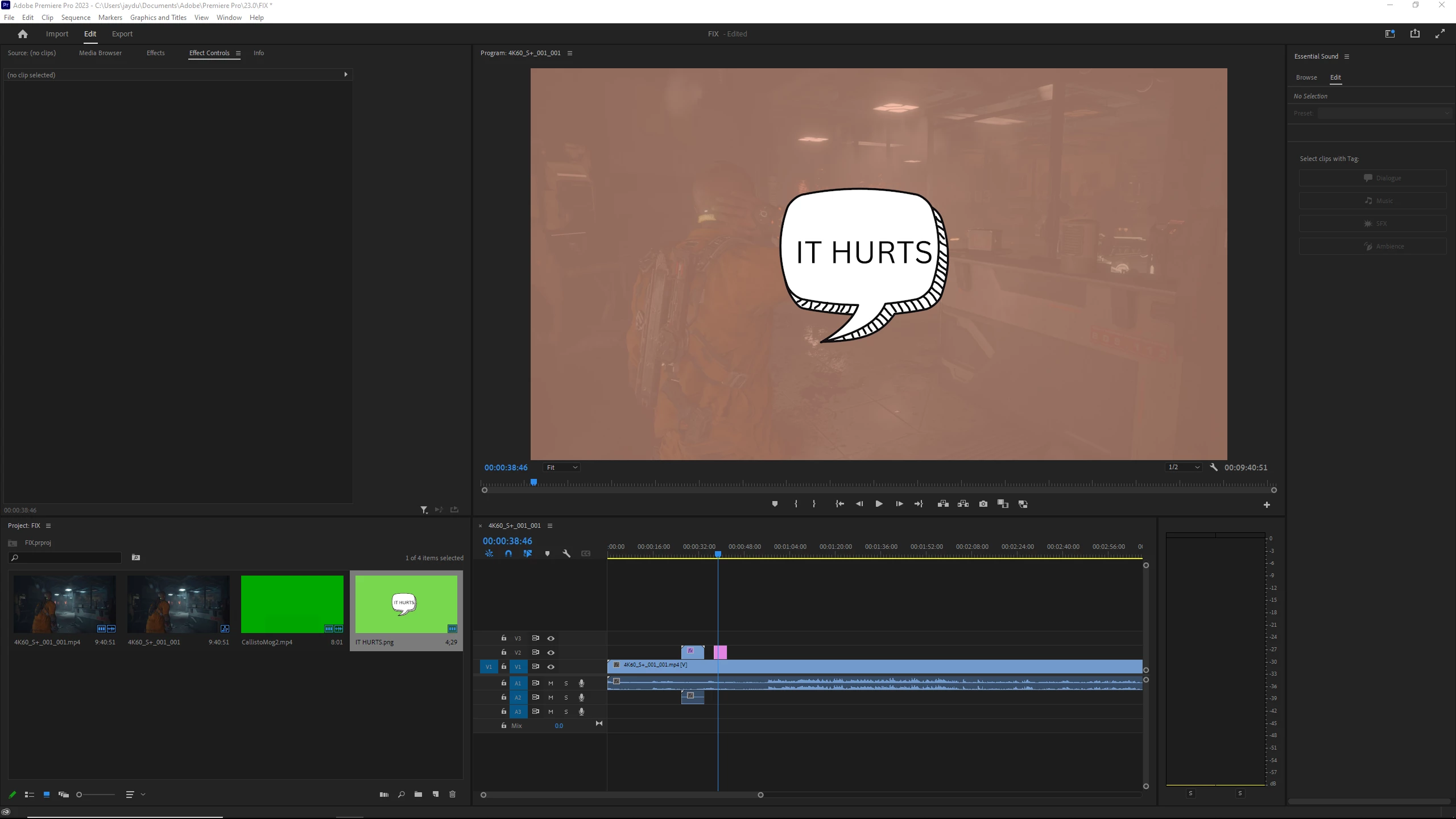
 AdChoices